

Retire the Content Calendar Nobody Updates
This free employee onboarding template takes new hires from offer acceptance through their 30-day check-in, so nothing slips through the cracks when your team is already juggling everything else
How to Use This Template
Using the template is super simple!
If You’re a FluentBoards Pro User
- Go to your Boards Dashboard. Open Templates and select Built-in Templates
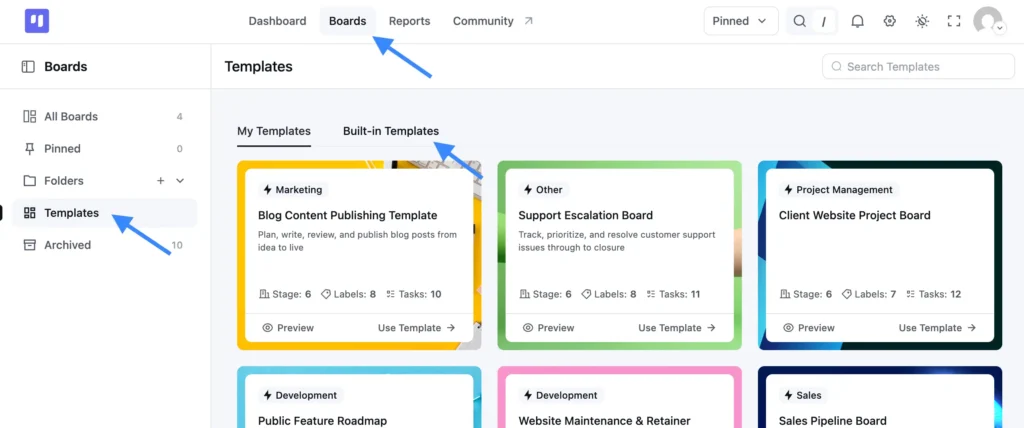
- Find this template and click Use Template
- Choose which stages and labels you want to keep
- Confirm your selection, and your new board is ready to use
If You’re a FluentBoards Free User
You can use the same template by importing the JSON file:
- Download the JSON file provided above
- Go to your Boards Dashboard and click Import
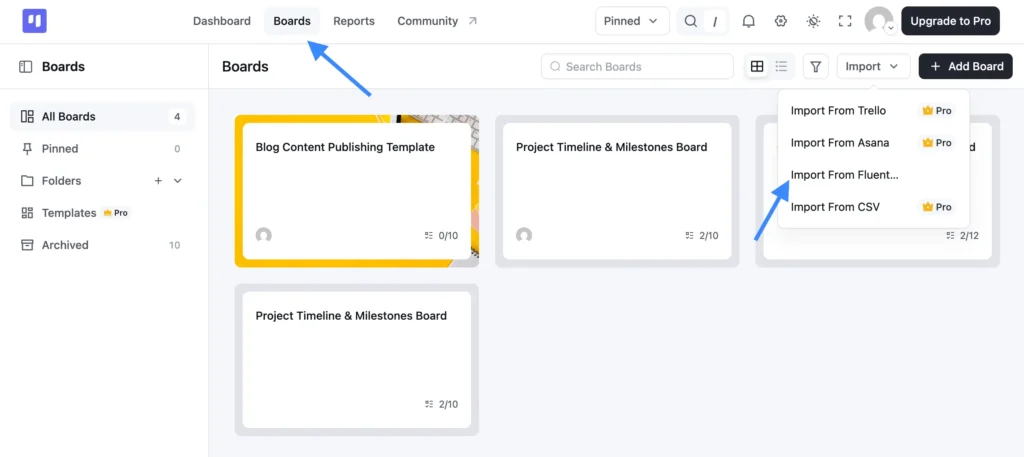
- From the dropdown, select Import from FluentBoards
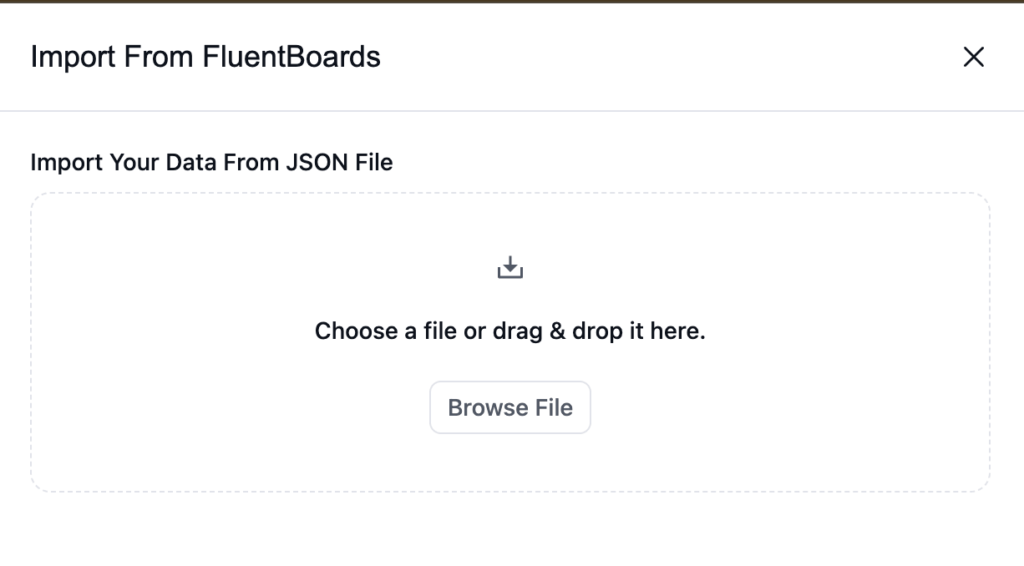
- Upload the JSON file you downloaded
- Complete the import, and your board is ready to go
Why Content Calendars Fall Apart After the First Few Weeks
Every content calendar starts with good intentions. Someone builds a color-coded spreadsheet, the whole team agrees to keep it updated, and for about two weeks it works.
Then reality hits:
- The spreadsheet says “scheduled,” but nobody can tell you whether the post was actually written, approved, or loaded into the tool
- A launch email and three social posts land on the same Tuesday, and the following week has nothing going out at all
- A draft sits waiting for approval for six days because nobody knew it was their turn to review it
- Good ideas get dropped into a chat thread, everyone reacts with a thumbs up, and nobody ever sees them again
It is not that your team is disorganized. It is that a list of dates cannot show you where each piece of content actually stands, or who is holding it.
What You Get Inside This Content Calendar Template
This content calendar template gives your team one shared system where every piece of content has a status, an owner, and a date, across every channel you publish on.
Stages, in order:
- Content Ideas: The entry point. Every idea for any channel lands here, whether it is a social post, a newsletter blurb, or a promo, so nothing lives in a chat thread.
- In Production: Active work. A card moves here as soon as someone starts writing, designing, or filming, so you can see what is really underway.
- Review: The approval gate. Drafts wait here for sign-off before anything goes out, making stalled approvals visible instead of invisible.
- Scheduled: A commitment, not a maybe. A card moves here once the publish date is confirmed, so “scheduled” always means the same thing to everyone.
- Published: The finish line. Content lands here once it is live on its channel, giving you a running record of everything you shipped.
Labels included:
- Social / Email / Blog Promo: Tag every card by channel so you can filter the board and see one channel’s pipeline at a glance.
- Campaign-Tied: Marks content locked to a launch date or campaign window, so it does not get bumped for something that could wait.
- Evergreen: Marks content with no deadline pressure. These are the cards you can safely move when the week fills up.
- High Priority: For the pieces that have to go out on time, no matter what else slips.
Who Should Be Using This
If you publish on more than one channel and nobody can say what is going out next week without checking three places, this template is for you.
- Content leads juggling blog promos, email, and social who are tired of being the only person who knows the real status of anything
- Solo marketers who do the writing, the scheduling, and the approving and need the plan out of their head and onto a board
- Agencies running content for several clients who need to show what is in production and what is waiting on client sign-off
- WordPress site owners who outgrew the spreadsheet and want the calendar to live in the same dashboard as the site they publish on
Frequently Asked Questions
Works Hand in Hand With Your Fluent Stack

Related Templates
-
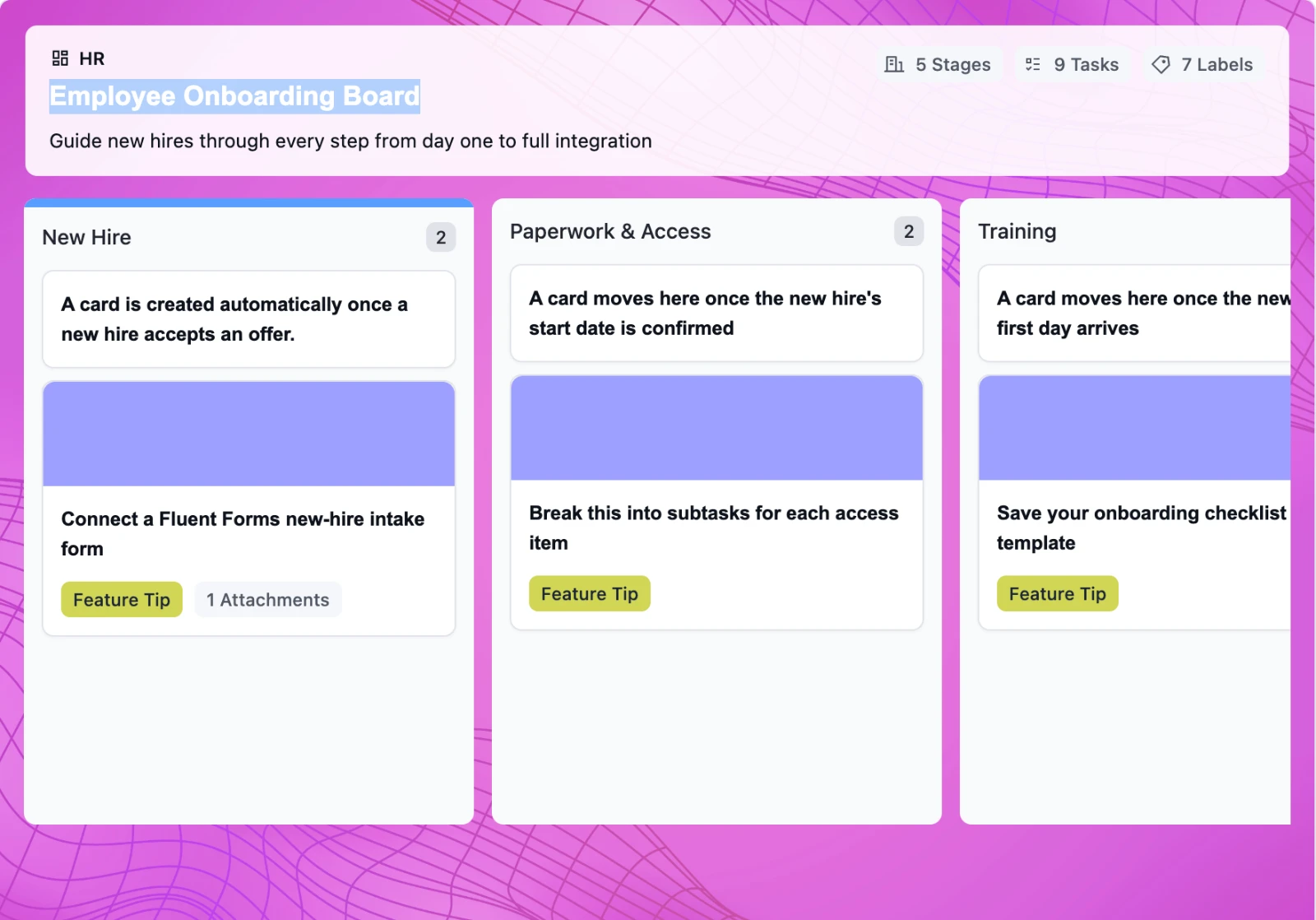
Onboard New Hires Without the Scramble
This free employee onboarding template takes new hires from offer acceptance through their 30-day check-in, so nothing slips through the cracks when your team is already juggling everything else
-
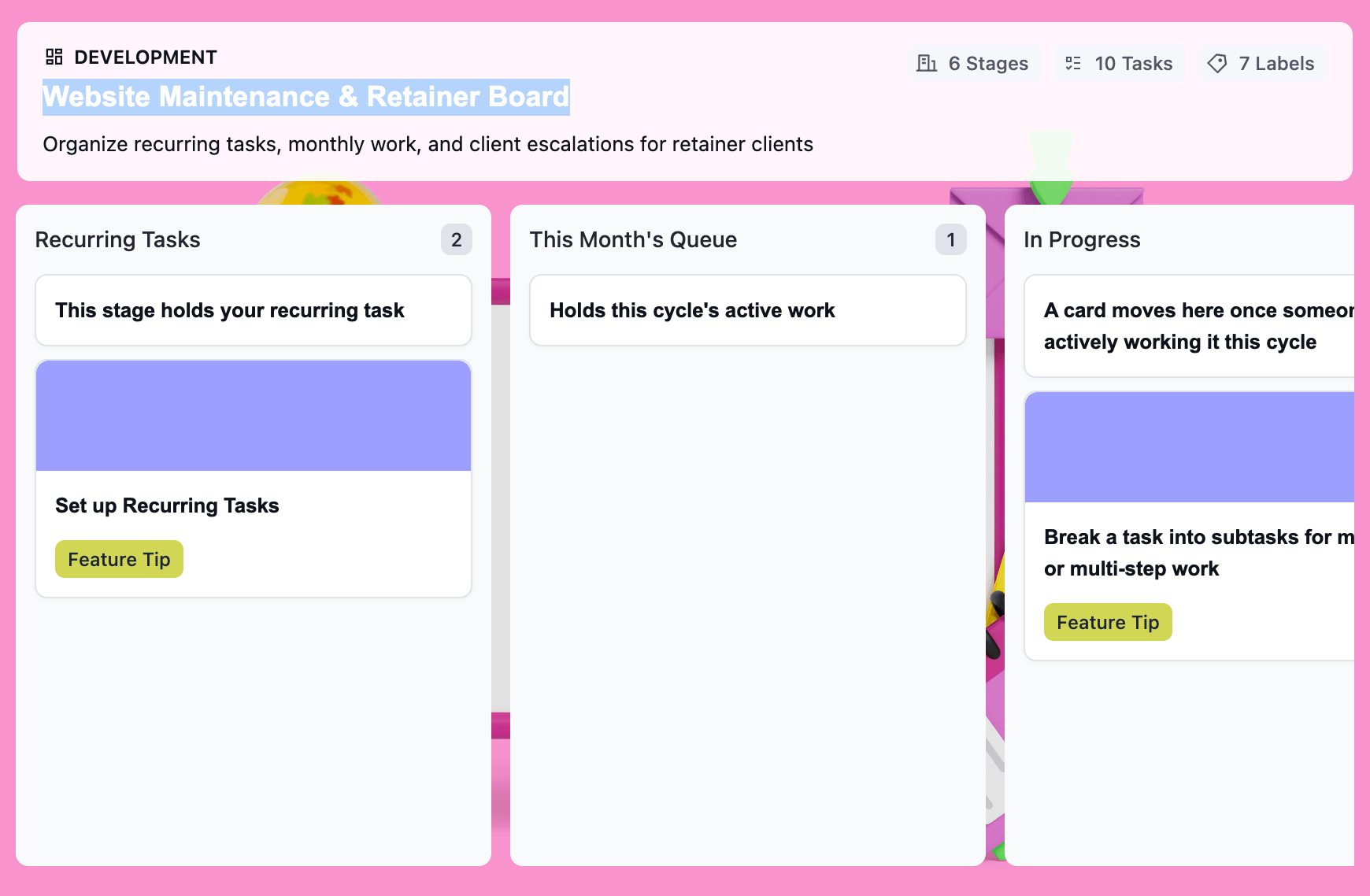
Turn Retainer Client Work Into a Clear Workflow
This free website maintenance retainer template gives you one board per client: recurring tasks that regenerate on schedule, a clear lane for scope creep, and a month-end record that’s already built.
-
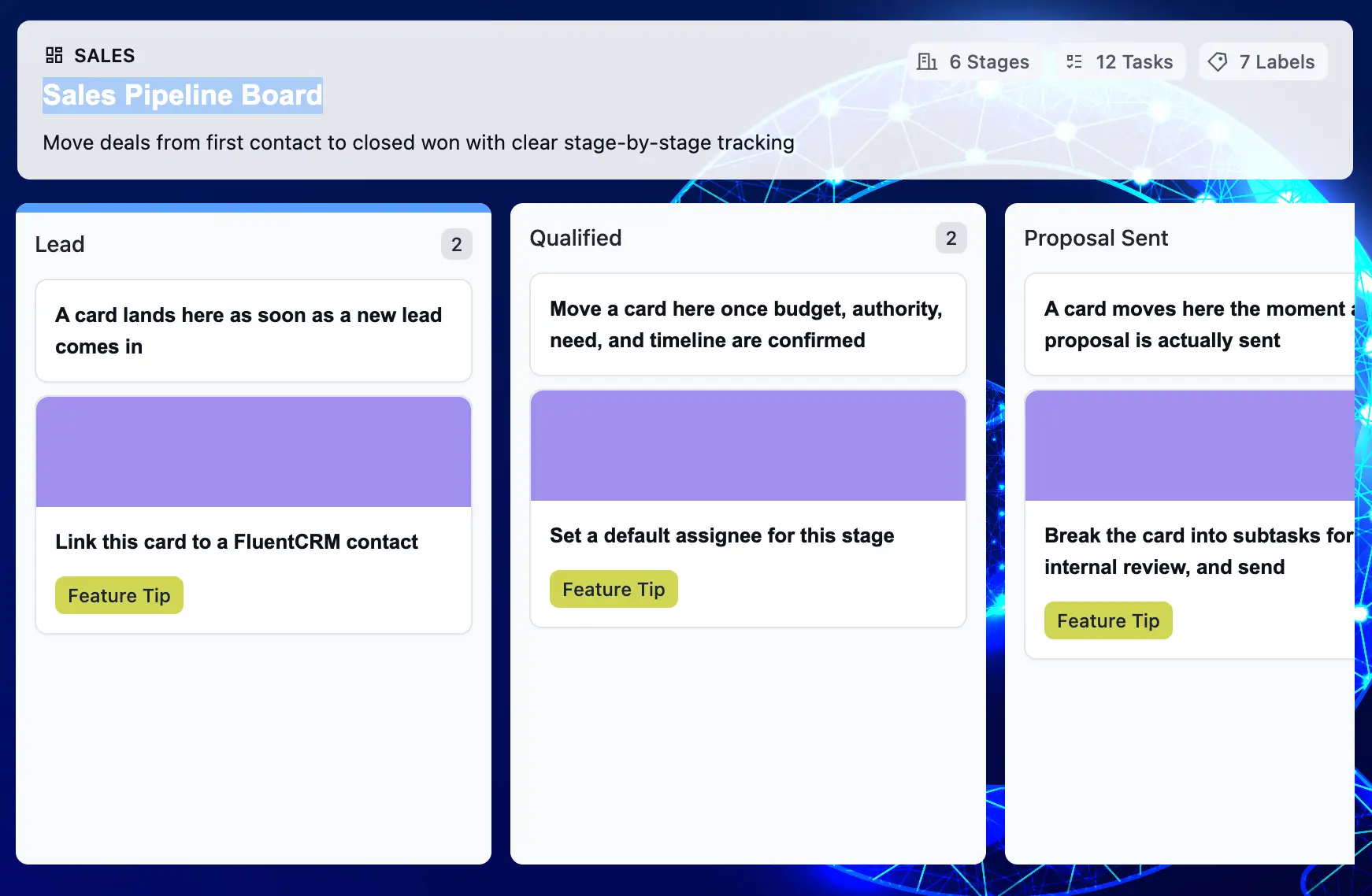
Make Your Sales Pipeline Easier to See and Manage
This free sales pipeline template tracks every deal from first contact to closed — so you never lose a lead to a missed follow-up or a forgotten proposal again.

