

FluentBoards 2.0: New UI/UX, Built-In AI, Smarter Reports, Dark Mode, and More!


Hold your boards tight, because this is going to be a big one!
After all the speculation, previews, and everything FluentBoards 1.95 teased, FluentBoards 2.0 is finally here. And calling this a routine update would be a serious understatement!
FluentBoards 2.0 brings a completely reimagined project management experience to WordPress, combining built-in AI, smarter reporting, a brand-new interface, powerful new workflows, and years of feedback from the people who actually use FluentBoards every day.
There is a lot to unpack. Let’s get into it.
Everything New in FluentBoards 2.0
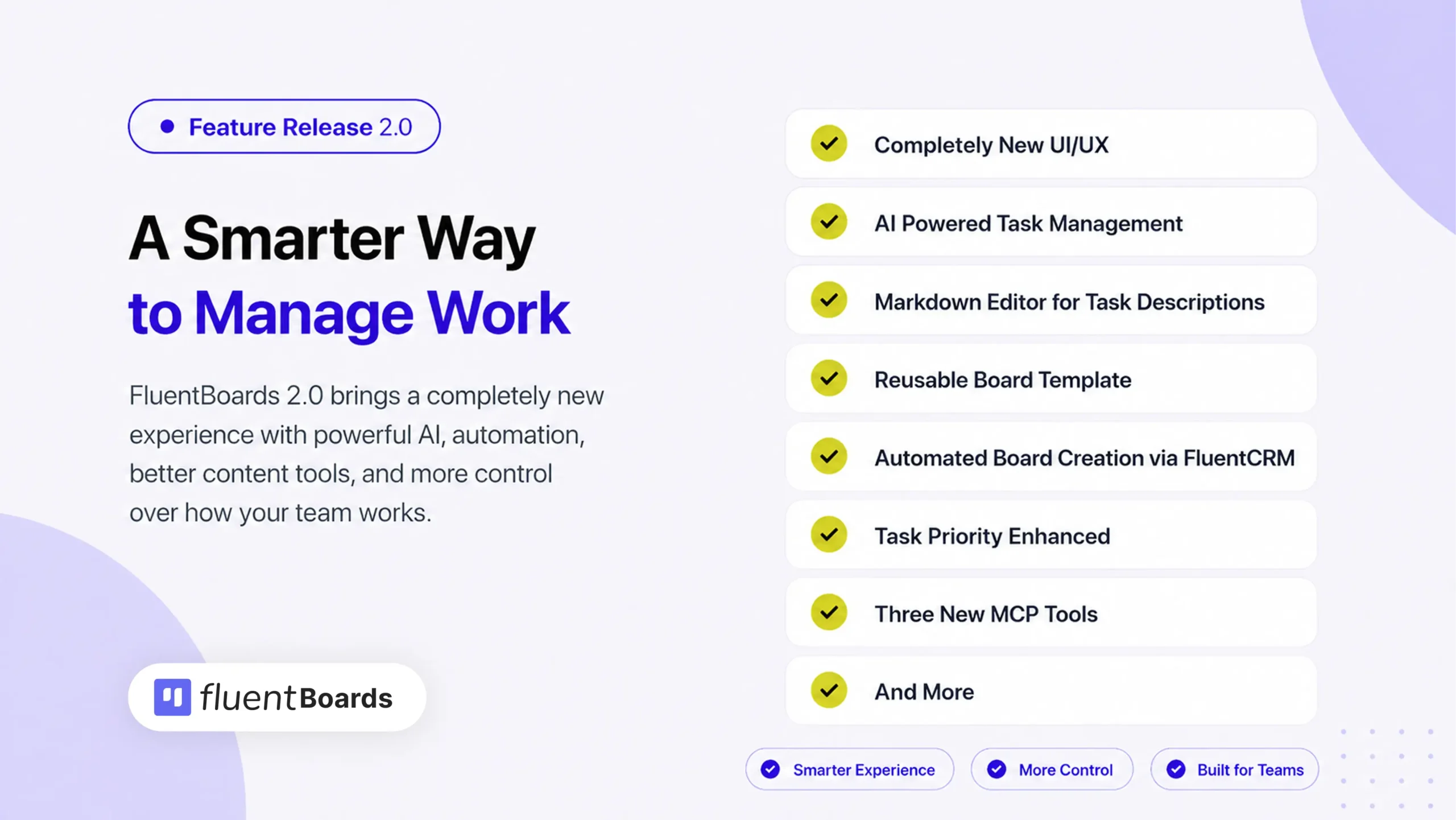
FluentBoards 2.0 is the largest update since FluentBoards launched. Here’s what it includes:
= v2.0 (Date: July 30, 2026) =
- New: Completely new UI/UX synced with Fluent System
- New: Featured dashboard with recently opened boards and notifications
- New: Dark Mode with Light / Dark / System theme switching
- New: Newly designed task details modal with next and previous task navigation
- New: AI Writing Assistant in task descriptions
- New: AI-powered subtask generation, summary, labels, and priority suggestions
- New: Markdown editor for task descriptions
- New: Rebuilt and redesigned Reports with Overview, Tasks, Activity, Timesheet, and Roadmap screens
- New: Board template management with editable templates, covers, and categories
- New: Automated board creation from FluentCRM automation actions
- New: Task priority enhanced with No Priority state and Urgent level
- New: MCP tools expanded from 18 to 29 with label, stage, and task query tools
- New: Redesigned member profile with stats widget, recent-tasks widget, and activity
- New: New Boards tab and task view added to the CRM contact profile
- New: Board-specific watch and notification preferences
- New: Inline label editing directly on task cards
- Improvement: Fully responsive admin including mobile
- Improvement: Improved label management experience
- Improvement: Improved change stage and move task to other boards experience
- Improvement: Attachment preview UX improved
- Improvement: Redesigned Kanban, List, Table, Calendar, and Gantt views
- Improvement: Redesigned comments, activity feed, and notifications
- Improvement: Redesigned attachments with per-file upload progress
- Other improvements and bug fixes
A Brand New Interface: Cleaner, Faster, and Built to Last
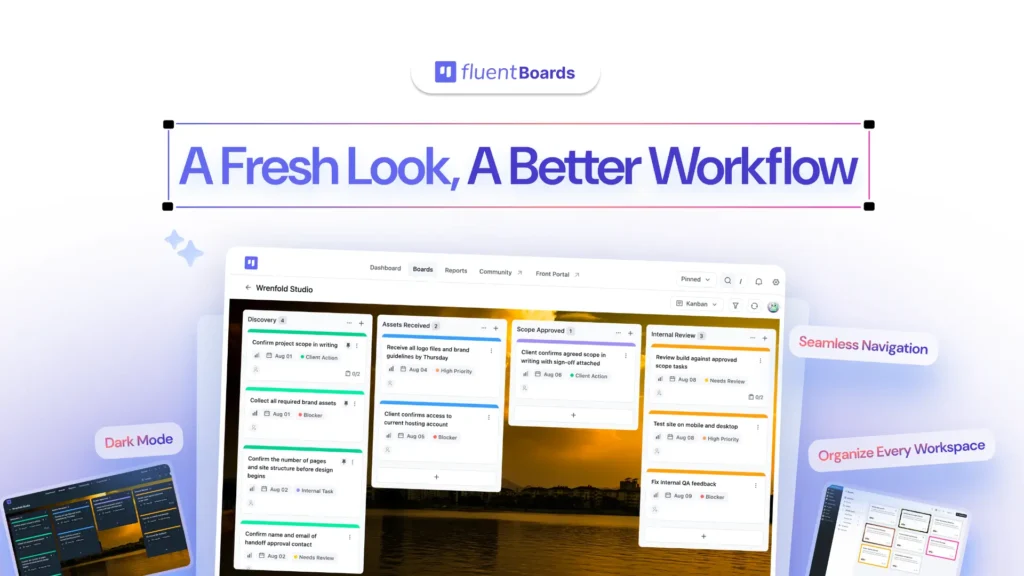
The first thing you will notice after updating is that FluentBoards looks and feels completely different. The entire interface has been redesigned from the ground up and synced with the Fluent System, bringing visual consistency across the whole product.
Cleaner layout, faster navigation, sharper typography, and a more polished experience across every screen. Every project view; Kanban, List, Table, Calendar, and Gantt, has been redesigned too. Comments, activity feeds, notifications, and attachments all received the same treatment.
To find out what changed and why, check out this blog
Dark Mode: Easy on the Eyes, Consistent Everywhere
FluentBoards 2.0 ships with a proper Dark Mode, and it is done right.
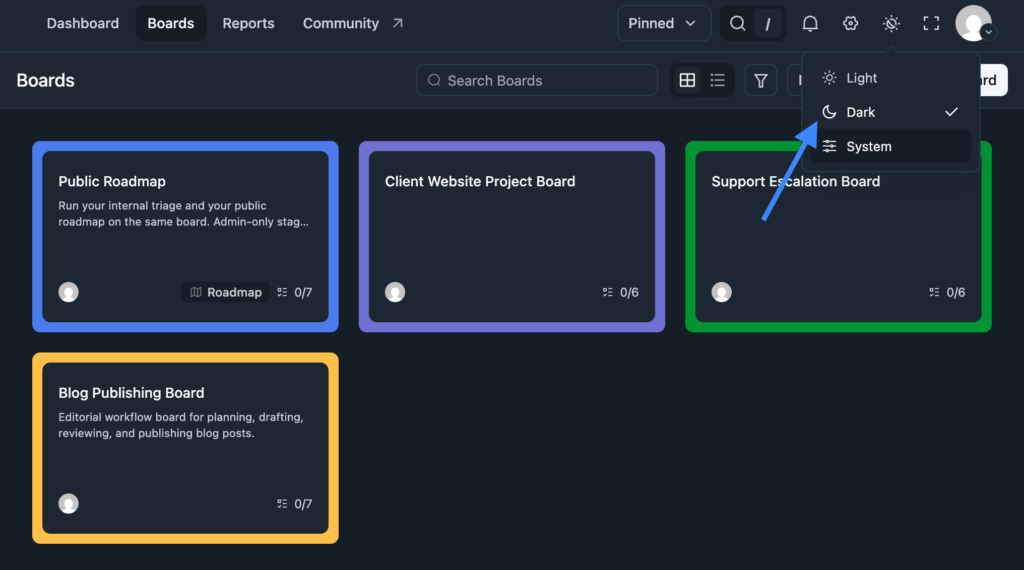
You can now switch between Light, Dark, and System themes. Every screen, every chart, every modal will follow the selected theme consistently.
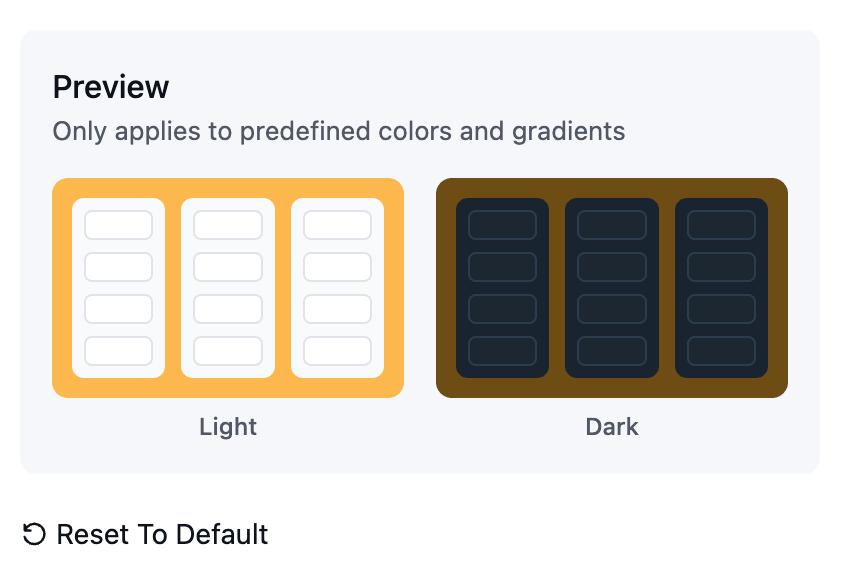
Board backgrounds will also have proper dark mode variants. When changing a board background, you will be able to preview how your tasks will look in dark mode before making the switch.
A More Powerful Dashboard
The FluentBoards dashboard just became a lot more useful. Everything important, visible the moment you open FluentBoards.
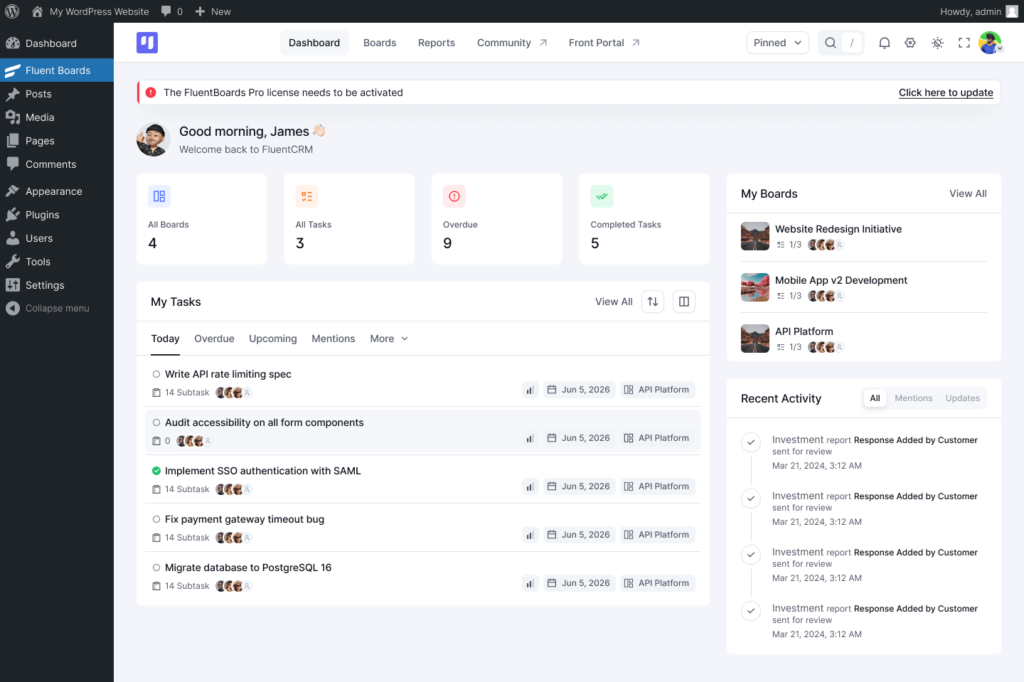
Your recently opened boards are now right there when you land, so picking up where you left off takes one click instead of several. Notifications are also surfaced directly on the dashboard, so you stay on top of what is happening across your boards without having to dig around for updates.
AI Writing Assistant: Write, Improve, and Organize Tasks
Writing a proper task description is easy to skip when you are moving fast. A task with no context is a task someone else has to ask you about later. FluentBoards AI writing assistant solves it for you!
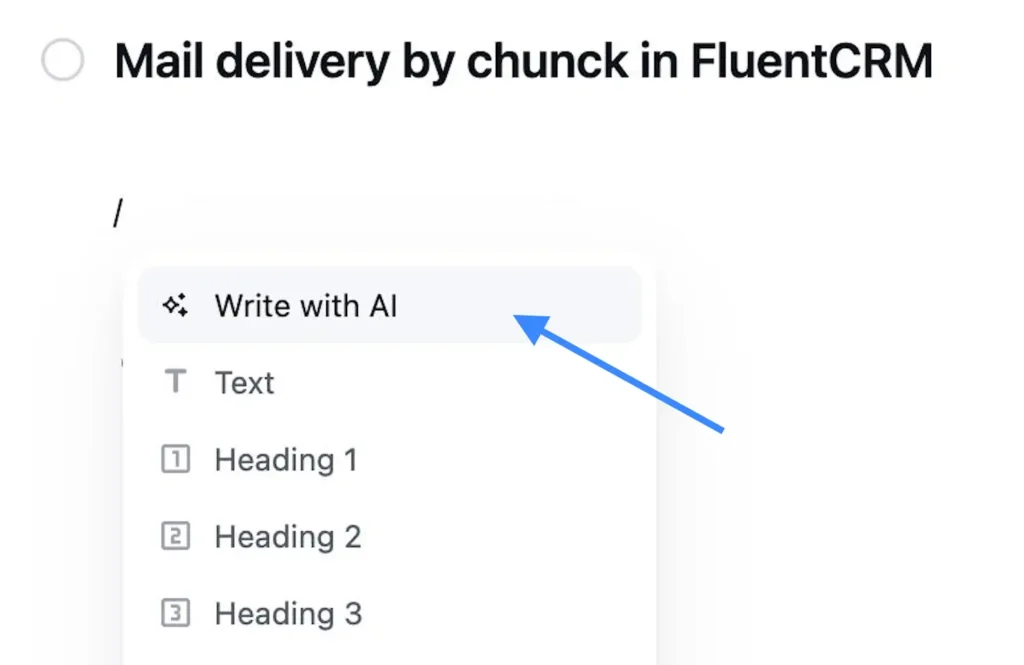
It lives inside the task description editor and the task details modal, right where the work already happens. You can write a task description from a short prompt, or improve and rewrite an existing one.
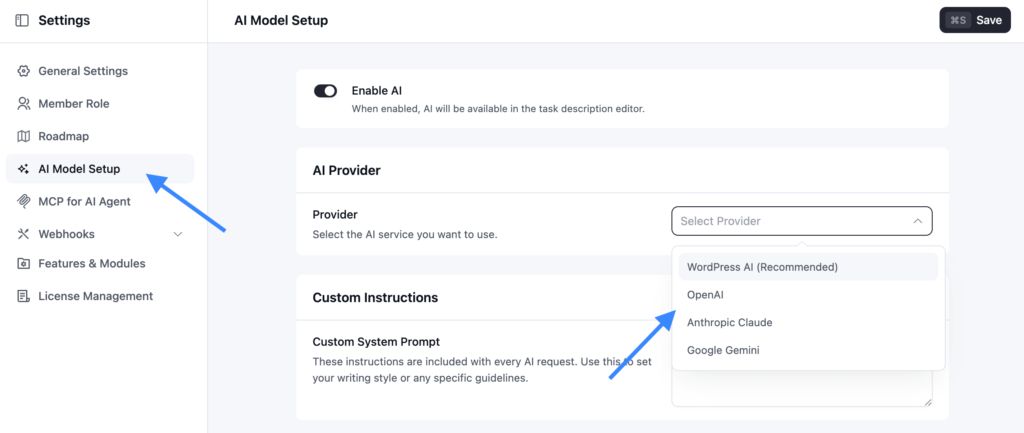
It connects to the AI provider you already use, including your own WordPress AI connection if you have one set up, so there is no new subscription required. To set it up, head to Settings, select AI Model Setup, choose your preferred provider, follow the required instructions, and you are all set.
AI-Powered Subtask Generation, Summary, Labels and Priority Suggestions
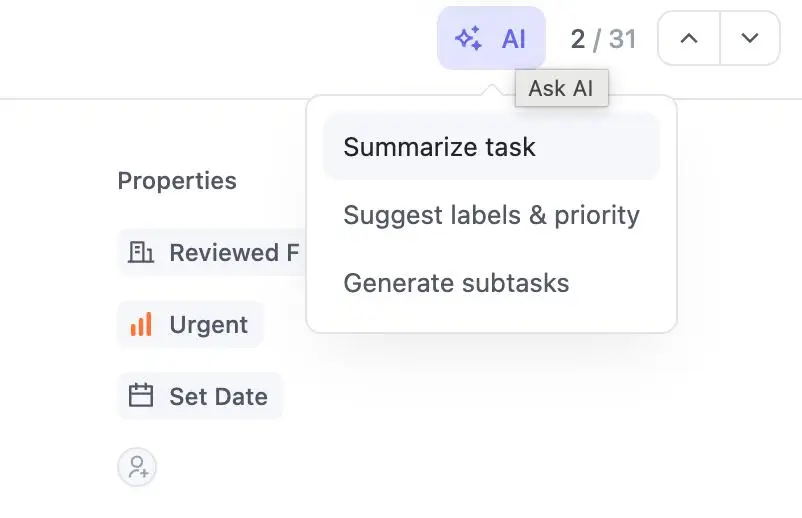
The AI capabilities in FluentBoards 2.0 go beyond writing descriptions. From inside any task, you can now generate a set of subtasks directly from the task description, summarize the task and its entire comment thread into a short status update, and get suggested labels and priority levels based on what the task actually says.
Markdown Editor for Task Descriptions
The description editor has been rebuilt. It now supports full Markdown, tables, and smart typography, and it performs faster and more reliably on longer descriptions.
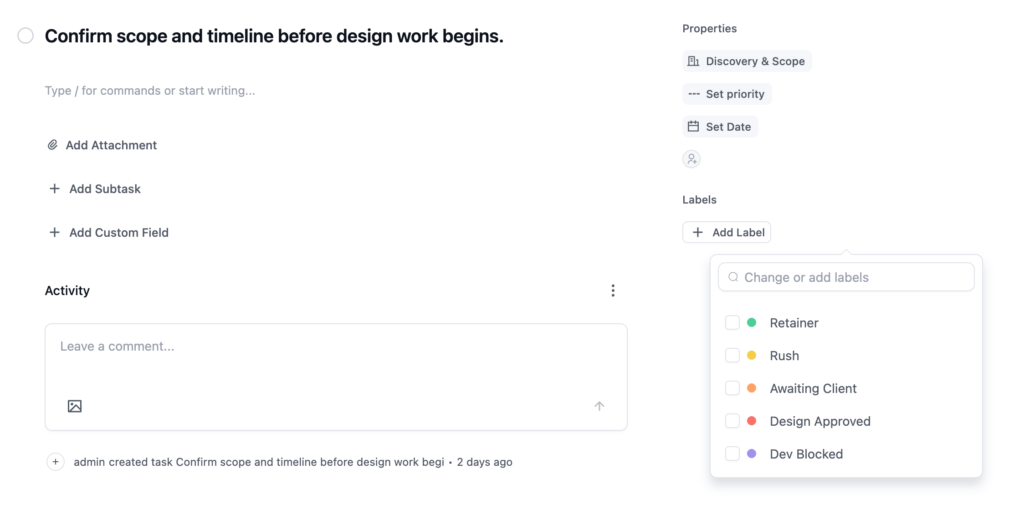
For teams that write detailed task descriptions or use structured formatting in their workflows, this is a meaningful upgrade.
Board Templates: Stop Building From Scratch Every Time
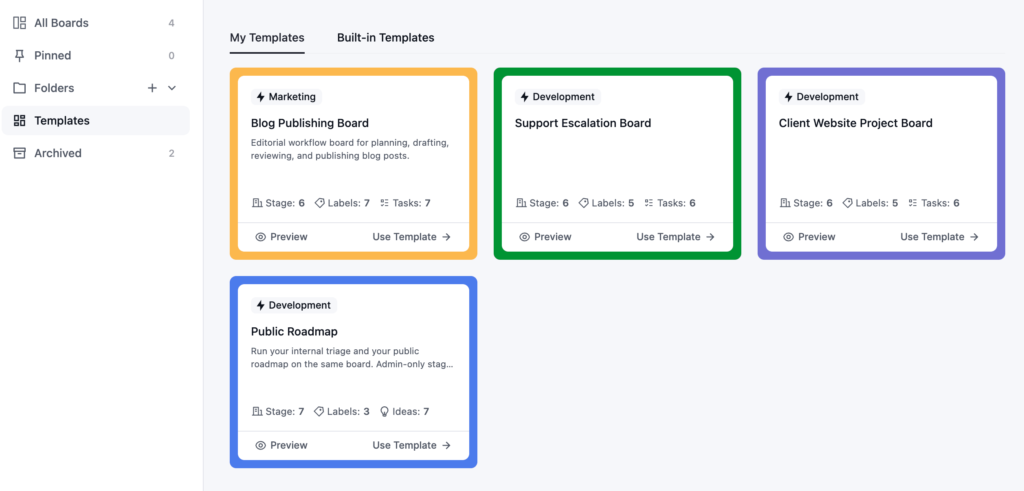
With FluentBoards 2.0, you can save any board as a template and spin up new boards from it in seconds. Templates are fully editable and come with cover image support and category organisation, so your template library stays manageable as it grows.
Automated Board Creation via FluentCRM
The connection between FluentCRM and FluentBoards just got significantly stronger. Your CRM and your project management now work in sync, with no manual setup bridging the gap.
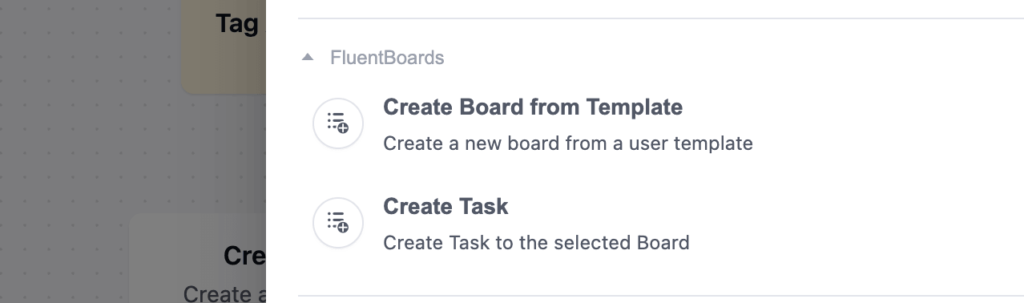
Previously, FluentCRM offered one dedicated action for FluentBoards: create task. With 2.0, a second has been added: automatically create a full project board from a selected template, triggered by real-world events like a new order, a form submission, or a contact status change.
Reporting Just Got More Powerful!
Well, well, well, this is one of the biggest improvements in FluentBoards 2.0. The Reporting Dashboard is no longer there just because a project management tool is expected to have one. It is becoming far more powerful, practical, and aligned with how real teams work and what they actually need to track.
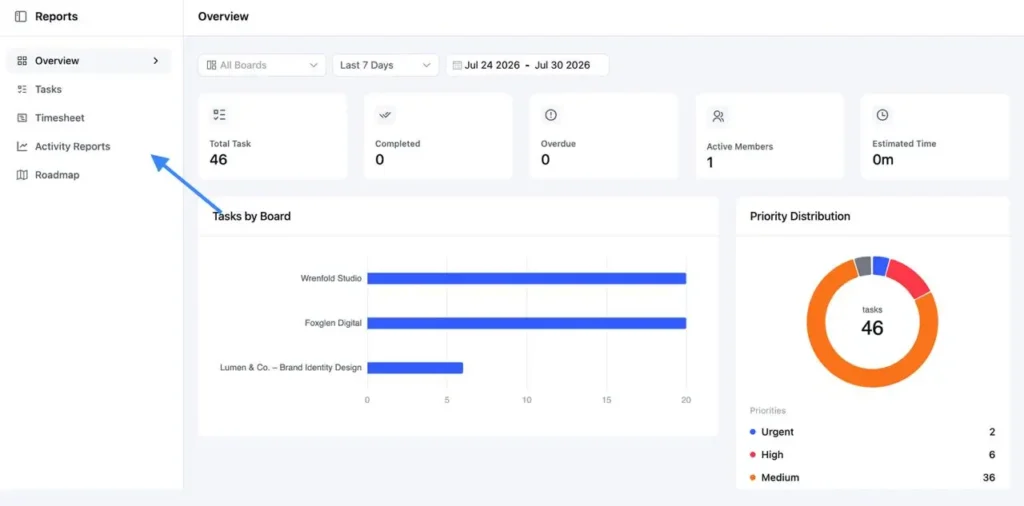
Instead of squeezing everything into a single dashboard, reporting is now divided into four focused tabs: Overview, Tasks, Activity Reports, Timesheet, and Roadmap.
The Overview tab gives you a quick snapshot of everything important. Tasks dives deeper into task-level data, showing things like which stages are holding the most tasks and how work is distributed across team members. Activity Reports brings project activity together in one place, while Roadmap helps you see how your project is progressing, including how many ideas are being added and how many are actually getting shipped.
Expanded MCP Tools: Now 29 Tools for AI Agents
FluentBoards 1.95 introduced 18 MCP tools that let AI agents take real actions inside your boards. FluentBoards 2.0 expands that to 29.
The three new tools cover label management, stage queries, and task queries, giving AI agents a more complete picture of your board structure and more actions they can take without human intervention. If you are already using Claude, ChatGPT, or another LLM with FluentBoards, these additions make the integration meaningfully more capable right away.
To set up MCP for FluentBoards and see it in action, check out this blog
Task Priority: Urgent Level and No Priority State
Task priorities have been rethought in 2.0.
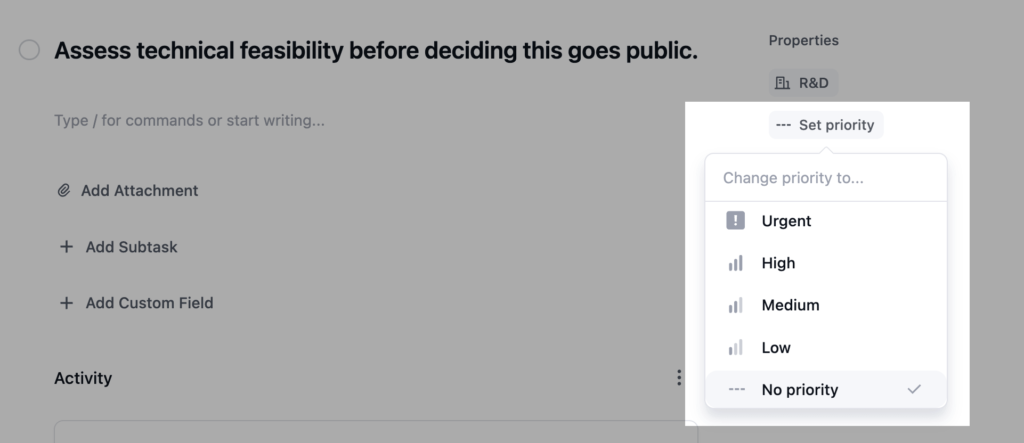
Every task used to inherit a default priority whether you meant to set one or not. Now a task can genuinely have no priority, with an Add Priority prompt on the card instead of a value nobody chose. On the other end of the scale, an Urgent level above High has been added for the tasks that truly cannot wait.
The result is a priority system that actually reflects how your team works, rather than one that forces every task into a bucket.
Next and Previous Task Navigation
Working through a stage used to mean closing each task and reopening the next one from the board.
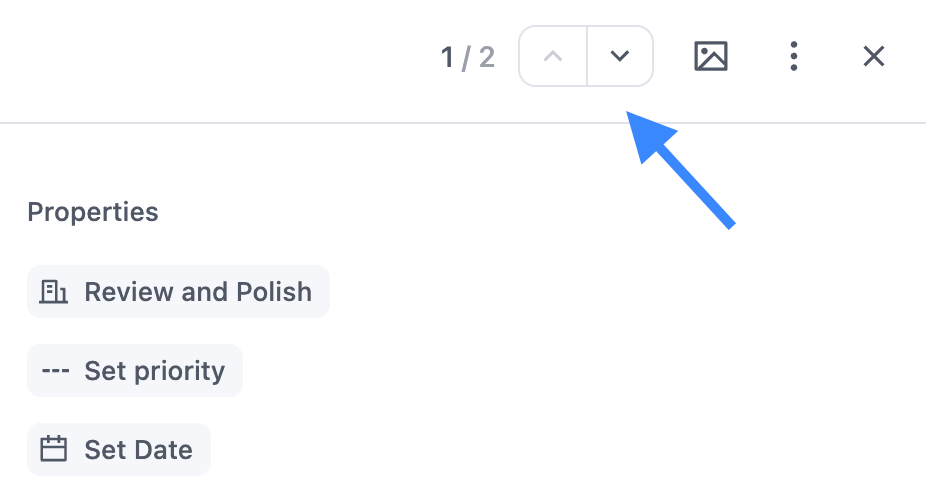
The task details modal now shows your position in the stage, like 3 of 5, with arrows to move to the previous or next task without ever closing the modal. Filters and search stay applied as you move through them, so you can work through a filtered set of tasks without losing your place.
More Insightful Member Profiles
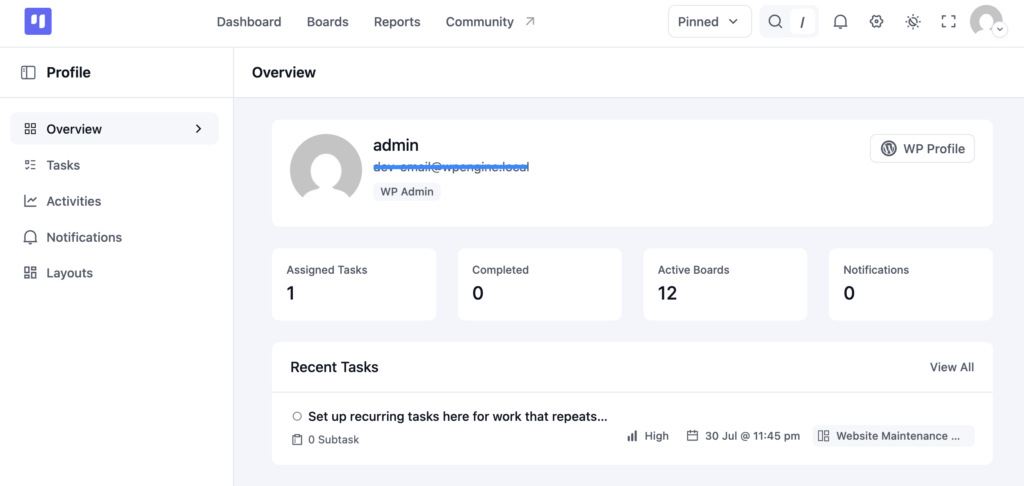
Member profile pages now show a stats widget, a recent-tasks widget, and a full activity feed, giving you a clearer picture of what someone has been working on without digging through individual boards.
Boards and Tasks Inside the FluentCRM Contact View
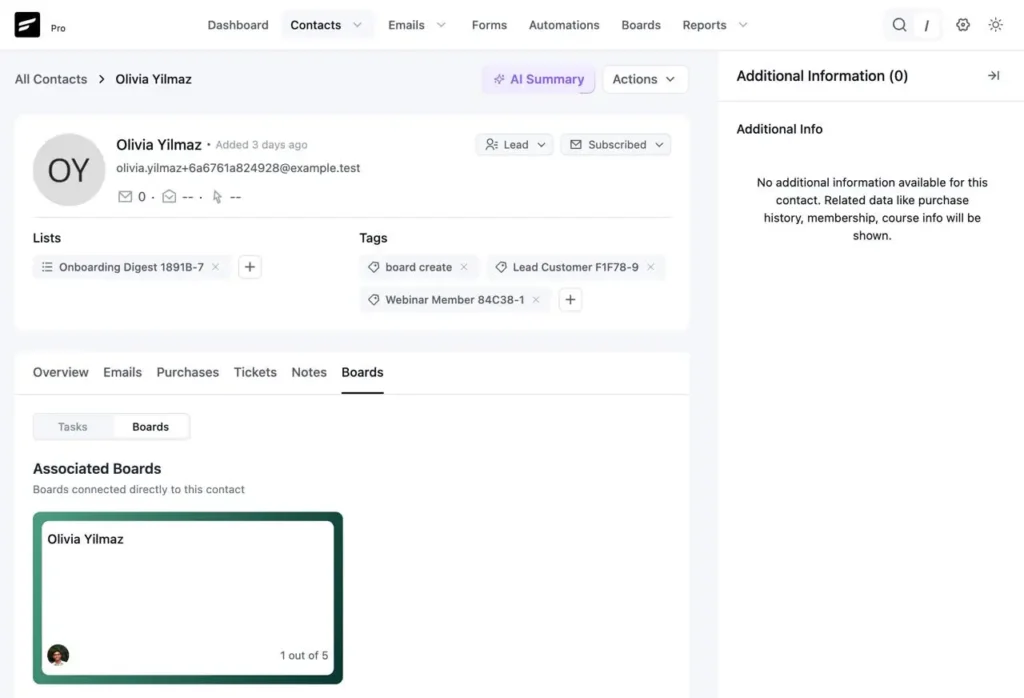
If you are running FluentCRM alongside FluentBoards, the contact profile now has a dedicated boards tab. See and manage a contact’s related tasks directly from their CRM record without switching tools. Everything in one place, right where the relationship context already lives.
What Already Shipped With FluentBoards 1.95
2.0 did not come out of nowhere. Before this release, the team shipped FluentBoards 1.95 as a deliberate prequel, putting several 2.0 features in your hands early so you could test them, break them, and tell us what needed fixing. That feedback directly shaped what 2.0 looks like today.
Here is a quick snapshot of what shipped with 1.95:
- Gantt Chart View: A fifth project view that lays your tasks across a timeline so you can spot overlaps, understand dependencies, and see the bigger picture at a glance.
- MCP Support for AI Agents: 18 MCP tools that let you connect Claude, ChatGPT, or your preferred LLM and take real actions inside FluentBoards through natural conversation.
- Anyone Can Create Boards: Board creation is no longer limited to admins. Any team member with the right permissions can now spin up their own boards independently.
- Pin Tasks: Pin your most critical tasks to the top of your board so they stay visible no matter how busy things get.
If you tested these features and shared your thoughts, thank you. You helped make 2.0 better than it would have been otherwise.
Read: 1.95 release note
What’s Next
2.0 is the biggest release we have shipped since FluentBoards launched, and it is the first version where AI and real reporting are genuinely built into the product rather than bolted on later. Both will keep growing from here based on how you actually use them.
Your data stays in your WordPress database. The AI assistant uses the provider and connection you choose. Nothing is routed through a FluentBoards-hosted service, and there is no per-seat charge for any of this.
Most of what is in this release came directly from feature requests and feedback you sent in. Keep them coming. That is still how this roadmap gets built.
Go update to FluentBoards 2.0 and see every change for yourself. And if something feels off or you wish anything worked differently, share it in the community.
Thank You!
Let’s redefine project management with FluentBoards!

Follow:


Get Tips, Tricks, & Updates
We won’t send you spam.



Add your first comment to this post