

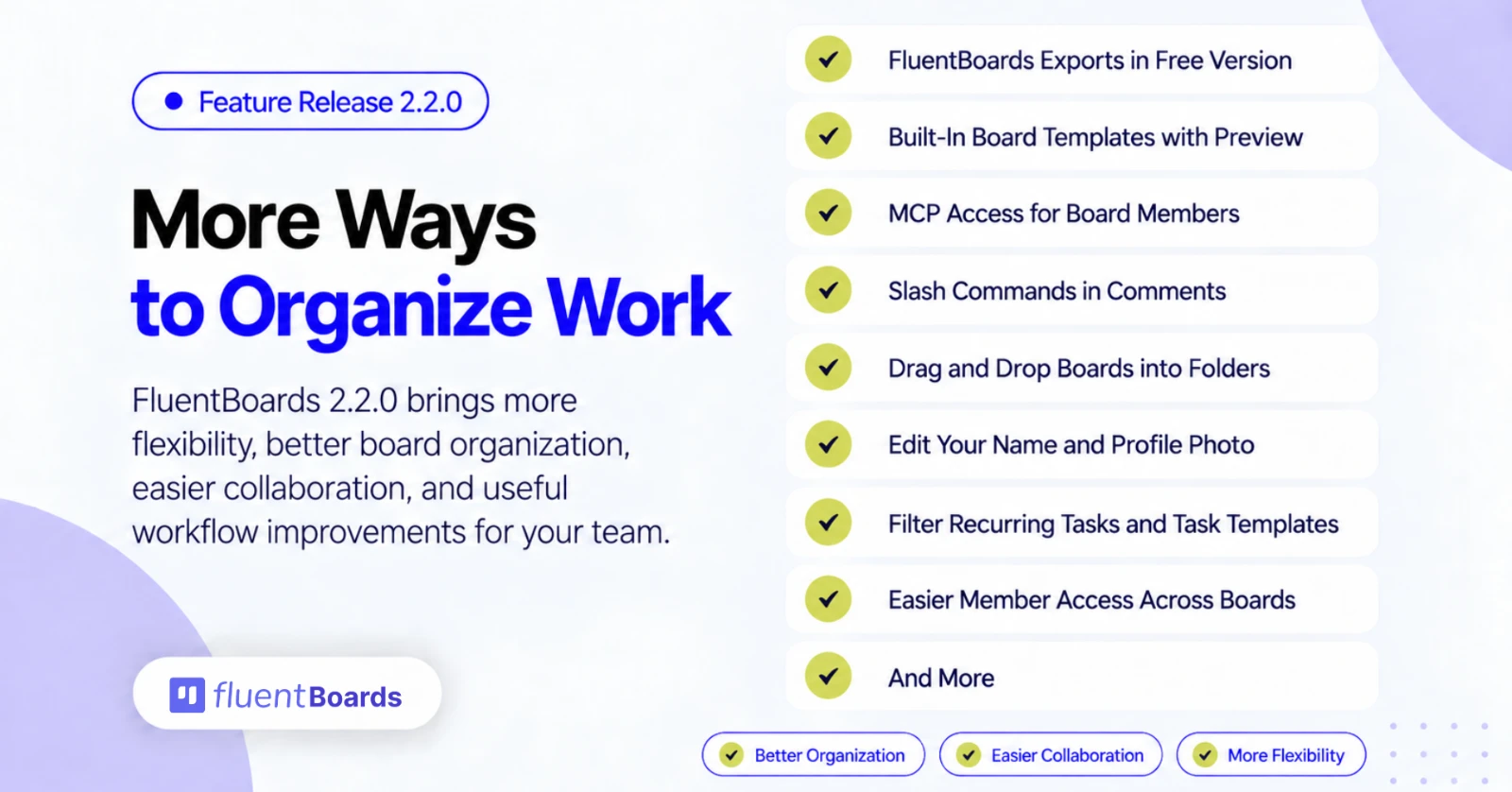
FluentBoards 2.2.0: Built-in Board Templates, Free Board Import, and More


FluentBoards 2.2.0 is here with ready-made board templates, board import for free users, and a set of improvements that make managing boards and team members much less repetitive.
You can now start from built-in board templates with a preview before creating the board. Free users can now import FluentBoards exports, board members can connect their own AI clients through MCP, comments get slash commands, and boards can be dragged straight into folders.
We have also made member access easier to manage across multiple boards, improved board duplication, reduced loading delays, and fixed a long list of permission, notification, and automation issues. A few of those fixes tighten board access and upload protection, so we recommend updating soon.
Let’s take a closer look.
Everything New in FluentBoards 2.2.0
FluentBoards 2.2.0 focuses on faster board setup, easier workspace housekeeping, and better control over team access.
= v2.2.0 (Date: October 12, 2026) =
- New: Browse, preview, and create boards from built-in templates
- New: OpenRouter support for AI writing assistance
- New: Create MCP connection keys from your account, with admin-managed access
- New: Import Fluent Boards exports without Pro
- New: Filter recurring tasks and task templates
- New: Drag and drop boards into folders
- Improvement: Update your profile name and photo from your account
- Improvement: Redesigned notification emails with light and dark mode support
- Improvement: Easier member access management across multiple boards
- Improvement: Preserve more task data when duplicating boards, importing, and using templates
- Improvement: Richer comment formatting, slash commands, and easier description copying
- Improvement: Clearer recurring schedules, links to generated tasks, and custom-field activity history
- Improvement: Faster board lists, task activity feeds, and bulk stage moves
- Improvement: Simpler AI setup, updated model choices, and better translations
- Fixed: Assignment notifications, comment email links, and incorrect archive emails when restoring tasks
- Fixed: Bulk task moves now apply stage defaults and trigger notifications and webhooks
- Fixed: Task and board deletion now cleans up related data and local or cloud attachments
- Fixed: Search and filters now work together, and failed status updates preserve the previous status
- Fixed: Recurring tasks retain custom fields and correctly update task counts and creation webhooks
- Fixed: Time-log dates, custom date fields, timesheet access, and CSV exports
- Fixed: Webhook event selection, task completion events, and missing-data handling
- Fixed: FluentCRM task assignments, template data, and contact-board associations
- Fixed: Task navigation, upload protection, and board permission checks
Built-in Board Templates with Preview
Starting a board from a blank screen takes time. You have to decide the stages, the labels, and the first tasks before any real work begins.
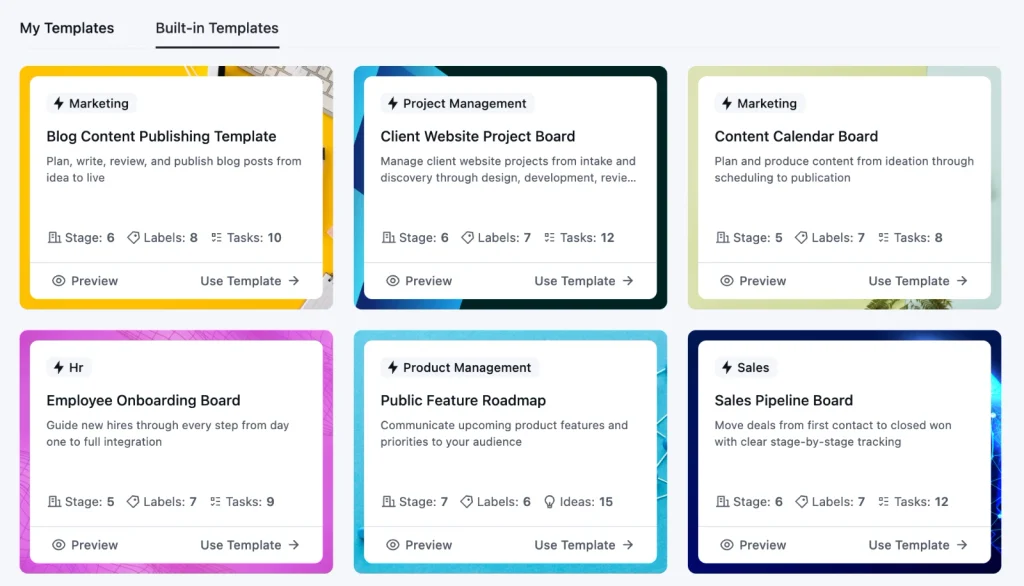
FluentBoards 2.0 lets you save and manage your own board templates. With 2.2.0, FluentBoards also ships with 8 built-in templates for common workflows, so you do not have to build the first one yourself.
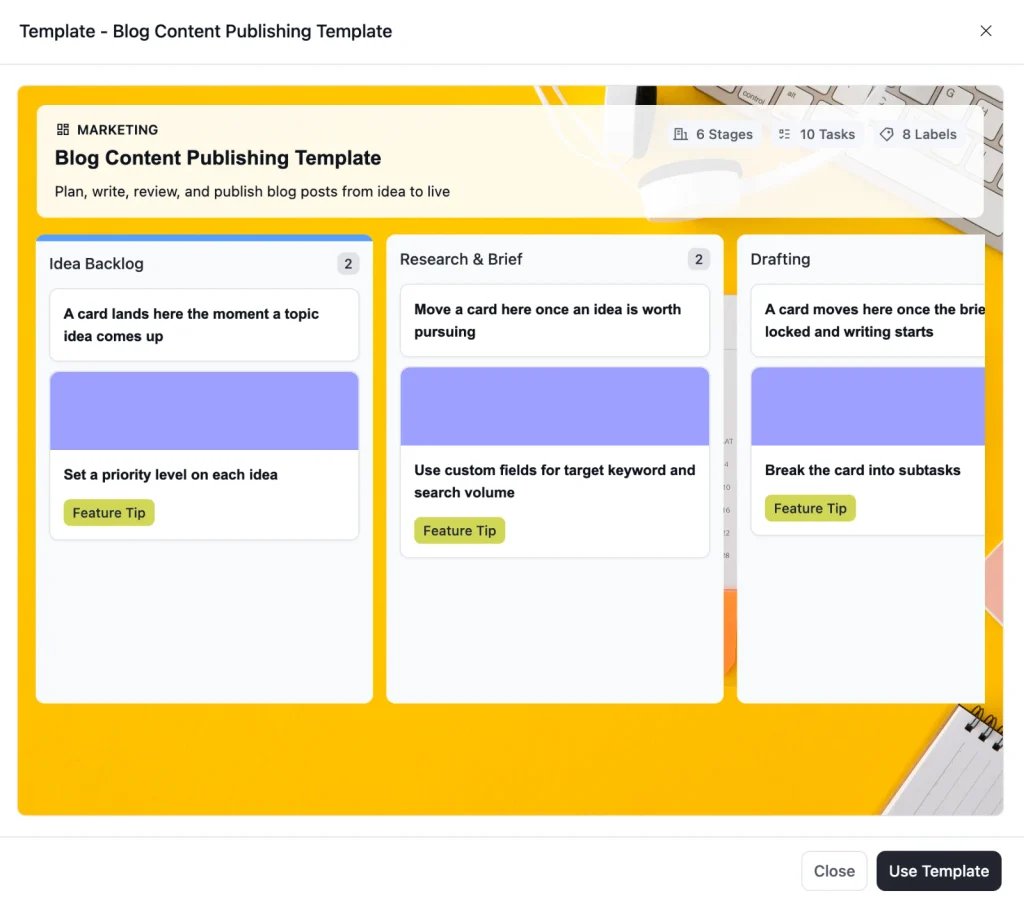
You can preview a template before using it and see the stages and tasks you are about to get. When it fits, create the board from it and start working.
This is just the start. We’ll keep adding more features around the way you work, and your feedback will help us decide what comes next. So, don’t forget to share your suggestions with us in the community.
Free Board Import
In 2.1.0, we made it easier to bring Trello boards into FluentBoards. This time, we are opening up FluentBoards’ own import. Until now, importing a FluentBoards export required the Pro version. With 2.2.0, that import is part of the free plugin.
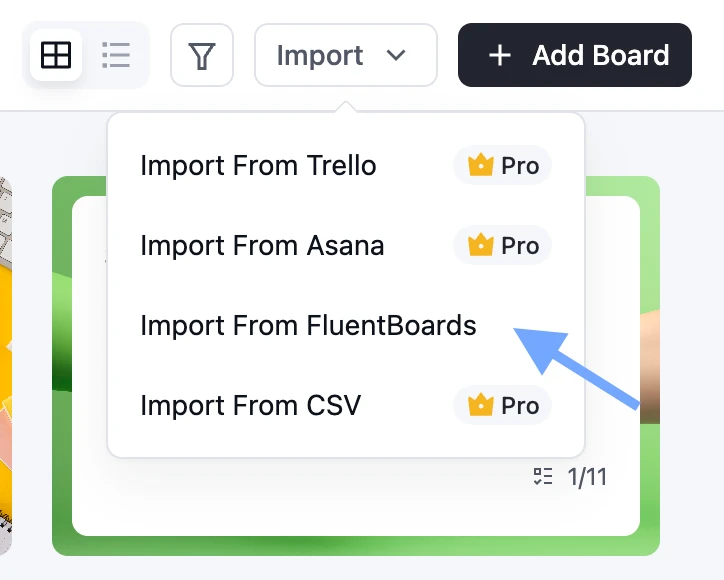
If you have a FluentBoards export file, you can bring that board into any site running FluentBoards, no matter which version of the plugin you are using.
This also means free users can use our pre-built templates. Download the template you want from our website, import the file, and the board is ready to work in.
MCP Access for Board Members
FluentBoards 1.95 introduced MCP support, so AI agents could work with your boards. Until now, only administrators could use it.
That left out the people doing the daily work on a board. They could not connect their own AI client. With 2.2.0, administrators can open MCP to board members.
However, it’s turned off by default, so nothing changes until you enable it.
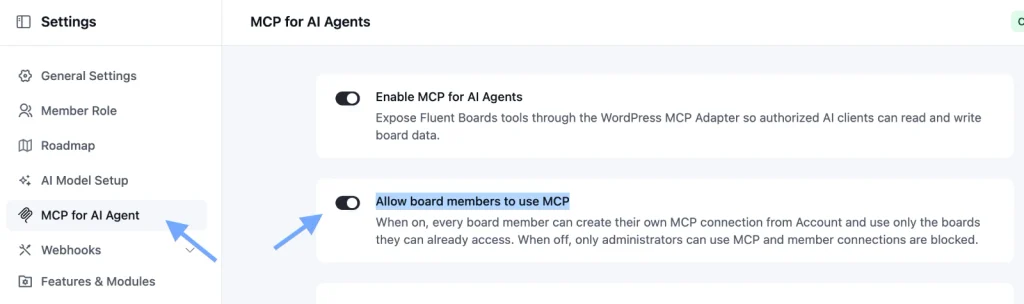
To turn it on, go to Settings, click MCP for AI Agents, and toggle on Allow board members to use MCP.
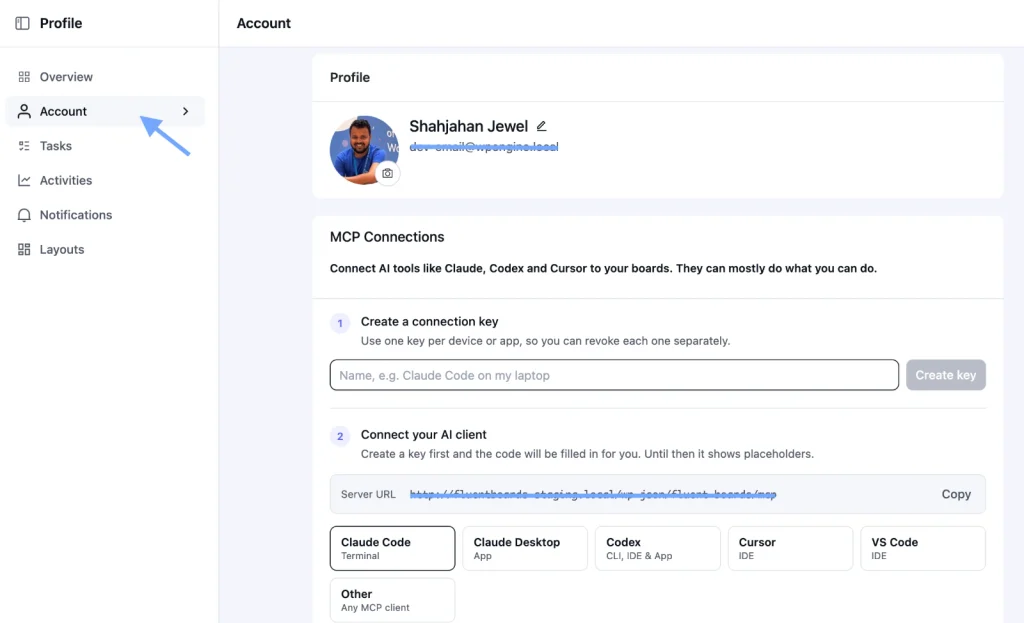
Once it is on, each member can create an MCP connection from their own profile.
Note: The connection key is shown only once, so copy it when you create it.
Each connection uses that member’s own WordPress account, and it only works with the FluentBoards MCP endpoint. When a connection is no longer needed, the member can revoke it from the same panel.
Our MCP setup guide can help you get started
Drag and Drop Boards Into Folders
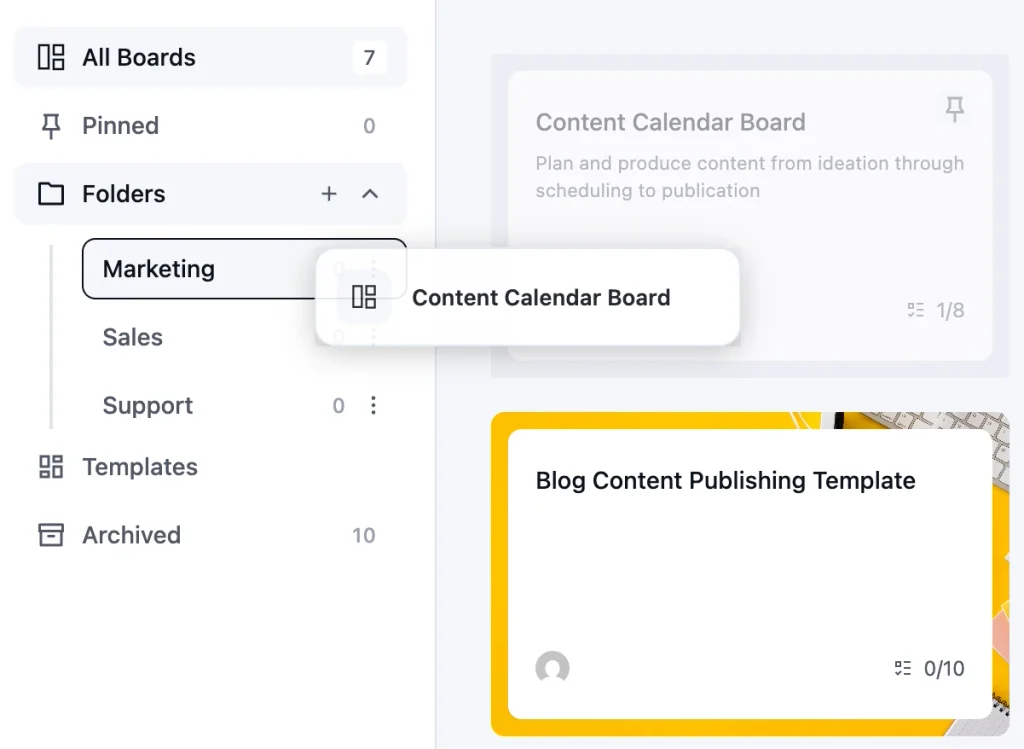
Folders keep a workspace tidy, but only if filing a board takes no effort. You can now drag a board and drop it into a folder. For teams running many boards, organizing them takes seconds.
Easier Member Access Across Boards
Managing access gets repetitive as a team grows. Adding one person to several boards meant doing the same thing board by board, and removing someone meant finding every board they were on. You can now select multiple boards at once when managing a member’s access.
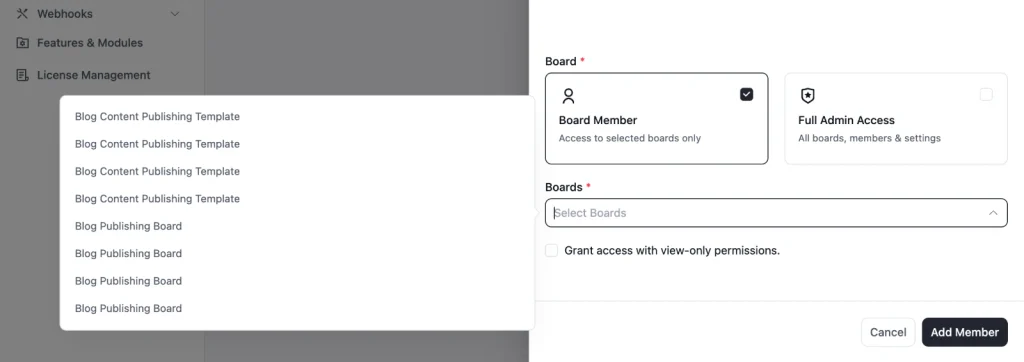
Administrators can also remove a member from all boards in one action. There is a confirmation step, so it does not happen by accident.
Board Duplication That Copies More
Duplicating a board is a quick way to reuse a setup that already works. But a copy that leaves things behind still means manual cleanup.
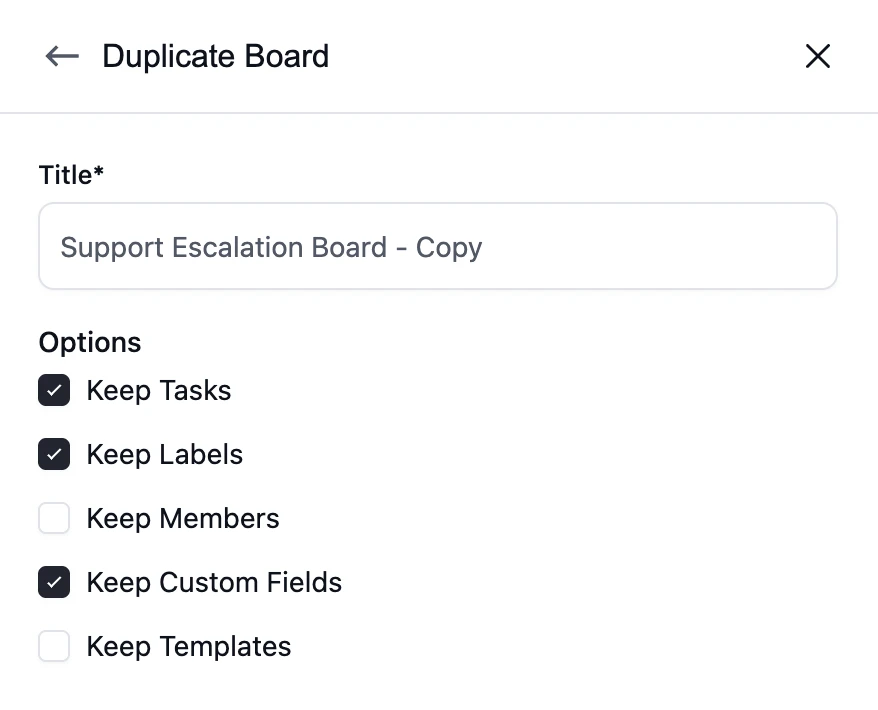
When you duplicate a board, you now have the option to copy its members and their roles. Duplicated boards also keep their custom fields and task values.
Smaller Additions Across the Product
A few smaller changes are worth knowing about too.
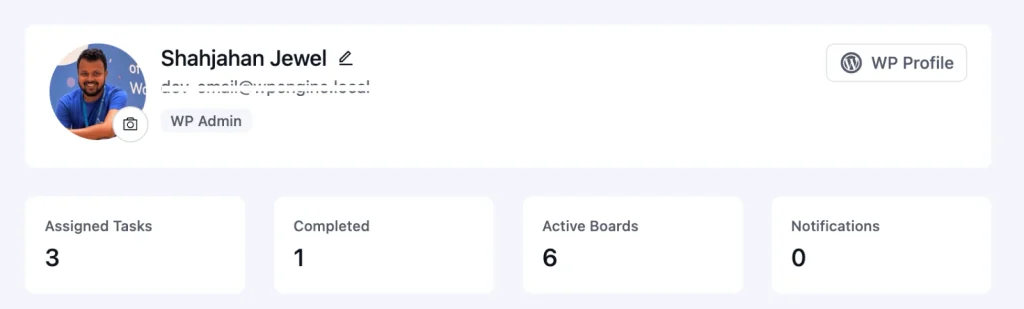
1. You can edit your display name and profile photo directly from your profile
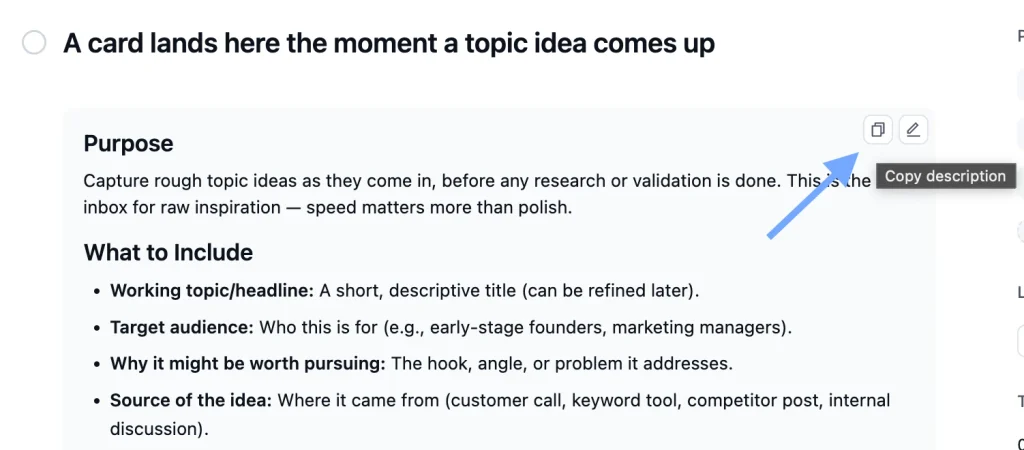
2. Task descriptions have a dedicated copy button
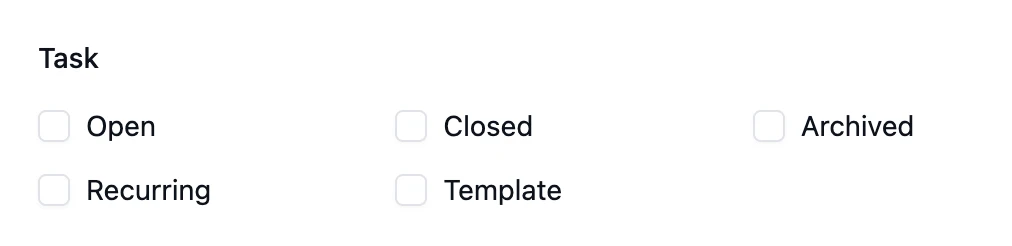
3. You can filter recurring tasks and task templates
4. Slash commands in comments
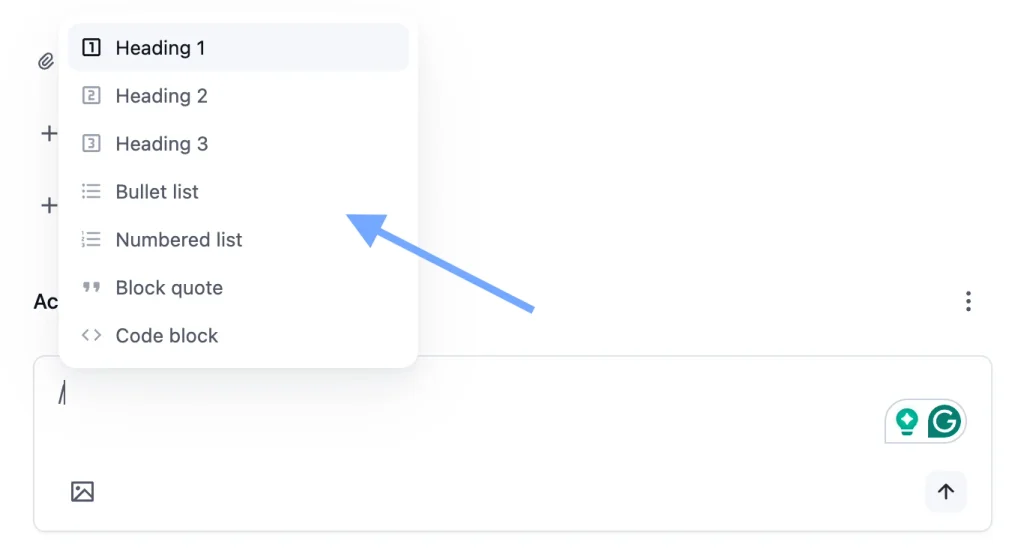
Addiionally,
- Recurring tasks now show their schedule and link to the tasks they generate from the activity feed
- Activity history records custom-field changes on boards and tasks
- And FluentCRM contact profiles now include boards associated through linked tasks
We have also reduced loading delays on boards and tasks.
Plenty of Fixes Under the Hood
FluentBoards 2.2.0 also includes fixes across several parts of the product:
- Fixed missing assignment emails for assignees selected during task creation
- Fixed task details not refreshing when navigating between tasks
- Fixed pasted code formatting in task descriptions
- Fixed pending invitations and invitation deletion controls not appearing
- Fixed board actions, member roles, and custom-field controls not matching permissions
- Fixed subtasks missing when creating boards from templates
- Fixed template data and assignments not being preserved in FluentCRM automations
- Fixed comment webhooks and assignee validation for incoming webhooks
- Made board access checks consistent
- Improved protection against direct public access to board uploads
- And more
In Case You Missed FluentBoards 2.1.0
FluentBoards 2.2.0 builds on what we shipped a few weeks ago.
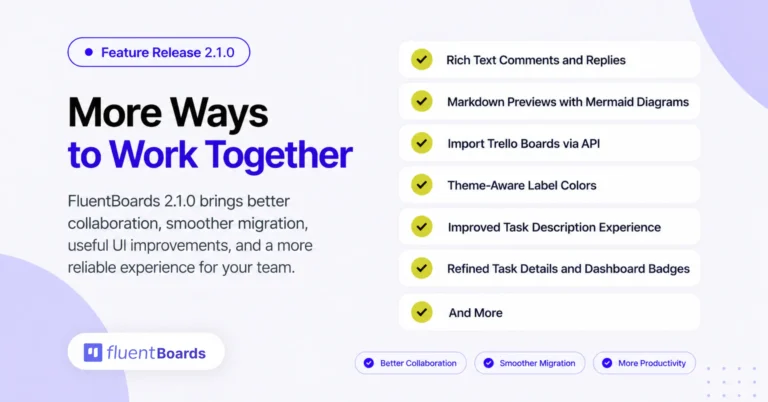
FluentBoards 2.1.0 focused on collaboration and migration. Here is a quick recap:
- Rich text formatting for comments and replies
- Markdown attachment previews with Mermaid diagrams and full-screen mode
- Trello board import via API
- Theme-aware label colors for light and dark modes
- Auto-saving task descriptions with Save and Cancel buttons
- Color-coded priorities and the current stage in task headers
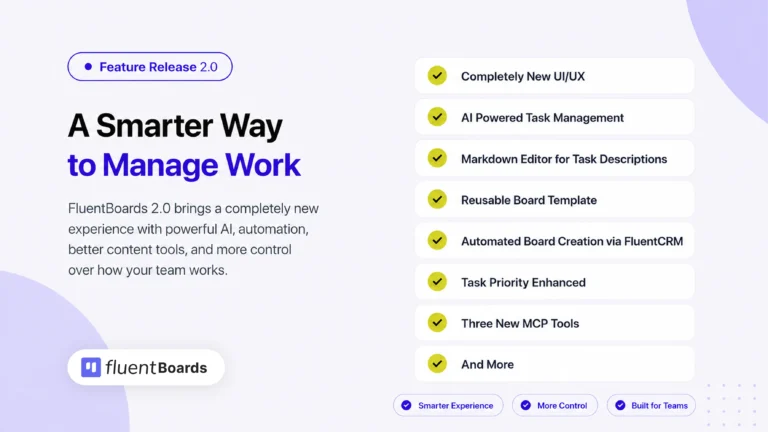
And if you are still catching up, FluentBoards 2.0 is where the redesigned interface, built-in AI, and rebuilt Reports arrived.
Less Setup, More Work Done
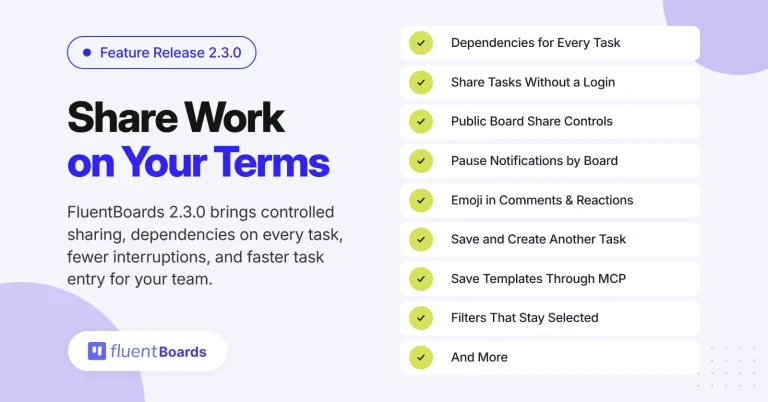
FluentBoards 2.2.0 is not built around one massive feature. It removes the small, repeated steps that slow a team down.
Boards start from a template. Free users can import boards and templates. Members can connect their own AI clients. Comments format from the keyboard. Folders fill with a drag. And managing who has access to what takes far fewer clicks.
As always, most of these improvements come from the feedback you share with us.
So, update to FluentBoards 2.2.0, try the new templates, and keep the feedback coming.
It plays a big part in what we build next.
Let’s redefine project management with FluentBoards!
Let’s redefine project management with FluentBoards!

Follow:


Get Tips, Tricks, & Updates
We won’t send you spam.



Add your first comment to this post