

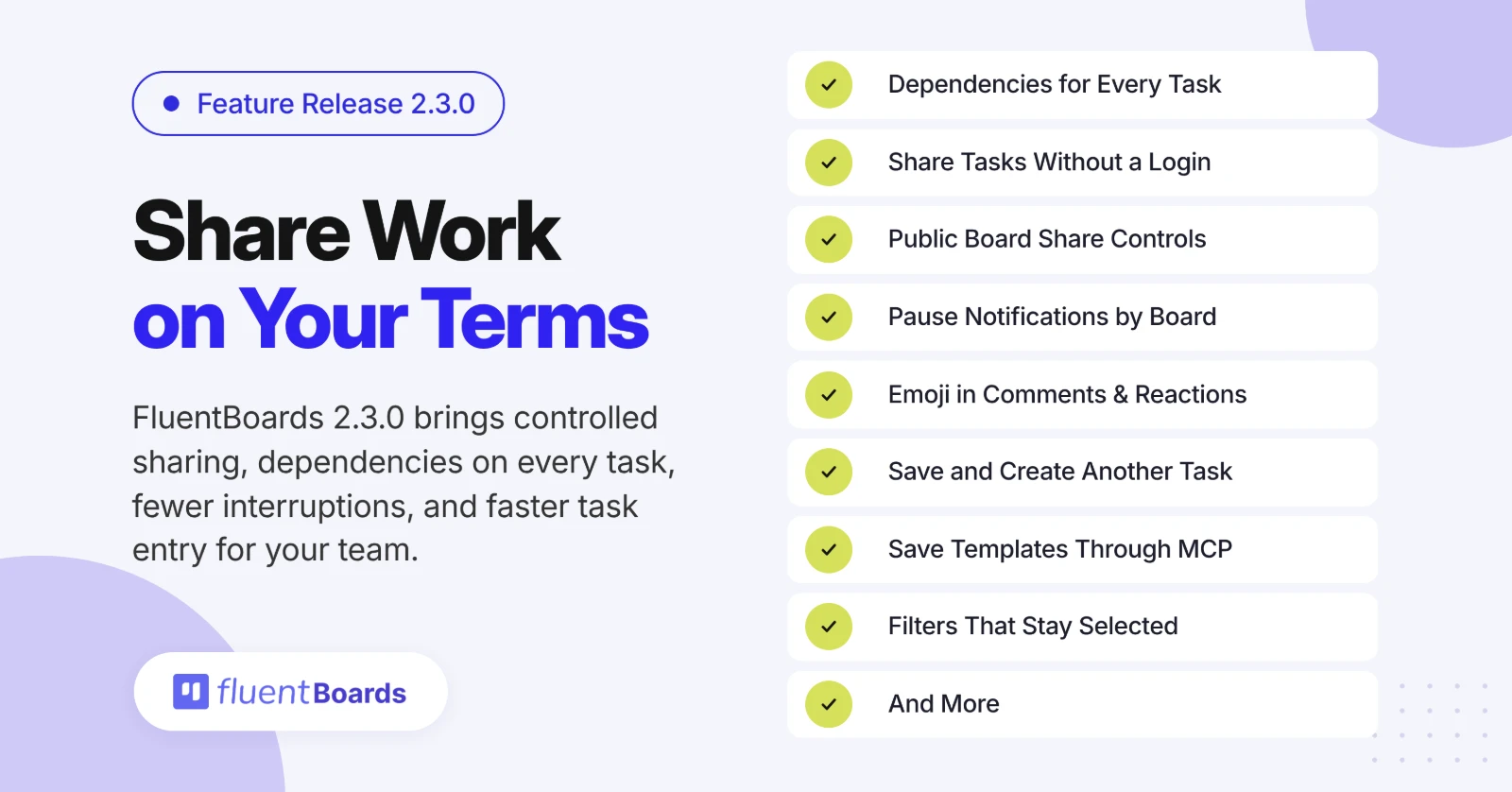
FluentBoards 2.3.0: Task Dependencies for Every Task, Task Sharing, Notification Pause, and More!


FluentBoards 2.3.0 is all about giving you more control: over what you share, how your work is sequenced, when you are notified, and how quickly you get work into your boards.
Your boards hold more than tasks. They also hold internal discussions, rough drafts, budgets, and notes that were never meant for a client’s eyes. But people outside your team still need a way to follow progress.
Until now, that usually meant adding them as users, making the whole board public, or falling back to screenshots. With this release, you get much more control over what gets shared, how much people can see, and who can access it.
That same control now extends to how your projects move forward. You can now mark which tasks must finish first right from a task’s details, and see at a glance what is blocked.
You can also pause notifications for every board or just one, react to comments without writing a reply, add multiple tasks without closing the window, and save boards as templates directly from your AI client through MCP.
On top of that, board filters now stick, and we fixed a solid list of issues around notifications, imports, scheduling, and more.
Let’s dive deeper!
Everything New in FluentBoards 2.3.0
FluentBoards 2.3.0 focuses on safer client sharing, more flexible public boards, and tighter control over what visitors see.
= v2.3.0 (Date: October 30, 2026) =
New
- Read-only task share links, no login needed
- Share Board controls for layouts and visibility
- Emoji in comments and reactions
- Pause notifications globally or per board
- Save and create another task
- Task dependencies in task details, with search and blocked indicators
Improvements
- Save boards and tasks as templates through MCP
- Board filters persist, with an active count
- Dates follow WordPress language and date settings
- Trello import recovery and cover retries
- Refreshed public boards with flexible layouts, search, task details, and theme styling
Fixed
- Duplicate comment and mention emails
- Missing unread counts on Kanban cards
- List view not loading more tasks on scroll
- Recurring tasks use the site timezone
- Invitations keep the selected role and clear once accepted
- Missing or duplicate tasks in JSON imports
- Field spacing in Fluent Forms task descriptions
Security
- Security hardening for board access on task covers, watchers, dependencies, CRM contact links, and template status
Here is what changes when you share a board or a task.
Share board, with control over what visitors see
Public sharing now lives in its own Share Board panel in the board menu.
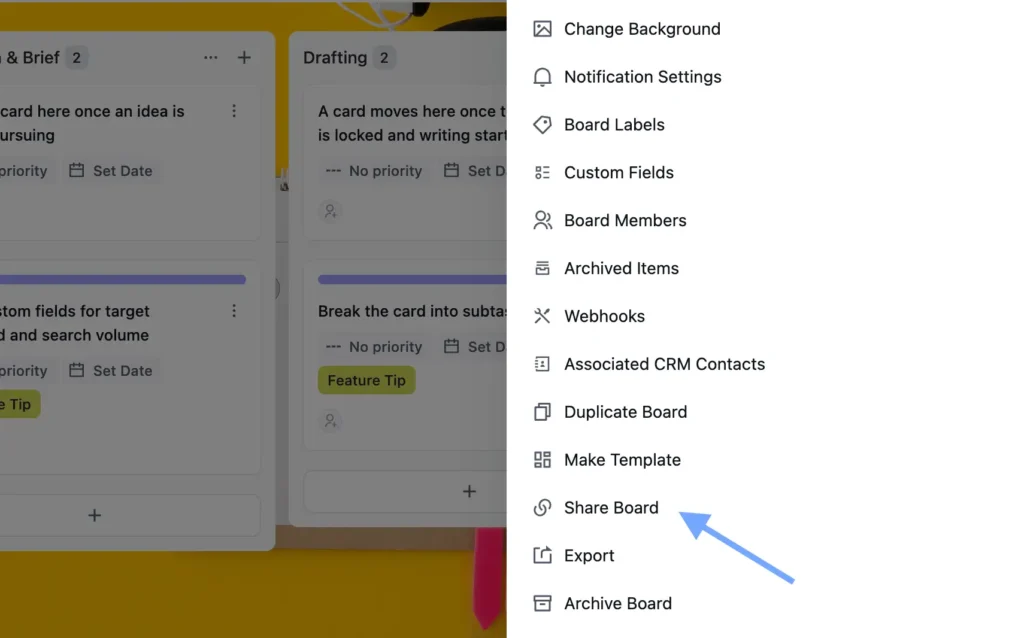
Turn on Public Access, copy the shortcode, and drop it on any page. Visitors see the board read-only, without logging in.
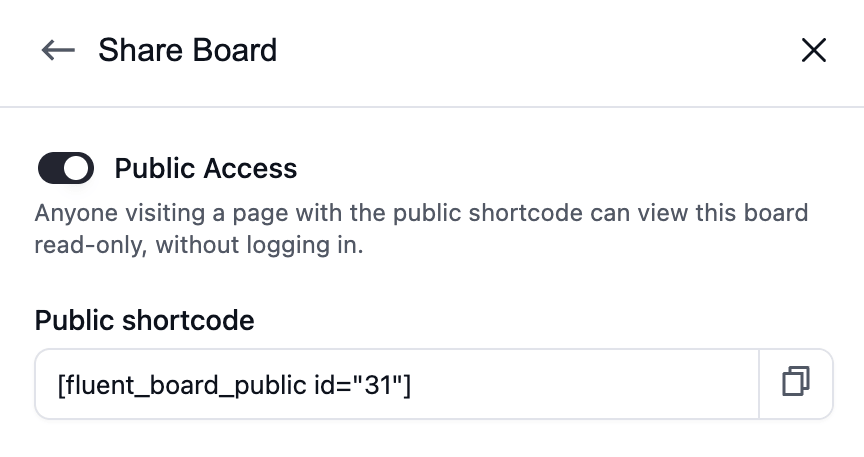
Here is what you control:
- Layouts: allow Kanban, List, or Table view, and pick the default
- Appearance: match your site theme, or keep the FluentBoards style
- Visible stages: show every stage, or only the ones that matter to the visitor
- Completed tasks: show or hide them
- Task card fields: assignees, labels, dates, priority, and board members
- Task details: let visitors open tasks, and choose whether they see the description, subtasks, attachments, and comments
- Attachments: Stay hidden unless you turn them on.
The public view itself is refreshed too. Visitors can switch between layouts, search the board, and open task details, but only where you allow it.
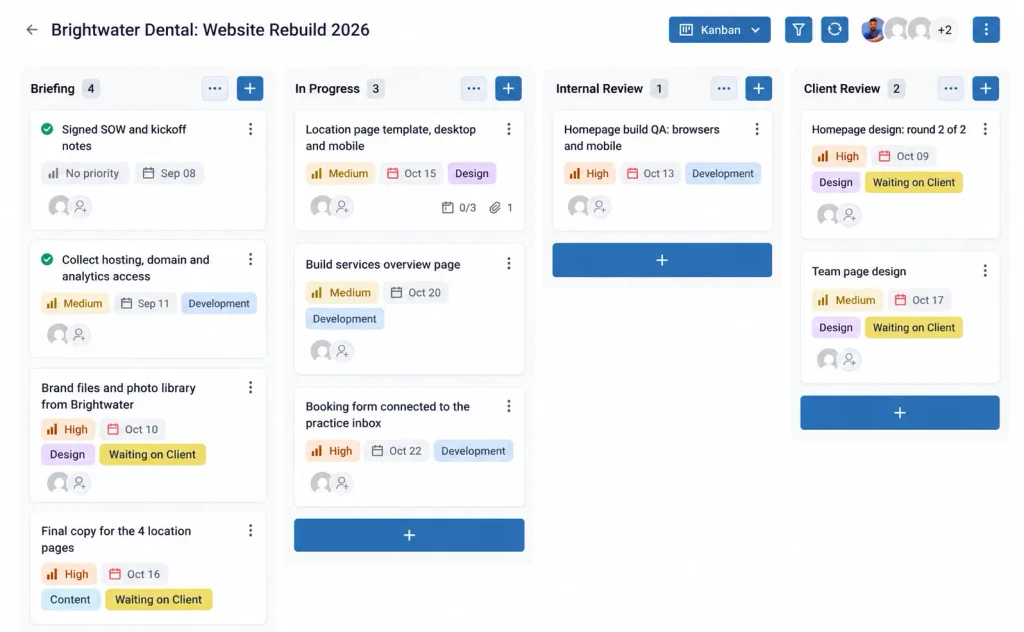
Attachments stay hidden unless you turn them on. A client can follow progress on a page of your site and still never see your internal comments or files.
To enable: open the board → Board Menu → Share Board → turn on Public Access
The About this Board panel now keeps only the regular board shortcode, so the public and private versions no longer sit side by side.
Share a single task with a link
Sometimes the whole board is too much. You only need a client to see one brief, or a freelancer to see one assignment.
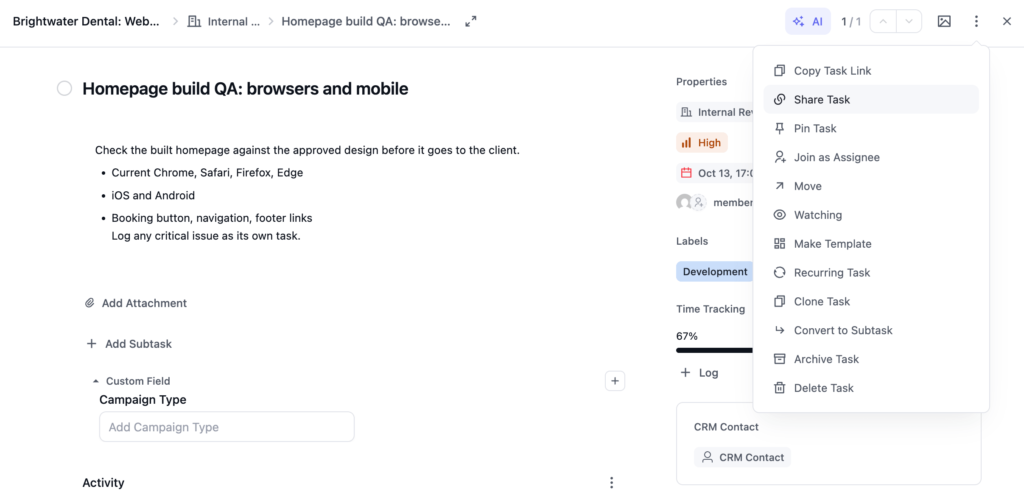
You can now share any task through a link.
Pick what appears on the shared page: description, subtasks, attachments, comments, assignees, labels, dates, and priority. Then click Create link.
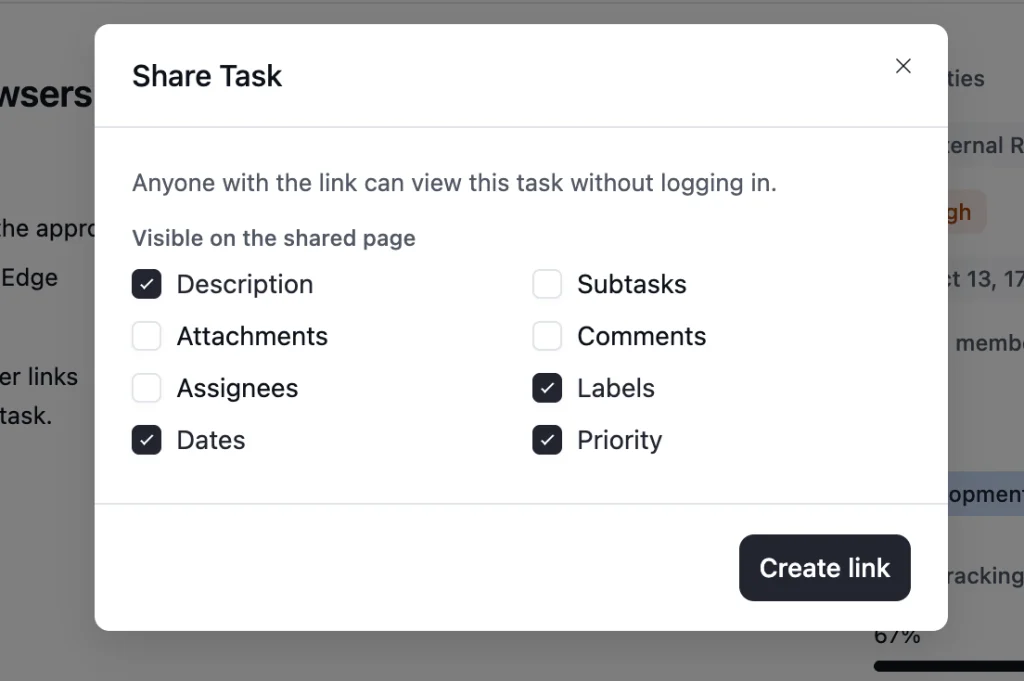
Anyone with the link can view the task read-only, without logging in, and they see nothing else on the board.
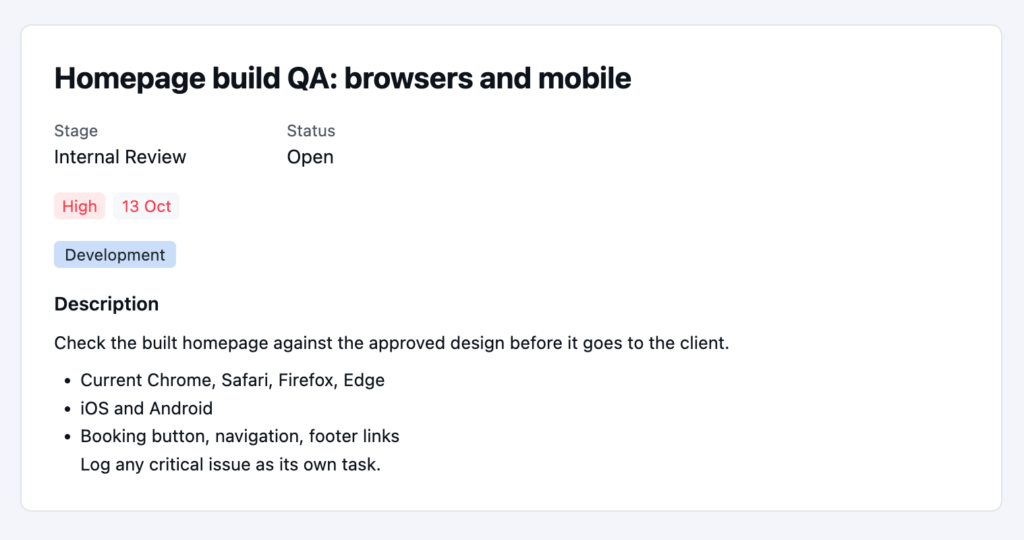
Attachments are off by default here too, so files are shared only when you choose.
To share: open the task → the three-dot menu → Share Task
Task Dependencies: Now for every task
Some work simply cannot start until other work is done. The design cannot go to the developer before the brief is approved. The launch email cannot go out before the landing page is live. When that order lives only in someone’s head, tasks get started too early, or sit idle because nobody noticed they were unblocked.
Until now, task dependencies in FluentBoards lived only in the Gantt view. If your team planned in Kanban or List, you could not mark that one task was waiting on another. That changes in 2.3.0. Dependencies now have their own section in the task details panel on Kanban and List views.
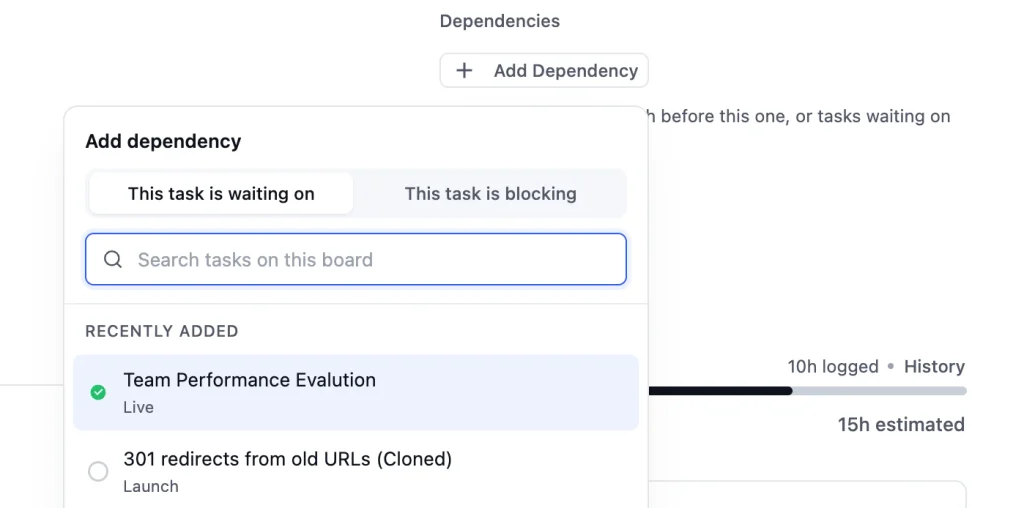
Open any task, mark the tasks that must finish first, and FluentBoards flags the task as Blocked until they are done.
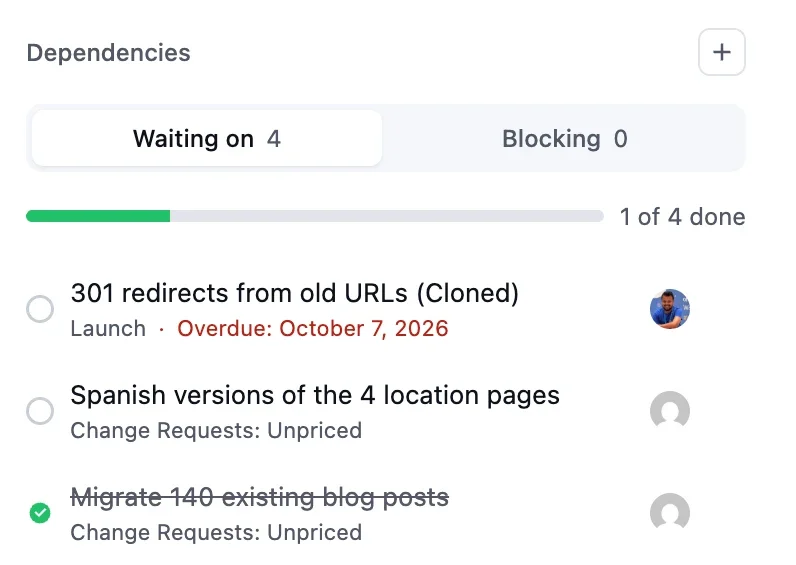
The dependency panel has been redesigned around that:
- Waiting on and Blocking tabs: see what a task is waiting for, and what is waiting for it
- Progress bar: see how much of the linked work is already done
- Search with recent tasks: the picker shows recently added tasks before you type, then lets you search the rest
- Task details: see the key details of a linked task right in the panel
FluentBoards also keeps the chain clean. A task cannot depend on itself, and you cannot create a circular dependency where two tasks wait on each other. When the last blocking task is completed, the assignees of the waiting task get a notification that it is ready to start.
The result is a board that tells you what can move today and what is still held up, before anyone wastes time on work that is not ready.
To enable: an admin turns on the Dependencies section for task details in General Settings. In the Gantt chart, dependencies are always shown, with nothing to turn on.
Pause notifications when you need focus
Notifications keep a team in sync. They also break concentration at the worst possible moment.
You can now pause your notifications, and you choose how wide the pause goes:
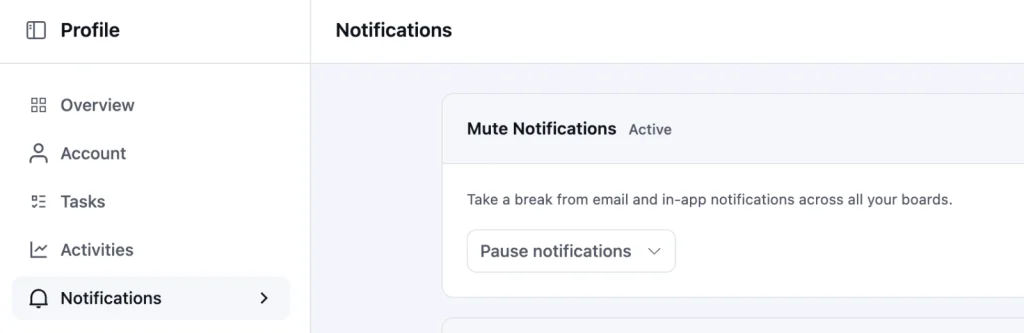
Every board at once: pause all your notifications from your profile when you need a quiet block of time.
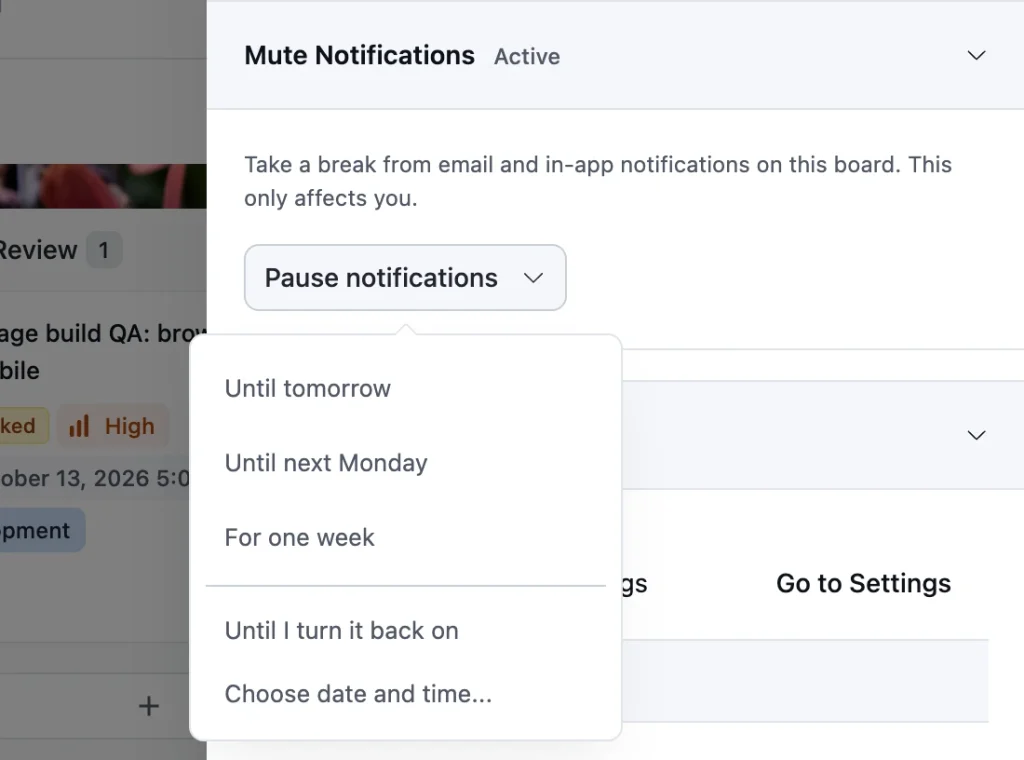
One specific board: pause notifications for a single busy board from its Board Menu, while every other board keeps you posted.
Either way, notifications can resume at a time you schedule, or when you turn them back on yourself. Nothing is lost while you focus, and board invitations still come through so nobody is left waiting on you. You simply choose when to hear about the rest.
Emoji in comments, and reactions
Text alone can make a quick update feel colder than it is. And not every comment needs a reply. Often you just want to say “seen it” or “great work” without adding another line to the thread.
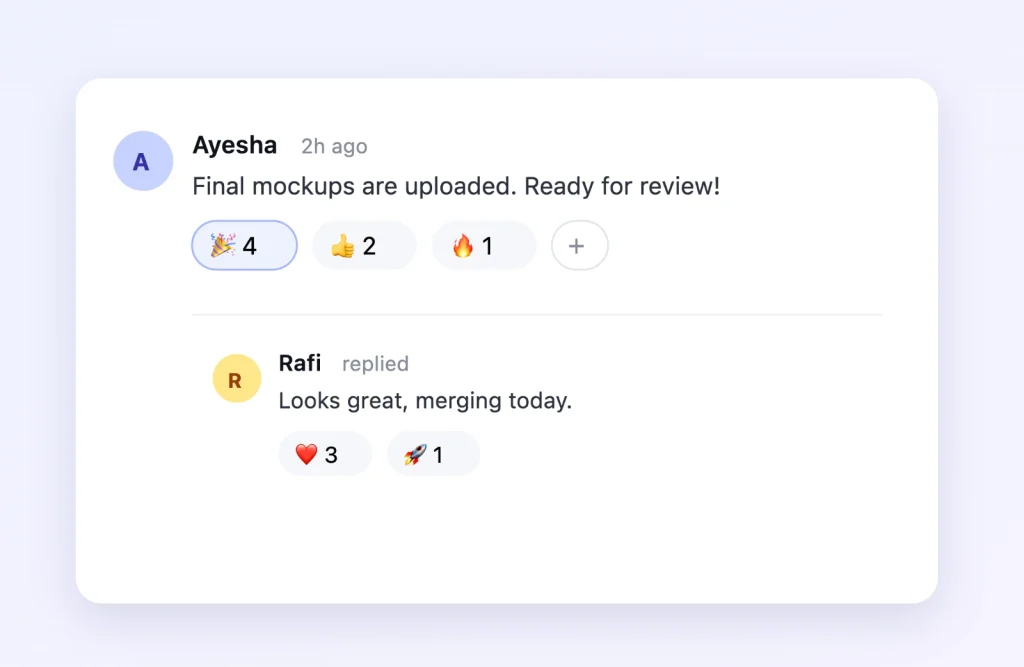
FluentBoards 2.3.0 brings emoji into task conversations in two ways. You can now add emoji right inside your comments and replies, which was missing before.
And when a reply is more than you need, react to any comment or reply with an emoji in one click. The emoji picker comes with categories and search, so the one you want is never far away.
Save and create another task
Planning a sprint or breaking down a project usually means adding tasks one after another. Closing and reopening the creation window each time slows that down.
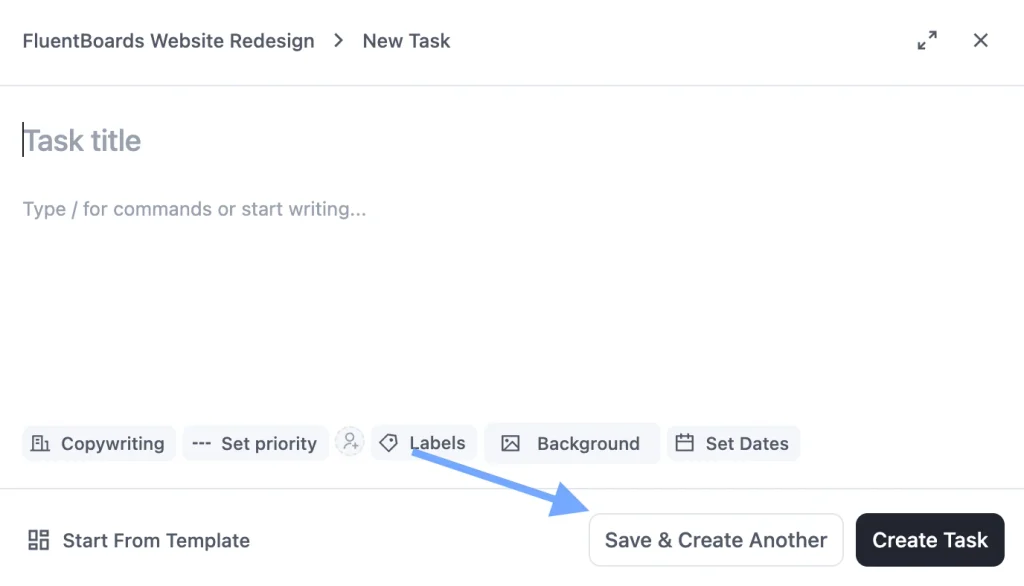
The task creation window now lets you save a task and start the next one right away. Add a full batch of tasks in one sitting, without the window closing on you.
Save boards and tasks as templates through MCP
If you manage FluentBoards from an AI client through MCP, you can now save an existing board or task as a reusable template from that client. Built a board structure that works? Ask your AI client to turn it into a template, and it joins the template library you got in 2.2.0.
Smaller Improvements that Add Up
Not every change in this release needs its own section. These are the small ones you will notice in daily use: fewer clicks to get back to the view you left, imports that hold up better, and dates that read the way your site does.
- Filters that stay put: board filters stay selected when you return to a board, and an active filter count shows how many are applied.
- Sturdier Trello imports: imports through the Trello API can now recover when interrupted, store cover images properly, and retry covers that fail to come through.
- Local dates and language: board dates and calendar labels now follow your WordPress language and date settings.
Plenty of Fixes Under the Hood
This release also cleans up issues you reported.
- Comment and mention emails no longer arrive twice
- Unread notification counts show up again on Kanban cards
- List view loads more tasks as you scroll within a stage
- Recurring tasks now use your site timezone for new schedules, and existing schedules keep theirs
- Board invitations keep the role you selected, and completed invitations no longer show as pending
- JSON imports no longer create missing or duplicate tasks from incomplete uploads or repeated requests
- And task descriptions created through Fluent Forms now keep their field spacing
In Case You Missed FluentBoards 2.2.0
FluentBoards 2.2.0 focused on faster board setup and easier workspace housekeeping. Here is a quick recap:
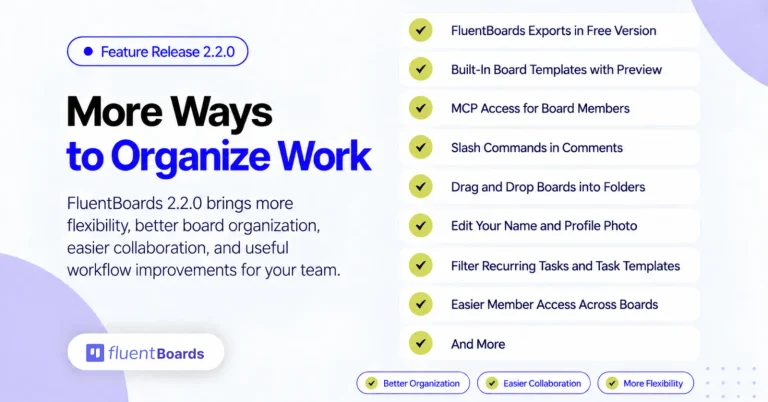
- Built-in board templates you can browse, preview, and save for reuse
- Import of FluentBoards exports, now available without Pro
- MCP connection keys for board members, with access managed by admins
- OpenRouter support for AI writing assistance
- Ready-to-use board backgrounds and drag-and-drop board folders
- Easier member access management across multiple boards
- Redesigned notification emails with light and dark mode support
Your Work, Shared on Your Terms
Every new user account is a permission to manage and a door to close later. With 2.3.0, a client or collaborator can see exactly the work they need, on your own WordPress site, without an account.
And inside your team, you choose when to be interrupted and how quickly work gets added.
Update to FluentBoards 2.3.0, try sharing a task with your next client, and tell us what you would like visitors to see next.
That’s all for today.
Let’s redefine project management with FluentBoards!
Let’s redefine project management with FluentBoards!

Follow:


Get Tips, Tricks, & Updates
We won’t send you spam.



Add your first comment to this post