

FluentBoards 1.95: Gantt Chart View, MCP Support for AI Agents, Pin Task, and More!


FluentBoards 1.95 is a significant update, and it’s also a preview of something bigger.
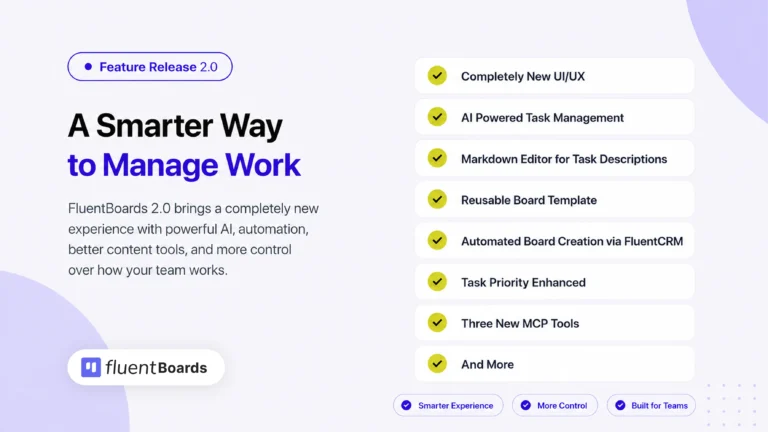
The team is actively building FluentBoards 2.0, the largest update in FluentBoards history.
Several features originally planned for 2.0 are shipping now in 1.95, so you can test them early, put them through their paces, and help shape what the final release looks like.
Your feedback at this stage genuinely matters. The team will be actively reading every comment and using it to fine-tune what’s coming.
So go ahead, test these features, and share your thoughts in the community.
Everything New in FluentBoards 1.95
FluentBoards 1.95 is a major upgrade with a number of core features you have been waiting for so long.
Here’s what it includes:
= v1.95 (Date: May 21, 2026) =
– New: Gantt Chart View
– New: MCP Support for AI Agents
– New: Pin Tasks
– New: Anyone with Permission Can Create Boards
– New: Highlight Recently Opened Tasks in Kanban
– New: Task dependency added
– Improvement: Improved Handling for Large JSON Imports
– Improvement: Optimized CSV Export for Large Numbers of Tasks in Boards
– Improvement: Clone Attachments and Cover Images When Moving Boards
– Improvement: UI improvements in the My Task Section
– Fixed: Task Reminder Timezone Issue
– Fixed: Repeat Task Date Issue
– Other improvements and bug fixes
Gantt Chart View
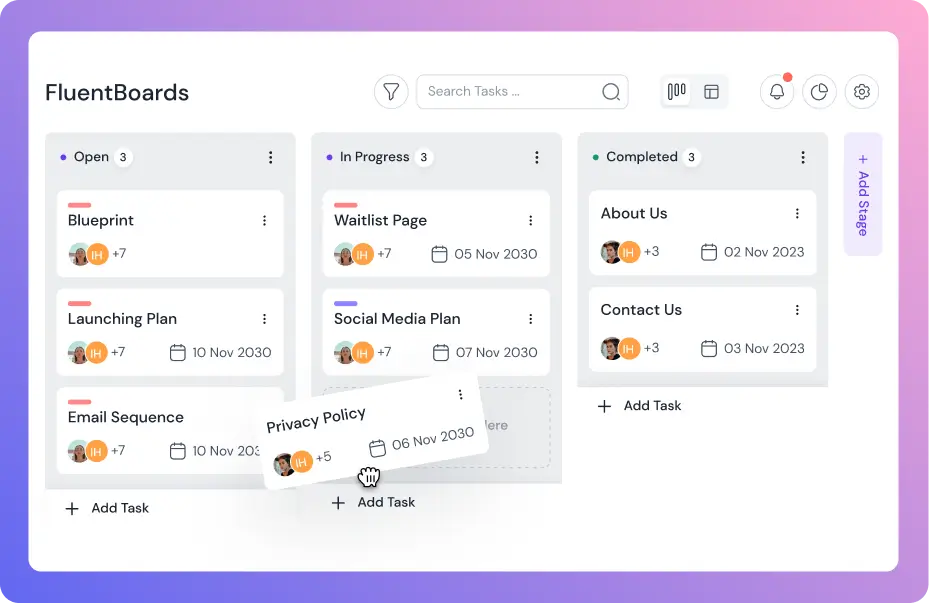
FluentBoards already gives you four ways to look at your projects: Kanban, List, Table, and Calendar. Version 1.95 adds a fifth: Gantt Chart View.
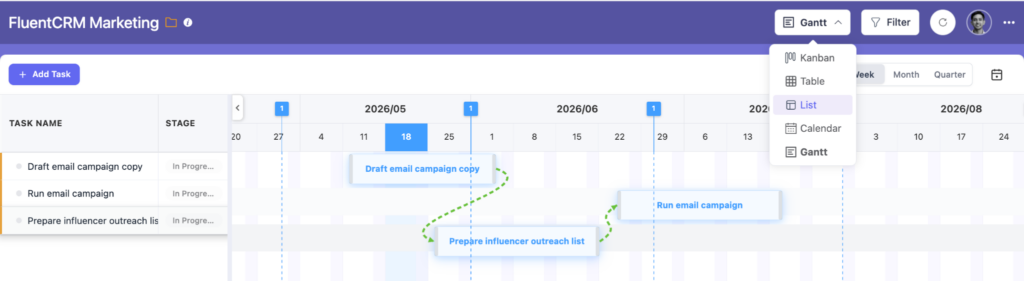
With Gantt Chart View, you can finally see your tasks laid out across a timeline. Spot overlaps, understand dependencies, and get a bird’s-eye view of how your entire project is progressing, all in one place.
This is the initial version of the Gantt Chart View. Based on your feedback, the team will continue improving it before FluentBoards 2.0.
MCP Support for AI Agents
FluentBoards 1.95 ships with 17 MCP (Model Context Protocol) tools, opening the door for AI assistants to interact directly and intelligently with your project boards.
This means you can now connect your preferred LLM, whether that’s Claude, ChatGPT, or another AI agent, and let it take real actions inside FluentBoards.
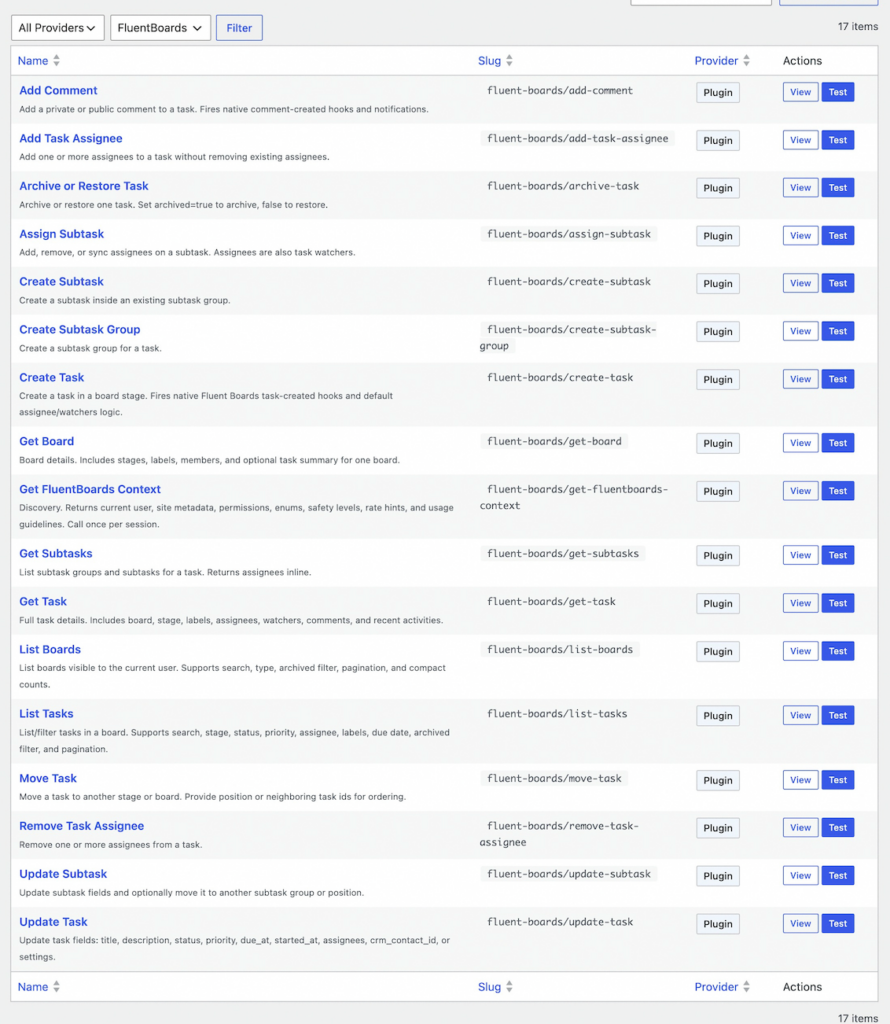
Create tasks, assign team members, leave comments, update statuses, and more, all through natural conversation with your AI tool of choice. It’s a whole new way to manage projects without leaving your AI workflow.
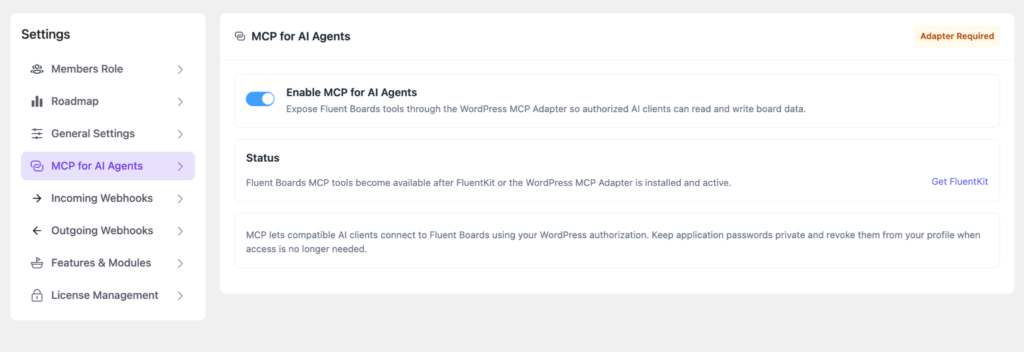
Connect your LLM, explore what’s possible, and let the team know how it goes. These are early days for AI-native project management in WordPress, and your feedback will directly shape where it goes next.
Anyone with Permission Can Create Boards
This one has been a long-standing frustration for a lot of teams. Previously, only admins had the ability to create new project boards. If a team member wanted to kick off a new project, they had to wait for an admin to do it for them.
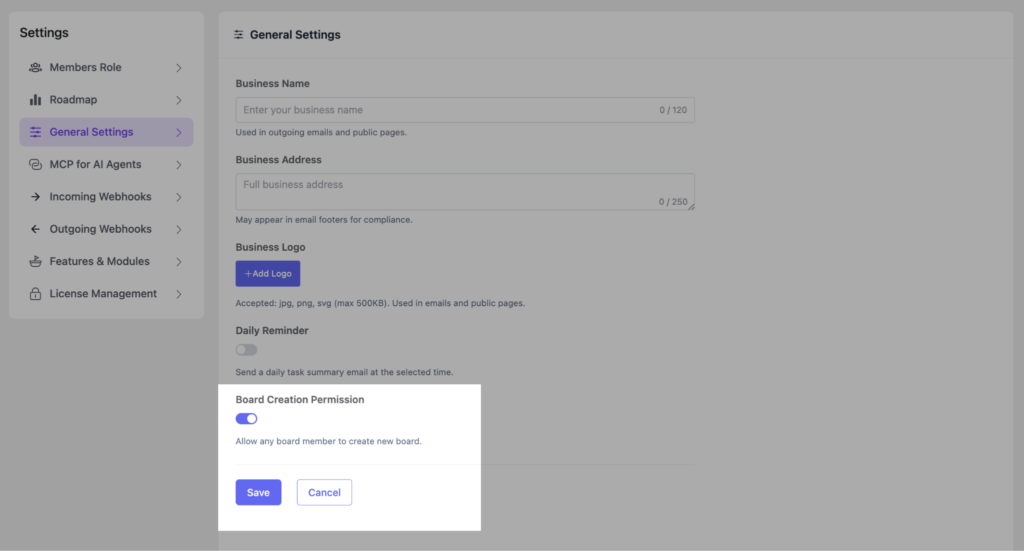
With FluentBoards 1.95, that restriction is gone. Any team member with the appropriate permissions can now create their own boards independently.
Pin Task
Busy boards can get cluttered fast. Important tasks get buried under a growing list, and you end up spending time hunting for what actually needs your attention.
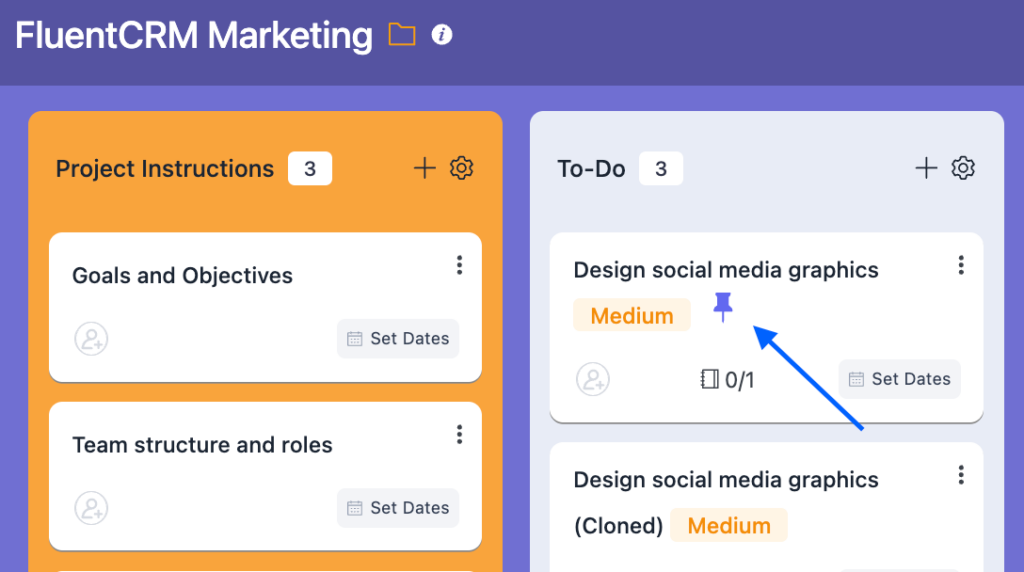
With the new Pin Task feature, you can pin your most critical tasks to the top of your board so they’re always front and center.
More Power Coming With FluentBoards 2.0
As mentioned, 1.95 is the prequel. FluentBoards 2.0 is where things get really exciting.
Here’s a quick look at what the team is cooking:
- UI/UX Upgrade: A thorough redesign of the FluentBoards interface to make it cleaner, faster, and more intuitive to navigate day to day
- AI-Powered Project Management: Something bigger is brewing on the AI front. We are not ready to spill everything just yet, but let’s just say FluentBoards 2.0 is going to make your projects a lot smarter.
- Automated Board Creation via FluentCRM: Automatically create a full project board from a selected template using FluentCRM automations
- Pre-built Board Templates: Start new projects in seconds with ready-made templates designed for common workflows
- Improved Trello Import via API: Migrating from Trello? The improved import will bring your boards, tasks, and data over more accurately and with far less friction
- Bulk Move Tasks to Board: Move multiple tasks across boards in one action, making large-scale project reorganization significantly faster
- Customizable Business Logo: Brand your FluentBoards workspace with your own logo for a more professional and personalized experience
- Weekly Task Summaries: Every week, get a clear snapshot of what got done, what is still in progress, and what is coming up next
- And more
FluentBoards 1.95 is a strong step forward, but honestly, the bigger picture is still unfolding.
So go ahead, get your hands on the new features, break things a little, share your feedback in the community, and stay close.
What comes next is going to be worth the wait!
Let’s redefine project management with FluentBoards!

Follow:


Get Tips, Tricks, & Updates
We won’t send you spam.


Add your first comment to this post