

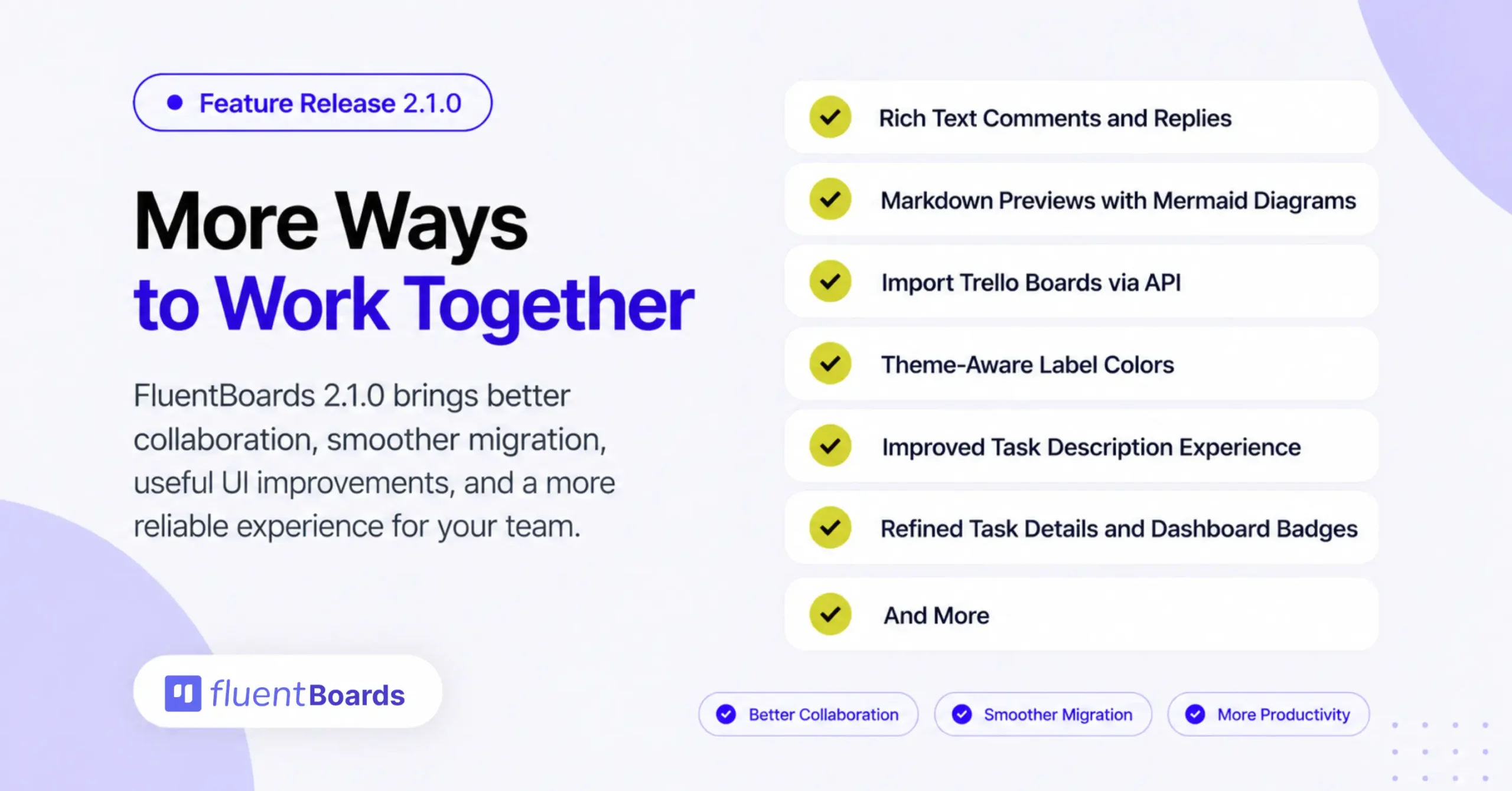
FluentBoards 2.1.0: Rich Text Comments, Trello API Import, and More


FluentBoards 2.1.0 is here with a mix of new collaboration features, smoother project migration, and plenty of improvements across the everyday FluentBoards experience.
Comments and replies now support rich text formatting, Markdown attachments get a much better preview experience with Mermaid diagram support, and moving your Trello boards into FluentBoards is now easier with direct API import.
We have also improved task descriptions, refreshed a few UI details, introduced theme-aware label colors, and fixed several issues across Table, Gantt, Timesheets, public boards, and more.
Let’s take a closer look.
Everything New in FluentBoards 2.1.0
FluentBoards 2.1.0 brings a handful of meaningful improvements across collaboration, migration, usability, and overall polish.
= v2.1.0 (Date: September 17, 2026) =
- New: Rich text formatting for comments and replies
- New: Markdown attachment previews with Mermaid diagrams and full-screen mode
- New: Import Trello boards via API
- New: Theme-aware label colors
- New: Label colors that adapt to light and dark modes
- Improvement: Identify labels faster with colored backgrounds
- Improvement: Task descriptions now auto-save, with dedicated Save and Cancel buttons for added control
- Improvement: Refined task details and dashboard badges
- Improvement: Task headers now show the current stage
- Improvement: Spot high-priority tasks faster with color-coded priorities
- Fixed: Table search persistence, Gantt scrolling, and date picker overlap
- Fixed: Timesheet reports, missing board descriptions, and task lookup errors
- Fixed: Tightened security for public boards and API responses
- Fixed: Other security issues
- Other improvements and bug fixes
Labels That Are Easier to Track
Labels are getting a small but useful visual upgrade.
With 2.1.0, label colors now adapt better to the active theme, helping them stay readable and consistent across different FluentBoards views.
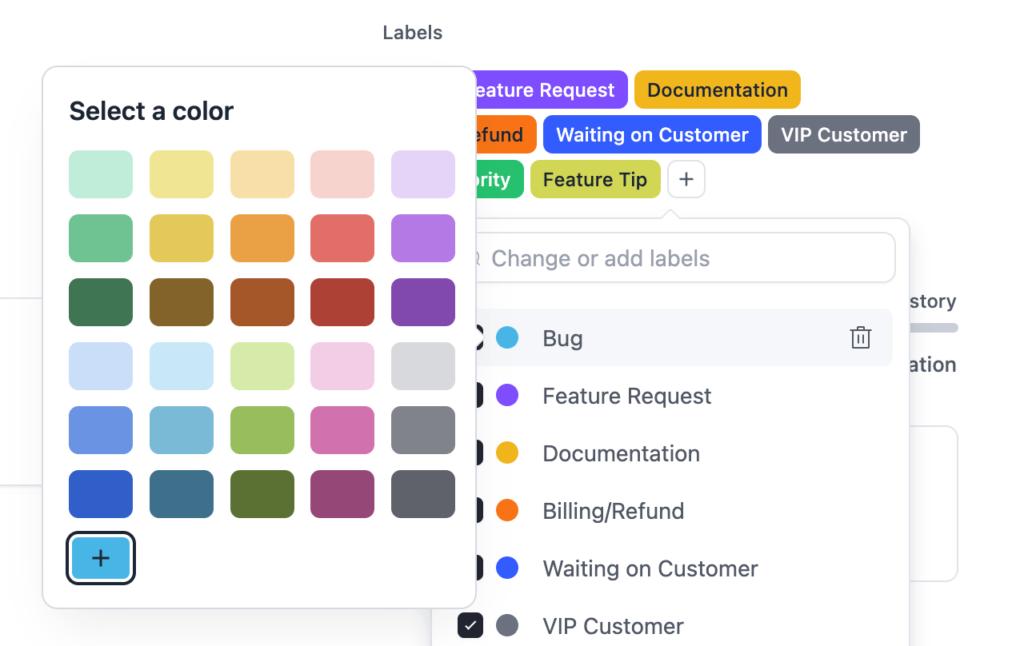
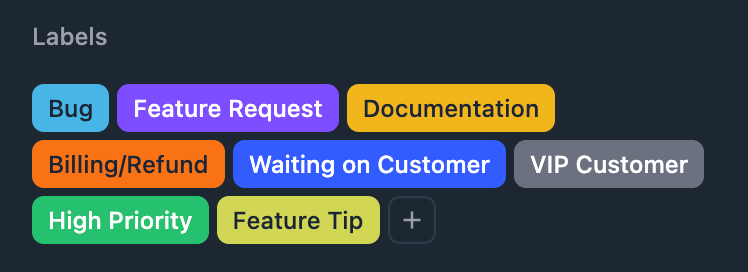
This is especially useful when switching between light and dark mode, where certain colors could previously feel too bright, too muted, or harder to read.
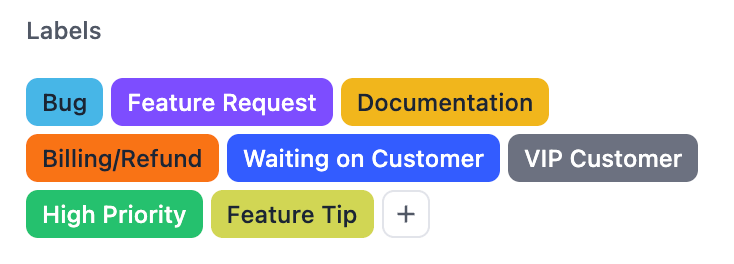
Now, labels fit the surrounding interface more naturally.
Rich Text Comments and Replies
A lot of team communication happens inside task comments. Updates, feedback, instructions, quick notes, and sometimes much longer discussions all live there.
Until now, formatting those conversations was pretty limited.
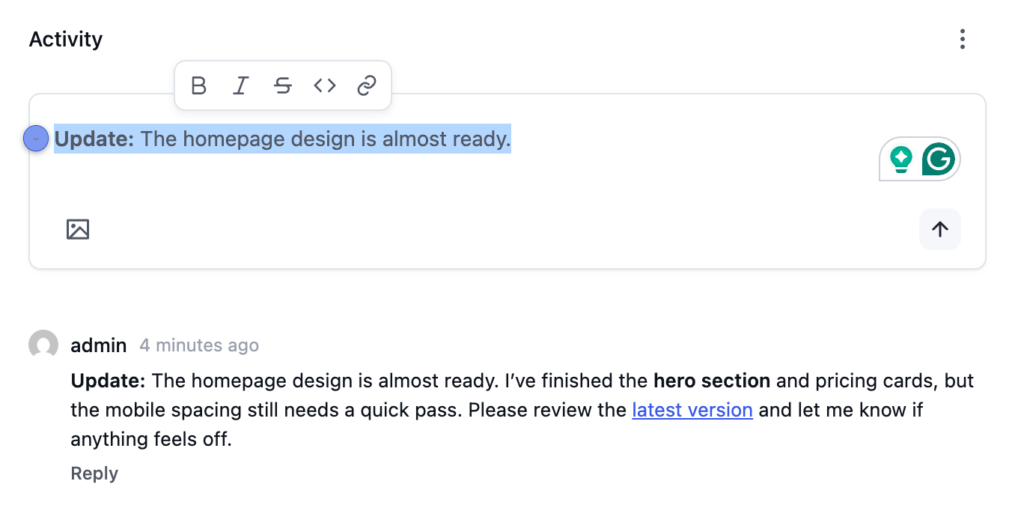
With FluentBoards 2.1.0, both comments and replies now support rich text formatting.
You can structure your messages more clearly, highlight important details, and make longer conversations much easier to follow without leaving the task. It is a small change that should make everyday team communication feel much better.
Better Markdown Previews, Now with Mermaid Diagrams
Markdown files are becoming much more useful inside FluentBoards too.
You can now preview Markdown attachments directly with improved formatting, open them in full-screen mode, and even render Mermaid diagrams inside the preview.
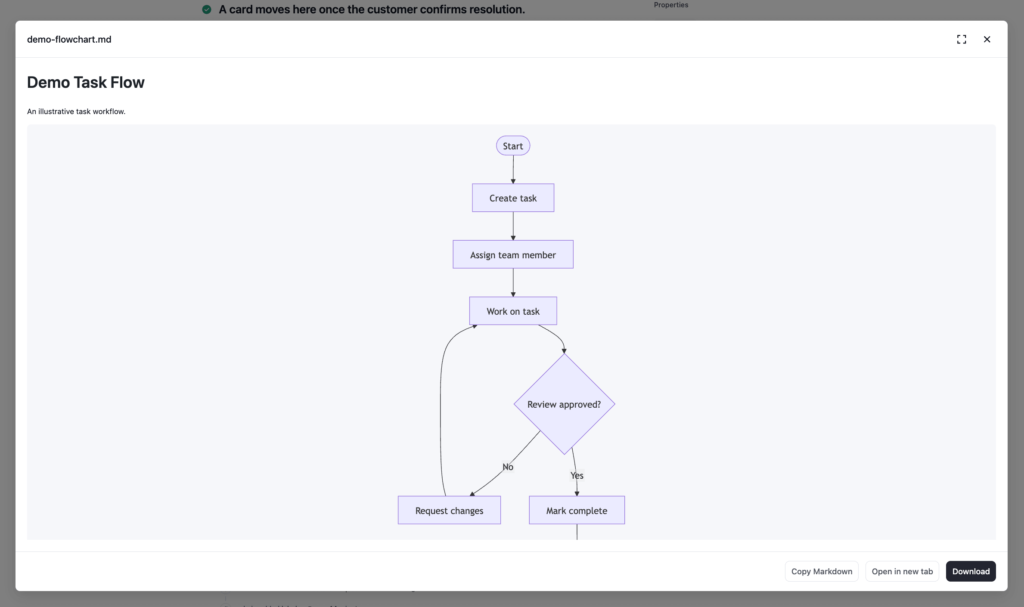
That means technical documentation, flowcharts, process diagrams, and other structured Markdown content are much easier to review without downloading the file or switching tools.
For teams working with documentation-heavy projects, this should make attachments feel much more useful inside the board itself.
Trello Import via API
You could already move Trello boards into FluentBoards through import. With 2.1.0, we are making that process much easier.
You can now connect Trello directly with FluentBoards through the Trello API, fetch your boards, choose the one you want, and import it without going through the previous export-and-import process.
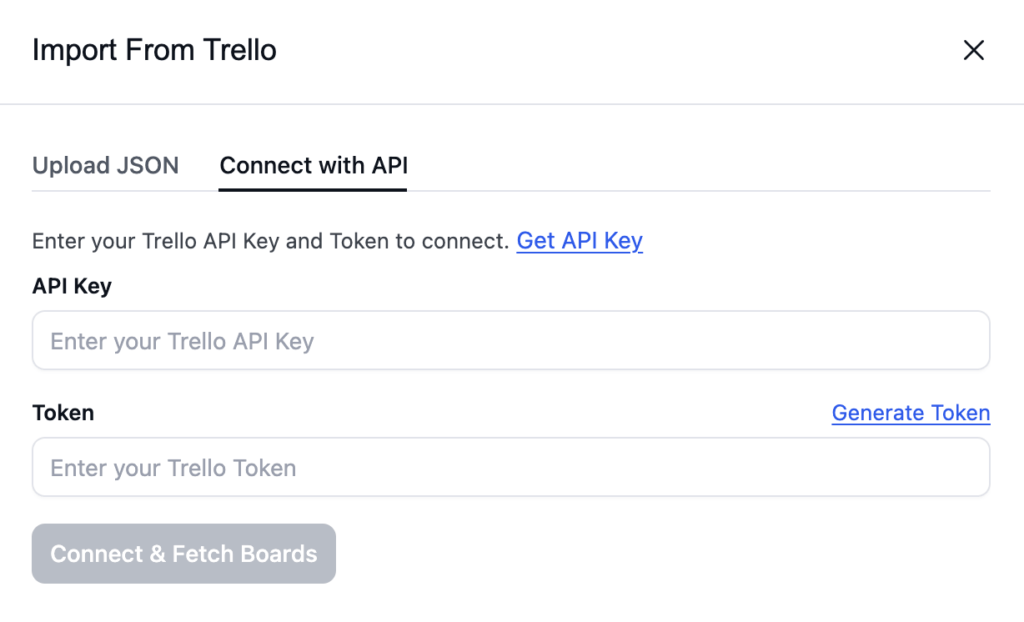
Your Trello lists come over as FluentBoards stages, while your cards are imported as tasks. So if you are moving an existing project from Trello, there are now fewer steps between your old board and your new one.
To get connected:
- Go to trello.com/power-ups/admin and get your API Key
- Paste the API Key into FluentBoards
- Use the Generate Token option to authorize the connection
- Paste the generated token back into FluentBoards
- Click Connect & Fetch Boards
- Choose the board you want and start the import
A Better Task Description Experience
We have also improved the task description experience in this release.
The goal here is simple: make writing, editing, and working with task descriptions feel smoother and more natural. There are no dramatic workflow changes, but the overall interaction should feel cleaner when you are adding context, instructions, or longer notes to a task.
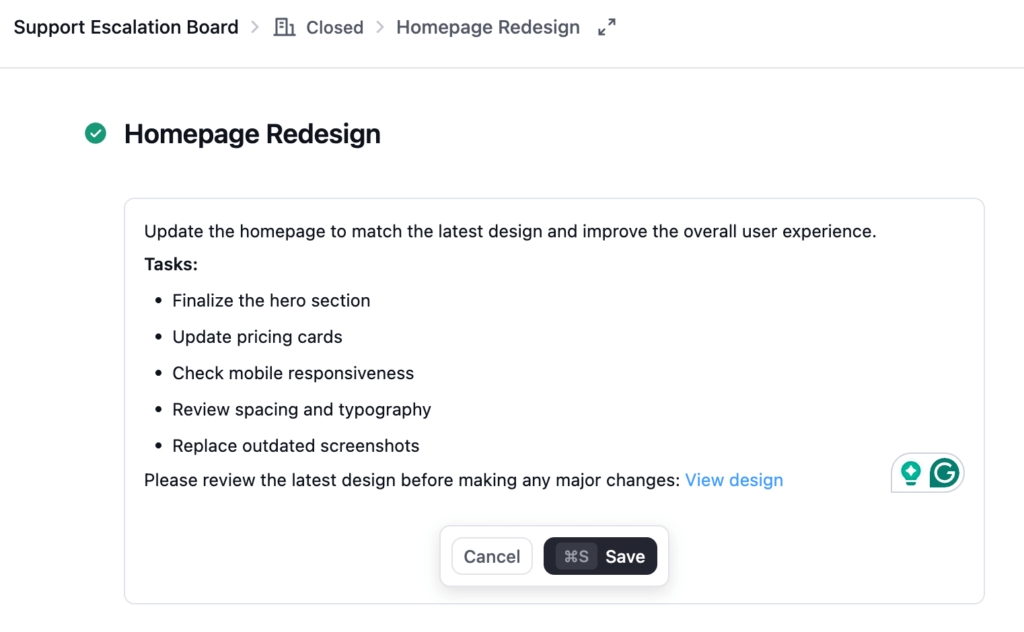
Task descriptions now auto-save, with dedicated Save and Cancel buttons for added control
Polished Task Details and Dashboard Badges
A few smaller UI elements received some attention as well.
Task details have been refined for a cleaner experience, while dashboard badges now feel more consistent with the rest of the FluentBoards interface. These are the kinds of improvements that may not stand out individually, but together they make the product feel more polished.
Plenty of Fixes Under the Hood
FluentBoards 2.1.0 also includes fixes across several parts of the product:
- Fixed Table search persistence
- Fixed Gantt scrolling
- Fixed date picker overlap
- Fixed issues with Timesheet reports
- Fixed missing board descriptions
- Fixed task lookup errors
- Tightened security around public boards
- Improved security for API responses
- And More
In Case You Missed FluentBoards 2.0
2.1.0 builds on a pretty big foundation.
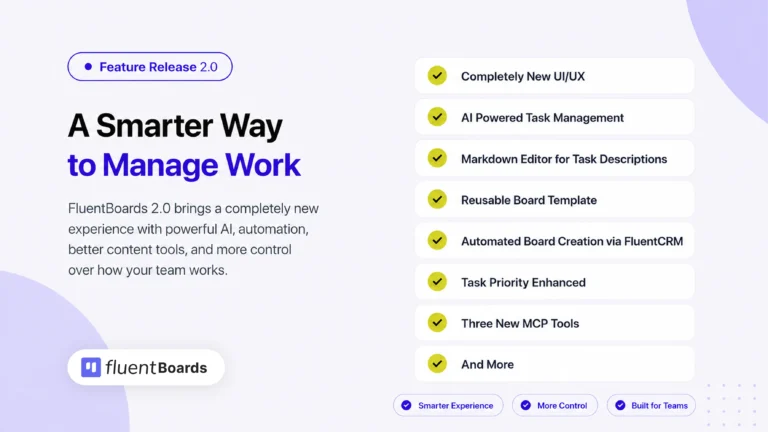
FluentBoards 2.0 was our biggest release yet, bringing a completely redesigned UI and UX along with a long list of new features and workflow improvements.
Here is a quick recap of what shipped with 2.0:
- A completely redesigned FluentBoards interface
- A new dashboard with recent boards and notifications
- Light, Dark, and System theme options
- Built-in AI for writing and improving task descriptions
- AI-powered subtask generation, summaries, label suggestions, and priority suggestions
- Completely rebuilt Reports for Overview, Tasks, Activity, Timesheet, and Roadmap
- Board template management with editable templates, covers, and categories
- Automated board creation through FluentCRM
- And more!
A Better Everyday FluentBoards Experience
FluentBoards 2.1.0 is not centered around one massive feature. Instead, it improves several parts of the product you interact with every day.
Comments are easier to read. Markdown files are more useful. Trello migration takes fewer steps. Labels work better across themes. And a long list of smaller fixes makes the overall experience more reliable.
Combined with everything that arrived in 2.0, FluentBoards is becoming cleaner, smarter, and easier to work with release after release.
As always, most of these improvements come from the feedback you share with us.
So, update to FluentBoards 2.1.0, give the new features a try, and keep the feedback coming.
It plays a big part in what we build next.
Let’s redefine project management with FluentBoards!
Let’s redefine project management with FluentBoards!

Follow:


Get Tips, Tricks, & Updates
We won’t send you spam.



Add your first comment to this post