


The Project Roadmap Playbook: How to Build One That Drives Real Results


“A goal without a plan is just a wish.” — Antoine de Saint-Exupéry
Now imagine that wish with twelve stakeholders, three deadlines, two teams in different time zones, and a client who keeps asking, “So when are we launching again?”
That’s a project without a roadmap.
You can have brilliant goals, a talented team, and a healthy budget. But without a clear picture of where the project is headed-
- Things drift
- Priorities shift
- Updates get buried
Before you know it, half the team builds the wrong thing while the other half waits for someone to decide.
And a project roadmap changes all of that.
In this guide, we’ll break down what a project roadmap really is, why it matters, what to include, and how to build one in 7 simple steps without overcomplicating it.
So let’s dive in.
What Is a Project Roadmap?
A project roadmap is a high-level visual overview of a project’s goals, milestones, deliverables, and timeline. It tells everyone what you’re building, when you plan to ship it, and why it matters.
Think of it as the bird’s-eye view of your project.
A roadmap doesn’t list every task or worry about who’s doing what on Tuesday, that’s the job of your project plan. The roadmap stays strategic. Its job is to align the room and keep it aligned, even when priorities shift.
A good project roadmap answers four questions at a glance:
- What are we trying to achieve?
- When will the major milestones happen?
- Who is involved at each stage?
- Why does this work matter to the business?
When those four questions get clear answers, the roadmap becomes a communication tool that any stakeholder, executive, or client can pick up and understand in under two minutes.
Why You Need a Project Roadmap
The cost of skipping a roadmap doesn’t show up right away. You feel it in week six.
That’s when the developer is building a feature the designer hasn’t approved. When the client emails asking why nobody told them launch slipped. When your sponsor pulls you into a meeting to ask, “Wait, what are we actually trying to achieve here?”
A roadmap prevents all of that. Here’s what a good one gives you:
- One source of truth: No more switching between tools to find the latest update. One roadmap everyone references.
- Stakeholder alignment without re-meetings: Share the roadmap once and stakeholders can check it themselves, instead of scheduling another call to ask where things stand.
- Early visibility into risk: Mapping phases and dependencies surfaces the obvious risks while they’re still cheap to fix.
- Fewer “why are we doing this?” conversations: Every milestone ties back to a project objective.
- Faster decisions when things shift: Priorities always change. A roadmap gives you a frame to reprioritise against, instead of a scramble.
The teams who skip roadmaps aren’t saving time. They’re just spending it later, in damage control.
Project Roadmap vs Project Plan: What’s the Difference?
This is the question that trips up first-time project managers (and a fair few seasoned ones, too).
Roadmaps and project plans get talked about like they’re the same thing. They’re not.
Here’s the cleanest way to think about it:
| Aspect | Project Roadmap | Project Plan |
| Purpose | Communicates strategy and direction | Guides daily execution |
| Audience | Executives, clients, stakeholders | The working team |
| Detail level | High-level — milestones and phases | Task-level — every step, owner, and date |
| Ownership | Project manager or lead | Project manager plus individual task owners |
| Update frequency | Monthly or at major checkpoints | Daily or weekly |
| Typical format | Timeline, Kanban, or Gantt overview | Spreadsheet, task list, detailed Gantt |
| Flexibility | Living document — adapts as things shift | More rigid — changes are costly |
A roadmap answers “what and why.” A project plan answers “how and when.”
You usually need both. The roadmap sets direction so stakeholders understand the journey. The plan handles the turn-by-turn navigation so your team can actually deliver.
For a detailed walkthrough of how the plan actually gets built, see our guide on the project planning phase
Quick note:
A project charter: A project charter is a static authorization document. It defines scope, assigns the project manager, and formally approves the project. The roadmap is a living reference that evolves as work progresses. Simply put, the charter starts the project. The roadmap guides it.
Also read: What Is a Project Charter?
A product roadmap: A product roadmap maps the long-term evolution of a product across multiple releases and quarters. A project roadmap maps a single initiative from start to finish. One is the strategy. The other is the execution window inside it.
Key Components of a Strong Project Roadmap
Every effective project roadmap is built from the same core ingredients. Skip any of them, and you’ll feel the gap later.
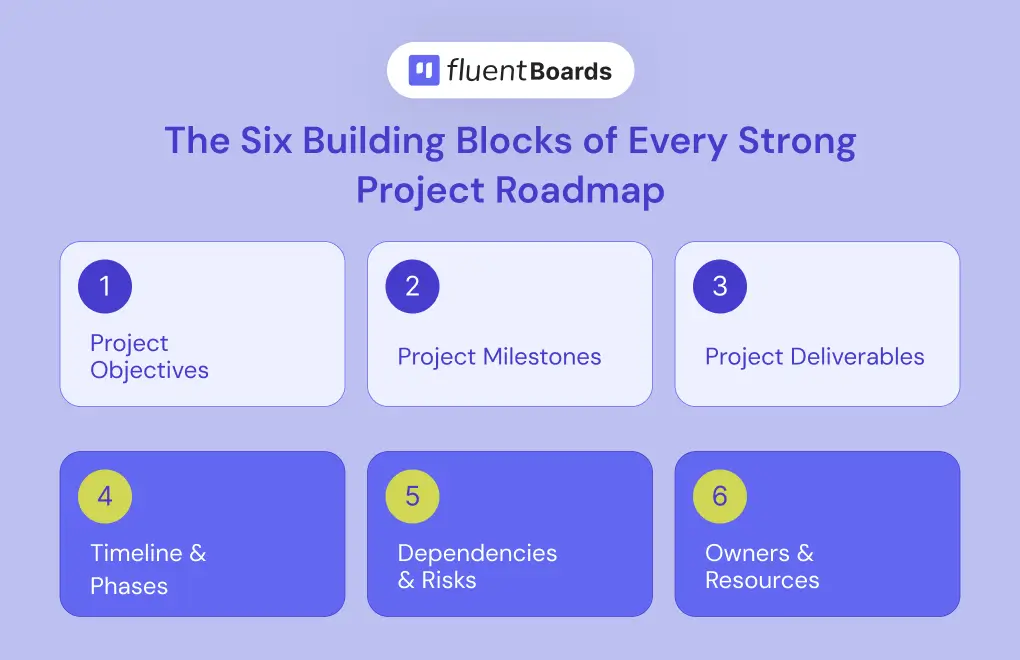
1. Project Objectives
The why of the project. What outcome are you chasing, and what does success actually look like?
- Weak: “Launch the new website.”
- Strong: “Launch a redesigned website that increases lead conversions by 25% within three months.”
2. Project Milestones
Significant checkpoints that mark real progress not just “Phase 1 complete,” but moments that genuinely move the needle. (We’ve got a full breakdown in our guide on project milestones if you want to go deeper on what makes a strong one.)
For example:
- Beta launched to 100 users
- Client sign-off on final design
- First production deployment
3. Project Deliverables
The tangible outputs your project produces. Each milestone is usually tied to one or more project deliverables , a working prototype, a finalized contract, a published feature.
4. Timeline and Phases
The when. Most roadmaps organise work into phases (discovery, design, build, test, launch) with a rough timeline for each. You don’t need a day-by-day schedule. You do need a believable shape for the project across weeks, months, or quarters.
5. Dependencies and Risks
What needs to happen before what? Which steps can’t start until another finishes? And what could derail the whole thing if it goes wrong? Calling out dependencies and risks on the roadmap forces honest conversations early, when they’re still cheap to address.
6. Owners and Resources
This is the one most teams forget, and it’s the one that turns a roadmap from a wish list into something accountable. Every milestone should have a clear owner. Every phase should know what people, budget, and tools it’ll need. No owners means no follow-through.
Types of Project Roadmaps (And When to Use Each)
Once you know what goes inside, the next decision is how to lay it out. There is no single correct format. The right one depends on who the roadmap is for and what they need to do with it.
Here are the five most common types:
Timeline / Gantt-Style Roadmap
A classic horizontal timeline showing phases and milestones across calendar time.
Best for: Projects with hard deadlines — product launches, event planning, construction, marketing campaigns.
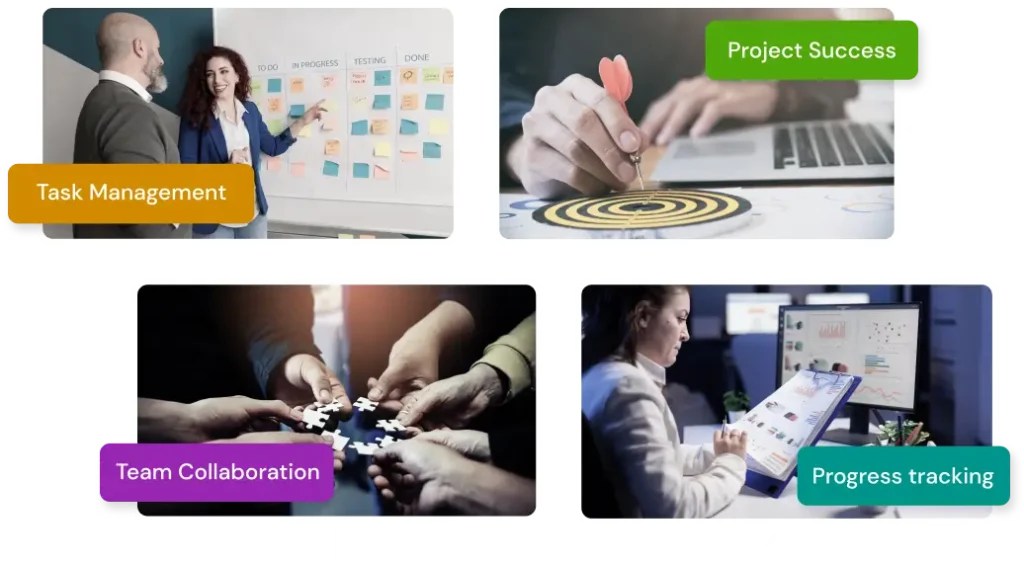
Kanban-Style Roadmap
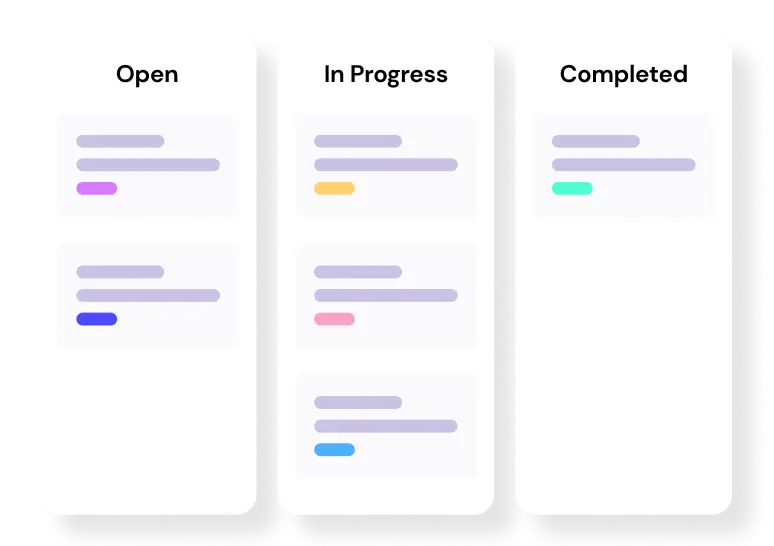
A board with columns representing stages (To Do → In Progress → Done) instead of fixed dates.
Best for: Agile teams, ongoing work, software development with continuous delivery.
Step into the Future of Project Management!
Swimlane Roadmap
A grid with rows for different teams or workstreams and columns for time. Each “lane” shows what one team is doing.
Best for: Cross-functional projects where design, engineering, marketing, and sales all need to coordinate.
Phase-based roadmap
Project broken into named phases (discovery, design, build, test, launch) with milestones grouped under each phase.
Best for: Teams that follow a standard project life cycle and want a roadmap that mirrors how the work actually flows.
Public / external roadmap
A stakeholder- or community-facing version of your internal roadmap. It shows what’s coming, what’s in progress, and what’s been shipped, usually with the ability for customers or stakeholders to comment and upvote.
Best for: Agency-client relationships, open-source projects, and any team that wants feedback built right into the roadmap.
How to Build a Project Roadmap in 7 Steps
Now for the practical part.
You don’t need a fancy template or expensive software to build a good roadmap. You need clarity, the right inputs, and a structure your team will actually use.
Here’s the 7-step process.
Step 1: Define your project objectives
Before you sketch a single phase, get the why nailed down.
Ask:
- What problem are we solving?
- What does success look like in concrete terms?
- How does this project tie back to bigger business goals?
Have this conversation with stakeholders, sponsors, and team leads in the room. The point isn’t to write objectives alone in a corner, it’s to make sure everyone agrees on the destination before you draw the map.
Step 2: Identify stakeholders and gather input
Roadmaps die when they’re built in isolation.
List everyone who has a stake in the project: sponsors, team leads, clients, end users, executives. Talk to them. Understand what they care about, what they’re worried about, and what would make this project a clear win in their eyes.
The roadmap you eventually share will live or die based on whether these people see themselves in it.
Step 3: Break the project into phases and milestones
Now zoom out and slice the project into 4–6 major phases.
Typical phases for a software project might look like:
- Discovery → research, requirements, stakeholder interviews
- Design → wireframes, prototypes, sign-off
- Build → development, integration
- Test → QA, beta, bug fixes
- Launch → release, marketing, support handoff
Inside each phase, define 2–4 milestones, concrete checkpoints that show real progress.
Keep milestones outcome-focused. “Auth system shipped to production” is a milestone. “Worked on auth system” isn’t.
Our guide to the 5 phases of project management covers each phase in depth
Step 4: Map Dependencies and Risks
Now ask the uncomfortable question: what could go wrong, and what can’t start until something else finishes?
Mark dependencies between phases or milestones, places where one team is waiting on another. Then list the top 3–5 risks that could throw the timeline off.
You’re not trying to predict every disaster. You’re surfacing the obvious ones early so they don’t become surprises in week 11.
Step 5: Assign Owners and Resources
Each milestone gets a name attached to it.
Not a department. A person. Someone who’s accountable for that milestone reaching the finish line.
While you’re at it, sketch the rough resourcing for each phase: how many people, what skills, and what budget. This is where roadmaps quietly catch over-commitment before it becomes a problem.
Step 6: Choose Your Format and Tool
Pick the format that fits your project type from the list above. Then pick a tool you’ll actually maintain.
A beautiful roadmap that no one updates after week 2 is worse than a rough one you keep alive.
Look for a tool that supports multiple views (Kanban, list, calendar, Gantt), lets your team edit without friction, and lives where the rest of your work already happens. The best roadmap tool is the one your team will open without thinking.
Level up your project management game inside WordPress – where limitless possibilities come at an unbeatable price!
Step 7: Share, Review, and Update on a Regular Cadence
A roadmap is a living document. The moment it stops getting updated, it stops being useful.
Set a cadence:
- Monthly review for most projects
- End of every sprint for agile teams
- Immediately after any major scope, timeline, or resource change
And make sure the latest version is the one people see. Outdated roadmaps cause more confusion than no roadmap at all.
What a Project Roadmap Actually Looks Like (Worked Example)
Frameworks are useful. Examples are clearer.
Here’s what the 7 steps look like applied to one specific project: an agency redesigning a client’s website over four months.
Objective: Launch the redesigned client website to lift qualified leads by 40% within three months of go-live.
Phases and milestones:
- Discovery (Weeks 1–3) → Milestone: Stakeholder interviews complete and requirements signed off
- Design (Weeks 4–7) → Milestone: Final wireframes approved by client → Milestone: Visual design system locked
- Build (Weeks 8–13) → Milestone: Staging site live for internal QA → Milestone: Content migration complete
- Test & Launch (Weeks 14–16) → Milestone: Client sign-off on staging → Milestone: Site live in production → Milestone: 30-day post-launch performance review
Deliverables: requirements doc, wireframe set, design system, staging build, production site, 30-day analytics report.
Dependencies: Design can’t start until requirements are signed off. Build can’t start until wireframes are approved. Launch depends on client sign-off, usually the biggest risk.
Owners: Account Manager owns Discovery. Design Lead owns Design. Tech Lead owns Build. PM owns Test & Launch.
Top risks: Client sign-off delays in Design and Test phases. Content from the client arriving late. Scope creep during Build.
That’s the whole roadmap. One page. Six milestones. Four owners. Clear enough for the client to follow. Specific enough for the team to act on.
That’s the bar.
Common Project Roadmap Mistakes (and How to Avoid Them)
Even good teams trip on the same handful of roadmap mistakes. Here are the ones to watch for:
- Too much detail means the roadmap reads like a project plan, so if your stakeholders are looking at individual task tickets, you’ve zoomed in too far.
- Too little detail means a roadmap that just says “Phase 1 → Phase 2 → Launch” tells nobody anything, so be concrete about milestones.
- No owners means the roadmap becomes a wish list, and every milestone needs someone accountable.
- Treating it as static means it gets built once and never touched, so make sure it evolves with the project.
- One-size-fits-all communication means executives and the dev team are looking at the same view, so keep one source of truth but show different versions.
- Burying it means the roadmap lives in a folder nobody opens, which is the same as not having one, so keep it visible in meetings, in your project tool, and in your public-facing channels.
Building Your Project Roadmap in FluentBoards
Here’s the honest truth: most teams already have a project management tool. They don’t need another one.
What they need is one that handles the roadmap AND the day-to-day execution in the same place, without forcing them to bounce between five different cloud apps.
That’s exactly what FluentBoards is built for.
Inside FluentBoards, your roadmap maps cleanly onto features you already have:
- Phases → board stages (drag-and-drop, customizable)
- Milestones → pinned tasks at the top of each stage
- Deliverables → subtasks with owners and due dates
- Timeline → switch to Gantt view for a visual project timeline (Pro)
- Dependencies → linked subtasks and watchers
- Different views for different audiences → Kanban for the team, Table for analysis, Calendar for deadlines, Gantt for executives
And then there’s FluentRoadmap, included free with FluentBoards Pro.

FluentRoadmap Comes Free with FluentBoards Pro!
FluentRoadmap turns your internal roadmap into a public, shareable one. Customers, clients, and stakeholders can see what you’re working on, what’s coming next, and what’s recently launched, and leave feedback directly. It’s the perfect companion to your internal board: one source of truth, two audiences served.
A few more reasons teams pick FluentBoards for roadmapping:
Predictable pricing: One license. No per-seat traps. No subscription dread.
100% self-hosted: Your roadmap, your data, your server. Not a SaaS dashboard, not a third-party cloud. No vendor lock-in.
GDPR-compliant out of the box: A real plus for EU teams and agencies handling client data.
WordPress-native: If your business already runs on WordPress, your project management should too.
Plan the Direction, Then Build the Map
Strong projects don’t happen because someone wrote a 40-tab spreadsheet. They happen because everyone, from the developer to the executive sponsor, knows where the project is heading and what their part is in getting it there.
That’s what a project roadmap does.
Start with the why. Sketch the major phases. Mark the milestones that matter. Assign names. Pick a format. Keep it alive.
Plan the direction. Build the map. Go ship something great.
Thanks for reading. Wishing you smooth roadmaps and projects that actually land.
Let’s redefine project management with FluentBoards!

Follow:


Get Tips, Tricks, & Updates
We won’t send you spam.





Leave a Reply