

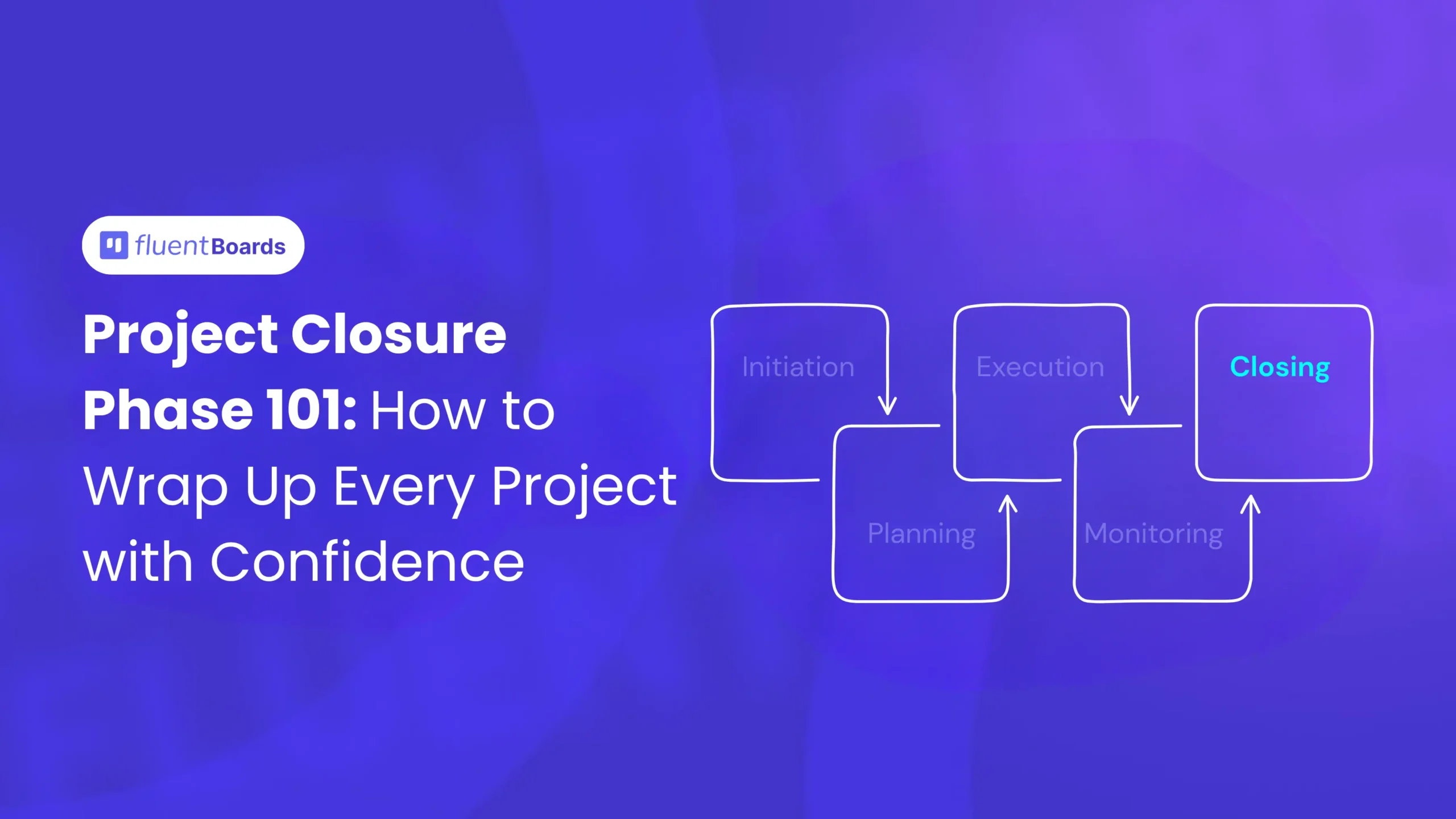
Mastering the Project Closure Phase: How to Wrap Up Every Project with Confidence


The deliverables are shipped. The client says thanks. The team celebrates with a quick lunch, and everyone moves on to the next project, the very next Monday.
Six months later,
- Somebody can’t find the final brand assets
- A vendor invoice surfaces that nobody remembers approving
- The same scope creep issue shows up on the new project
Well, that’s not a project that ended.
Finishing a project and closing a project are not exactly the same thing.
And, the project closure phase is what separates the two.
It’s the final, often rushed, often skipped stage of the project management life cycle, and it’s the one that quietly determines whether your team gets better projects after project or repeats the same mistakes on a loop.
In this guide, we’ll cover what the project closure phase actually is, why it’s worth taking seriously, the activities that make up a clean closeout, the mistakes that tend to derail it, and a checklist you can use to close every project with confidence.
Let’s go!
What Is the Project Closure Phase?
The project closure phase is the fifth and final stage of the project management life cycle, where the project manager formally completes all remaining work, hands over the final deliverables, releases resources, documents lessons learned, and obtains formal sign-off from the client or sponsor.
In simpler terms, it’s the phase that takes a project from “the work is done” to “the project is officially over.” And those are not the same thing.
A project where the deliverables have shipped but the contracts are still open, the documentation is scattered across three drives, and the team has never sat down to discuss what went well or badly isn’t closed. It’s just paused, waiting to cause problems later.
The closure phase exists to prevent exactly that. At this stage, project managers and teams:
- Confirm project completion
- Finalize deliverables
- Obtain stakeholder approval
- Document lessons learned
- Close contracts and budgets
- Archive project documents
- Release project resources
It’s the structured process of tying up every loose end, capturing what happened so the next project can benefit from it, and giving everyone, including the team, a clean line between this project and the next.
Quick Info: “Project closure phase,” “project closeout,” “closing phase,” and “project close-out” all refer to the same thing. PMBOK calls it the “Closing Process Group,” but most practitioners use the shorter terms interchangeably.
Why the Project Closure Phase Matters
It’s the easiest phase to skip and the one that quietly causes the most long-term damage when you do. Here’s why it deserves your full attention.
- It prevents disputes after delivery
Without formal sign-off and a documented handover, “done” becomes a matter of opinion. The client thinks one more revision is part of the original scope. The team thinks it isn’t. A clean closure phase, with written acceptance and a clear record of what was delivered, makes these conversations short and factual instead of long and expensive.
- It turns experience into improvement
Every project teaches your team something, but only if someone writes it down and acts on it. The lessons-learned session, done properly, is what stops the same scope creep, the same vendor delay, and the same communication gap from showing up on the next three projects. Skip it, and you’re paying for the same mistakes repeatedly.
- It properly releases resources
People, budget, software licenses, contractor agreements, none of these close themselves. Team members who weren’t formally rolled off a project stay partially blocked from the next one. Vendor contracts that weren’t closed continue billing. The closure phase is when these are deliberately handled, not assumed away.
- It captures institutional knowledge
The person who solved a tricky technical problem in week three remembers exactly how they did it. Six months later, they don’t. The closure phase is when that knowledge gets written down while it’s still fresh, turning individual expertise into something the whole organisation can use.
- It marks the finish line for the team
This one gets dismissed as soft, but it’s not. Teams that never get a clear ending to a project carry it into the next one. The fatigue compounds. Recognition delayed indefinitely stops feeling like recognition at all. A proper closeout gives the team permission to actually finish, reset, and start the next project fresh.
Types of Project Closure
Not every project ends the same way, and the closure phase looks different depending on how the project reached its end. Understanding which type you’re dealing with helps you handle it with the right level of care.
Normal closure: The project met its objectives, delivered its scope, and is closing on plan. This is the cleanest scenario, and the one most closure frameworks are designed around. The work is to formally confirm completion, hand over deliverables, and run the standard closeout activities.
Premature closure: The project is ending earlier than planned. Sometimes that’s because the work was completed faster than expected, but more often it’s because the project was cancelled, descoped, or pulled due to a change in business priorities. Premature closure still needs every closure activity, plus an honest documentation of what was delivered, what wasn’t, and why.
Perpetual closure: These are the projects that never quite end. They drift past their original deadline, deliverables keep getting added, and the team can never tell whether they’re working on the original project or something new. Perpetual closure isn’t really closure; it’s an ongoing failure to draw the line. The fix is to force a formal cutoff: declare phase one closed, sign it off, and treat anything further as a new project with its own plan.
Failed closure: The project ended without meeting its objectives. The deliverables fell short, the budget ran out before completion, or the original goal was no longer viable. Failed closure is the hardest to run well because the instinct is to move on quickly. Resist that. A failed project, closed properly, is one of the most valuable learning sources your team will ever have.
Key Objectives of the Project Closure Phase
The project closure phase focuses on several important objectives.
| Objective | Purpose |
| Finalize deliverables | Ensure all project work is completed |
| Obtain approvals | Confirm stakeholder satisfaction |
| Conduct project review | Evaluate project performance |
| Document lessons learned | Improve future project execution |
| Close contracts and budgets | Finalize financial activities |
| Archive project documents | Maintain organized project records |
| Release resources | Reassign team members and tools |
Key Activities in the Project Closure Phase
Closure isn’t a single event. It’s a coordinated set of eight activities that need to happen in roughly the right order to actually close the project rather than just stop working on it. Here’s the overview before we break each one down:
- Confirm scope completion: Verify that every planned deliverable has been completed against its acceptance criteria
- Final deliverable handover: Transfer the deliverables and any required materials to the client or end user
- Obtain formal sign-off: Get written confirmation that the work is accepted and the project is complete
- Close out contracts and vendors: Settle outstanding invoices and formally end vendor and contractor agreements
- Release project resources: Roll team members off, release budget, and cancel project-specific tools or licenses
- Conduct the lessons-learned session: Run a structured retrospective with the team and capture what to repeat and what to fix
- Archive project documentation: Store every relevant document somewhere the next team can actually find it
- Celebrate and recognise the team: Mark the ending and acknowledge the people who made it happen
Now, let’s look at each one in detail.
1. Confirming scope completion
Before anything else in the closure phase, the project manager needs to verify that every deliverable promised in the project plan has actually been completed, and completed to the standard agreed upon during the planning phase.
This is a checklist exercise, not a conversation. Pull the project scope document or charter, go through every deliverable, and confirm against the original acceptance criteria.
What this looks like in practice:
- Every deliverable from the scope document has a status of “complete”
- Each one has been reviewed against its acceptance criteria, not just marked done
- Any deliverables that weren’t completed are documented with the reason
- Any changes that were approved during execution are reflected in the final scope
Pro Tip: If you find yourself debating whether something is “done enough,” you don’t have clear acceptance criteria. Note the gap, close the project anyway if you must, and write better criteria into the planning phase of the next project.
2. Final deliverable handover
Once scope completion is confirmed, the deliverables need to be formally handed over to whoever is going to own them after the project ends. That might be the client, an internal operations team, or a different department within the organisation.
A good handover is more than just sending a file. It typically includes:
- The deliverables themselves, in the agreed format
- Any supporting documentation: user guides, technical specs, source files
- A handover meeting where the receiving team can ask questions
- A defined support period, if one was agreed upon during planning
The goal is that the receiving party has everything they need to use, maintain, and operate the deliverable without coming back to the project team a week later asking where things are.
3. Obtaining formal sign-off
This is the step most often skipped, and the one that causes the most pain when it is. Formal sign-off means a written confirmation, an email, a signed document, or an entry in a project management tool, that the client or sponsor has accepted the deliverables and considers the project complete.
Without this, the project is informally complete and formally still open. Months later, when somebody raises a “small request” or disputes the final invoice, there’s no clear point of reference for what was agreed to be the end.
Pro Tip: Sign-off doesn’t have to be a heavy legal document. A simple email saying “I confirm the deliverables have been received and accepted, and the project is complete” is enough for most projects. The point is that it’s written down.
4. Closing out contracts and vendor relationships
If the project involved contractors, vendors, or external suppliers, every one of those relationships needs to be formally closed:
- Final invoices received and approved
- Outstanding payments settled
- Contracts marked as complete in your records
- Any ongoing licenses or subscriptions that were project-specific cancelled
- Feedback captured on vendor performance for future reference
Forgotten vendor contracts are one of the most common sources of “where is this charge coming from” surprises three months later. A few hours of contract closeout at the end of a project prevents that.
5. Releasing project resources
Project resources include people, budget, tools, and workspaces, and all of them need to be deliberately released.
- People: Team members are formally rolled off the project, and any utilisation tracking systems are updated. If team members are continuing onto a follow-up project, that needs to be documented as a new assignment, not a continuation.
- Budget: Any remaining project budget is returned, reallocated, or formally closed in your finance system. Unused budget that just sits in an open project line creates accounting noise for months.
- Tools and licenses: Any project-specific software, subscriptions, or environments that were stood up for this project are reviewed. Some will be needed for the receiving team; others can be shut down.
6. Conducting the lessons-learned session
The lessons-learned session, sometimes called a retrospective or a post-mortem, is the single highest-value activity in the closure phase. Done well, it turns a single project’s experience into improvements that compound across every future project.
A useful structure for the session:
- What went well? Practices, decisions, and behaviours worth repeating
- What didn’t go well? Specific problems, what caused them, and the impact
- What was unexpected? Surprises, both positive and negative, and what they reveal about the planning assumptions
- What will we do differently next time? Concrete actions, not vague intentions
The output should be a written document that lives in a place the team will actually look at when planning the next project. A lessons-learned document that gets filed and never read again is worse than not running the session at all, because it creates the illusion of learning without the substance.
Pro Tip: Bring it back to specifics. “Communication could be better” is not a lesson. “Daily standups should start at 9:30, not 10:00, because the design team starts work at 9:00 and was blocked for 30 minutes every morning waiting for input” is a lesson.
7. Archiving project documentation
Every project produces documentation: the charter, the work breakdown structure, the risk register, status reports, change requests, meeting notes, decision logs, the lessons-learned document, and the final deliverables themselves.
All of it needs to be organised and stored somewhere that the next team can find it. The standards aren’t complicated:
- A consistent folder structure that someone unfamiliar with the project can navigate
- Naming conventions that don’t rely on individual memory (“v3_final_FINAL_use-this-one.docx” is not a system)
- Access permissions set so that the right people can see the right documents without asking
- A short README or summary that points to the most important documents
Pro Tip: Good documentation isn’t just for compliance. It’s how a new hire six months from now learns from this project without having to interview five different people who may have moved on.
8. Celebrating and recognising the team
This activity gets cut first when the schedule gets tight, and that’s the wrong call.
A project that ends with no acknowledgement teaches the team that effort isn’t noticed and that finishing well doesn’t matter. A project that ends with even a brief, genuine recognition of who contributed what teaches the opposite.
It doesn’t have to be elaborate. A team lunch, a written acknowledgement to each contributor and their manager, a short shout-out in a company meeting, a small bonus if the budget allows; any of these works. What matters is that the project ends with a clear marker, and that the people who did the work feel seen for having done it.
Project Closure vs. Project Execution: How the Focus Shifts
A common mistake is treating the closure phase like a small administrative tail of execution. It isn’t. The role of the project manager and the demands on the team shift meaningfully once you cross the line from execution into closure.
| Execution Phase | Closure Phase |
|---|---|
| Build deliverables | Confirm deliverables are complete and accepted |
| Manage day-to-day team activities | Roll team members off and release resources |
| Track active risks and issues | Close out the risk register and document outcomes |
| Spend budget against the plan | Settle final invoices and close the budget |
| Communicate progress to stakeholders | Communicate completion and obtain formal sign-off |
| Manage change requests | Capture lessons learned and archive documents |
| PM role: Conductor, problem-solver | PM role: Closer, facilitator, knowledge-keeper |
During the execution phase, the project manager keeps a complex, moving system in motion. During closure, the job changes to deliberately bringing it to a stop, cleanly, and capturing what should carry forward.
Common Mistakes in the Project Closure Phase
These are the errors that show up most consistently, and the ones that quietly cost the most over time.
- Rushing the closeout of a failed project: Failed projects feel uncomfortable, so the temptation is to close them out quickly and move on. That’s a mistake. A failed project, closed thoroughly, produces some of the most valuable learning your team will ever have access to.
- Skipping the phase entirely: The deliverables ship, the team starts the next project, and nothing formal happens. Every subsequent issue, the missing sign-off, the unclear handover, the unbilled vendor, traces back to this one decision.
- Doing lessons-learned but not acting on them: A retrospective produces a document. The document gets filed. The next project repeats the same problems. A lessons-learned session that doesn’t translate into changed behaviour is a meeting, not a learning event.
- Failing to get formal sign-off: Without written acceptance, “done” is a moving target. Every conversation about additional work, billing disputes, or scope interpretation becomes harder than it needs to be.
- Leaving contracts open: Vendor relationships that aren’t formally closed continue generating invoices, blocking renewals, and creating administrative noise long after the project itself has ended.
- Poor documentation and archiving: Files are scattered across personal drives, inconsistently named, and accessible to the wrong people. Six months later, finding anything requires asking three people, two of whom no longer work on this team.
- Skipping the team recognition: The team finishes a project and immediately starts the next one with no acknowledgement of what just happened. Morale and engagement erode quietly, project by project, and nobody connects the cause to the absence of a proper close.
- Incomplete Deliverables: Some tasks or requirements may remain unfinished if the team rushes through closure. Using a project closure checklist can help avoid this issue.
- Poor Documentation: Missing or disorganized documentation often creates confusion later. Teams should maintain proper records throughout the project lifecycle.
- Delayed Stakeholder Approval: Stakeholder feedback and approvals sometimes take longer than expected. Clear communication and early scheduling can reduce delays.
- Skipping Lessons Learned: Teams often move directly into the next project without reviewing previous experiences. This leads to repeated mistakes and missed improvement opportunities.
Pro Tip: Using a project closure checklist can help avoid this issue
The Project Closure Checklist: Step-by-Step Best Practices
Here’s a step-by-step checklist you can use to run your project closure phase with confidence.
Step 1: Verify scope completion against the original plan
Pull out the scope document and the list of project deliverables from the planning phase. Go through each one and confirm it has been completed against its acceptance criteria. Anything incomplete gets documented with a reason, not glossed over.
Step 2: Run a final quality review
Before handover, run one last review against the acceptance criteria. The goal isn’t to catch issues, that should have happened during execution, but to make sure nothing has regressed between final testing and final delivery.
Step 3: Conduct the formal deliverable handover
Package the deliverables along with any supporting documentation and run a handover meeting with whoever is taking ownership. Walk them through what they’re receiving, answer questions, and confirm they have everything they need.
Step 4: Get written sign-off
Request formal acceptance from the client or sponsor. An email is fine for most projects. The signature on a formal acceptance document is fine for larger ones. What isn’t fine is no record at all.
Step 5: Close out contracts and vendor relationships
Work through every external relationship the project touched. Confirm final invoices, settle outstanding payments, cancel project-specific subscriptions, and capture any feedback on vendor performance for next time.
Step 6: Release the team and other resources
Officially roll team members off the project. Update utilisation tracking, return unused budget, and close out any project-specific tools or environments. People who aren’t formally released stay partially blocked from their next assignment.
Step 7: Run the lessons-learned session
Schedule it within a week of project completion while memories are still fresh. Use the four-question structure (what went well, what didn’t, what was unexpected, what to do differently) and produce a written document.
Step 8: Archive everything
Move all project documentation into your organisation’s archive structure. Apply consistent naming, set the right permissions, and add a short summary document at the top so someone unfamiliar with the project can navigate it.
Step 9: Update institutional records
If your organisation tracks completed projects, update the relevant records: project status, actual versus planned outcomes, final budget, key metrics. This is what makes the next planning phase faster and more accurate.
Step 10: Recognise the team and close out
Mark the ending. Send the acknowledgements, host the lunch, or do whatever your team’s version of a proper finish looks like. Then officially close the project in your project management tool, so the team can move on without it lingering in their dashboard.
Real-Life Project Closure Example: The Marketing Team Closes the Website Redesign
Picking up from the project execution phase story: the marketing team has just shipped the website redesign on time, within budget, with every deliverable meeting its acceptance criteria. Here’s how clean closure looks for that team.
Final Review (Day 1 of closure)
The project manager pulls the scope document and walks through every deliverable: content audit, homepage wireframes, all page templates, the development build, the QA sign-off, the SEO migration plan, and the analytics setup. Each item is confirmed complete against its original acceptance criteria. The deferred live chat feature is documented as a phase 2 item with the original change request attached.
Handover Meeting (Day 2)
The team runs a 45-minute handover with the operations team that will own the website going forward. They walk through the CMS setup, the documentation for editing pages, the access permissions, the analytics dashboard, and the agreed 30-day support period for any issues that surface post-launch. Every question raised in the meeting gets logged and answered by end of day.
Sign-Off (Day 3)
The PM sends a formal acceptance email to the marketing director that includes a summary of what was delivered, links to the final deliverables, the support period terms, and a request for written confirmation that the project is accepted. The reply comes back the same afternoon: project formally accepted.
Contract and Resource Closeout (Day 4)
The freelance copywriter and the third-party SEO consultant both get final invoice approvals and contract closure emails. The staging environment is decommissioned. The development team members are rolled off the project in the resource tracking system and become available for the next assignment. Unused budget, about 4% of the original allocation, is returned to the marketing budget pool.
Lessons-Learned Session (Day 5)
The full team gets together for a 90-minute retrospective. The biggest “what went well”: the daily standup format caught the copy approval blocker in week two before it became a milestone risk. The biggest “what didn’t”: the original timeline didn’t account for stakeholder review cycles, which added pressure throughout. The clearest action item: future website projects build a two-day buffer into every stakeholder review milestone. The full session is written up and saved to the team’s project archive.
Documentation Archive (Day 5–6)
The PM moves all project documentation into the company’s archive structure: charter, WBS, status reports, change requests, the lessons-learned document, the final deliverables, and the handover documentation. A README at the top of the folder summarises what’s inside and where to find it.
Team Recognition (Week 2)
The marketing director sends a written acknowledgement to each team member and their manager, calling out specific contributions. The team has a celebration lunch the following Friday. The project is officially closed in FluentBoards, and the team starts the next project without the redesign lingering on their dashboard.
That’s what clean closure looks like.
Tools That Support the Project Closure Phase
For closure, you need three things from your tooling: a clear record of what was delivered, a place to store the documentation, and a way to formally mark the project as complete so the team can move on.
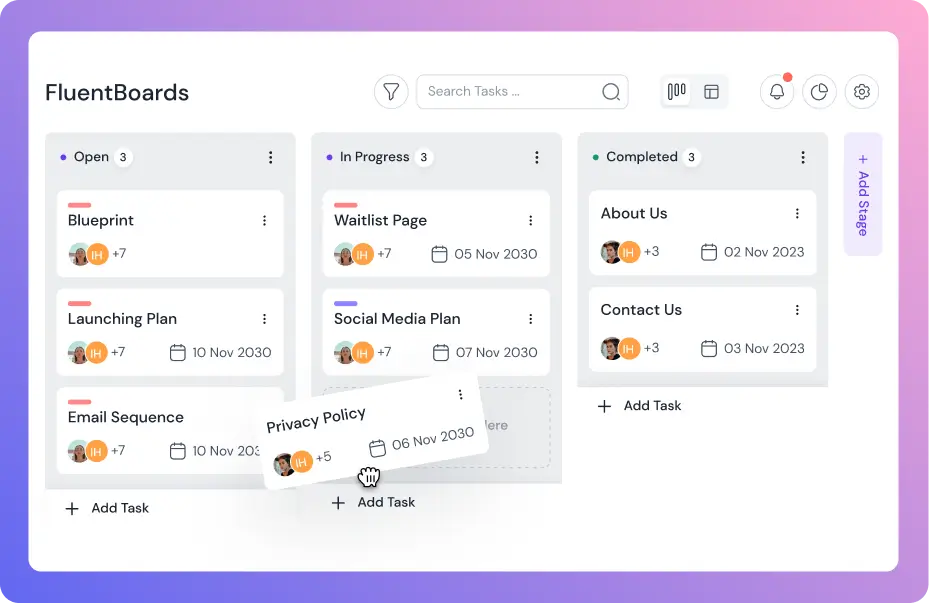
FluentBoards is a Kanban-based project management tool built for WordPress teams. For the closure phase specifically, it gives the project manager a single place to confirm task completion against the original plan, attach handover documentation, capture sign-off, and archive the board once the project is closed. If your team is already in the WordPress ecosystem, it keeps closure as part of the same workflow as the rest of the project rather than a separate exercise.
Beyond your project management tool, the closure phase usually benefits from a shared documentation system your team actually uses, a simple sign-off mechanism (email is fine), and a contract management tool if you work with multiple vendors. The right setup is the one your team will actually follow, not the most sophisticated one available.
The most common closure failure isn’t a tooling problem. It’s a discipline problem: the activities just don’t get done because the team has already mentally moved on. The tools can support the discipline, but they can’t replace it.
Closure Is the Beginning of Your Next Project
Closure is the phase that turns a finished project into a learning project. Done well, it gives the team a clean line between what’s just ended and what’s about to start, with the documentation, the lessons, and the institutional knowledge in place to make the next project run better than the last one.
The teams that consistently improve project after project share a recognisable pattern: they treat closure as real work, not a wrap-up exercise. They confirm scope, get sign-off, close contracts, release resources, run honest retrospectives, archive their documentation, and mark the ending with the team. None of it is complicated. All of it requires the discipline to do it properly, even when the next project is already pulling for attention.
So the next time a project hits the end of execution, resist the temptation to just move on. Run the checklist. Capture the learning. Close the loop. The investment is small, and the compounding return across every project that follows is the reason some teams keep getting better while others repeat the same mistakes on a loop.
That’s all for today. Thanks for reading, and best of luck closing your next project well.
Let’s redefine project management with FluentBoards!

Follow:


Get Tips, Tricks, & Updates
We won’t send you spam.




Leave a Reply