

How to Onboard a New Team Member With a Project Board: From First Day to Full Speed


A new hire just joined your team.
Great news, right?
Well, until Monday morning arrives.
They log in. They look around. And within the first hour, they are already drowning. Not because they are not capable. But because nobody handed them a life jacket.
No clear starting point. No idea whose work depends on theirs. Just a sea of information, a polite welcome message, and the quiet feeling that they have already fallen behind.
Sound familiar?
It costs more than you think. But here is the thing. It does not have to.
In this guide, you will learn exactly how to onboard a new team member using a project management tool, step by step. Whether your team shares one office or three time zones, the same approach works.
Let’s get into it.
Why Most Project Onboarding Falls Apart (And It’s Not What You Think)
Most managers assume onboarding fails because the new hire needs more time to settle in.
So they wait.
But the problem is rarely the person. It is the gap between what a new team member needs to feel oriented and what they actually receive on Day One.
According to Gallup, only 12% of employees strongly agree that their organization does a great job onboarding new hires.
That means for every ten new hires sitting at their desk on Monday morning, almost nine of them are already starting from a place of uncertainty.
Here is what that uncertainty looks like in practice.
- They get added to a board, a channel, or a shared drive. Nobody explains where to start.
- Tasks arrive one at a time, manually, with no context about why they matter or whose work depends on them.
- They have no visibility into dependencies. They finish a task without knowing their delay just blocked someone else.
- Files and resources live in other people’s inboxes. Getting what they need means chasing people who are deep in their own deadlines.
- Communication happens through calls and messages, when a comment on the task would have been enough.
And when those people are too busy to respond, it does not just feel frustrating. It feels personal.
Underneath all of it, one question runs quietly on loop.
“Am I actually adding value here? Or am I just busy?”
That question matters more than most managers realize. When a new hire cannot see how their work connects to the bigger picture, they do not just feel confused. They feel excluded. And people who feel excluded long enough start looking for the exit.
Research shows nearly 20% of new employee departures happen within the first 45 days. Not because the hire was wrong. Because the start was.
Well, the same chaos does not stay on the new hire’s side. It lands right back on the manager too.
- Every file request that should have been a task attachment
- Every “quick sync” that was really just a status update
- Every repeated explanation, every manual assignment
All of it is time no manager has to spare. And the longer onboarding drags, the more the project pays for it.
Because every person on a project is a dot. Onboarding is how you connect the new dot to all the others. Skip the system and the new dot just floats. Busy. But not moving forward.
So let’s build that system.
What to Set Up Before Day One
The best onboarding happens before the new hire ever logs in. If you’re scrambling to build their task list on their first morning, you’ve already lost the thread.
Here’s what to prepare inside your project management tool in advance:
Create a dedicated onboarding board
Keep it separate from your active project boards. Its only job is to move one person from “just hired” to “fully operational.” One board, one new hire, one clear mission.
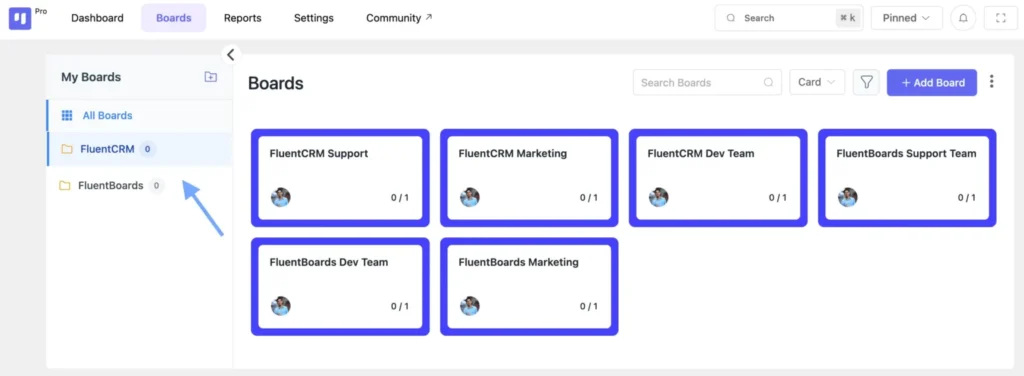
Pre-build your task cards
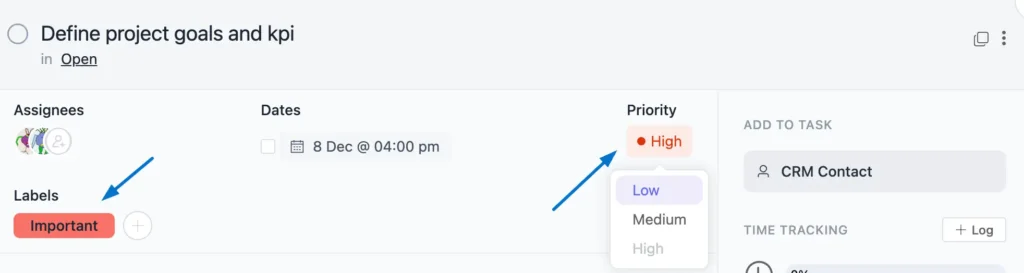
Every step of the onboarding process becomes a card not a bullet point in a document, but an actual task with an owner, a due date, and context attached directly.
For example:
- Send system access credentials
- Share company handbook and active project documentation
- Schedule introduction meetings with key team members
- Review the current project brief
- Complete tool walkthroughs- project board, communication channels, file storage
Assign an owner to every task
If a task has no owner, it belongs to nobody, which means it will not get done. The moment something is unassigned, it becomes optional. That is the beginning of the breakdown.
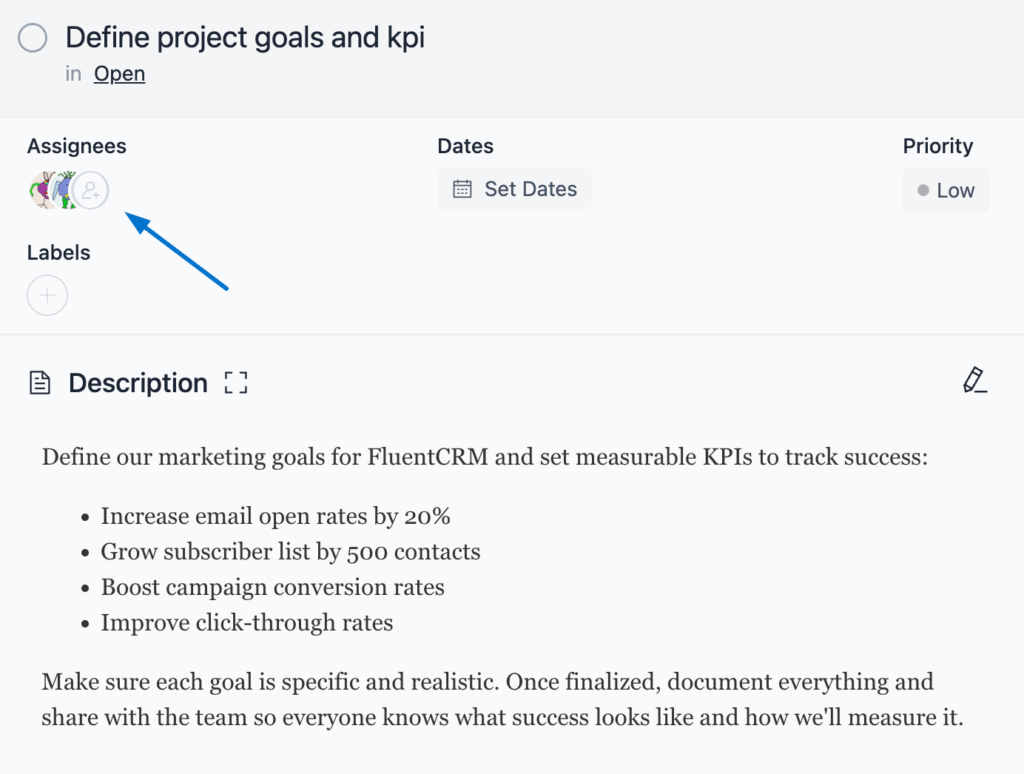
Set due dates relative to the start date
Day 1, End of Week 1, Day 30, Day 60, Day 90. This gives the new hire a timeline to orient against and gives you a clear view of whether onboarding is running on schedule or quietly slipping behind.
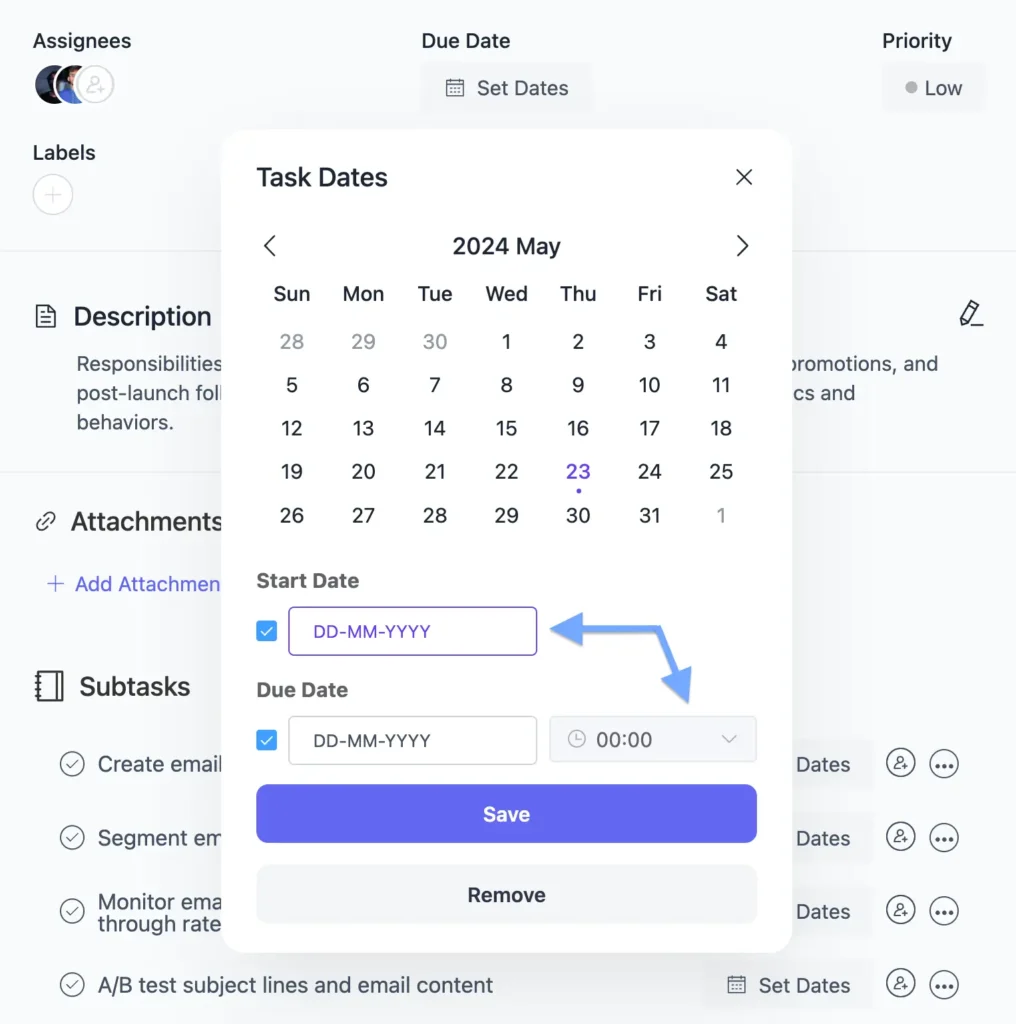
Bonus: In FluentBoards, you can build this entire board before the hire’s first day and configure default assignees so every task automatically routes to the right person at creation.
What Your Onboarding Board Should Include
A well-structured onboarding board is not just a to-do list. Think of it as a map, one where the new hire can always see where they are, where they’re headed, and exactly what comes next.
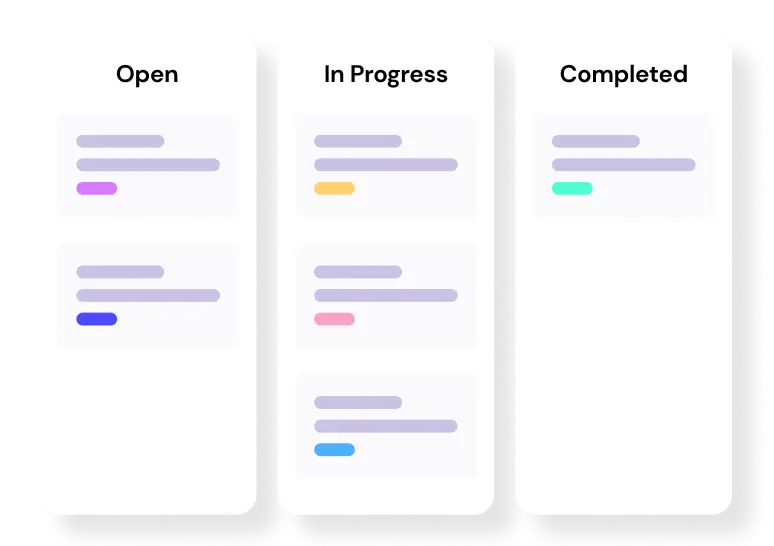
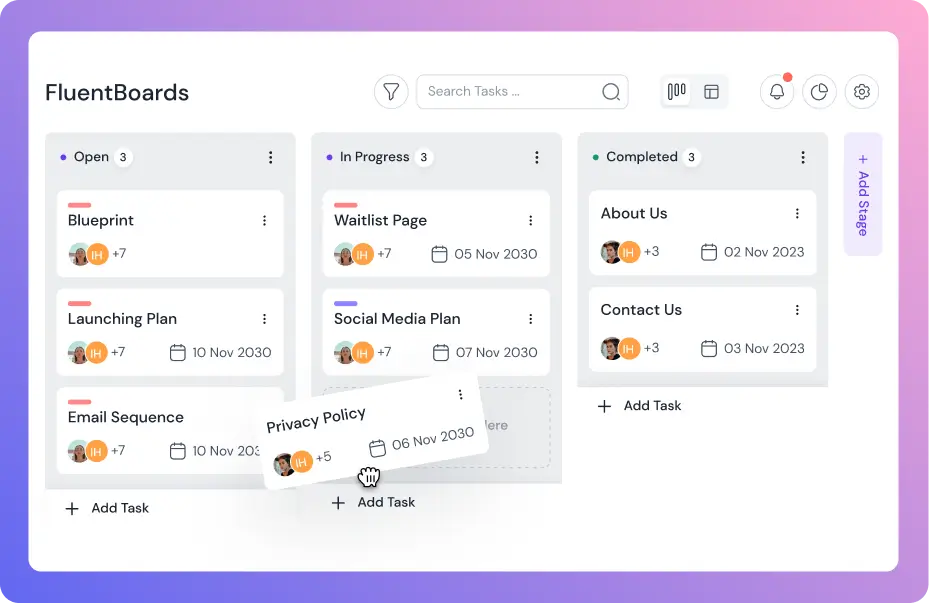
Board columns (stages):
- Not Started
- In Progress
- Done
Core task categories to build out:
- Account setup and tool access
- Introduction meetings (team members, key stakeholders, onboarding buddy)
- Documentation review (team handbook, active project briefs, communication norms)
- Role clarity session (scope, responsibilities, first 30-day expectations)
- First real task assignment (low-stakes, meaningful work)
- 30-day milestone check-in
- 60-day milestone check-in
- 90-day review
Keep it lean enough to be actionable, detailed enough that the new hire always knows what comes next. The sweet spot is structure without overwhelm.
Step into the Future of Project Management!
Day One — Running the First Day Through Your Project Board
Day 1 sets the tone for everything that follows. Get it wrong and you spend weeks trying to overwrite that first impression.
Start with a 30-minute board walkthrough, not a full orientation marathon, just a focused run through the onboarding board together. Show them the columns.
Walk through the task structure. Set one clear expectation: “This board is your guide for the next 90 days. If you’re ever unsure what to do next, start here.”
That single instruction shifts something important. Instead of the new hire waiting for you to tell them what comes next, they have a system that tells them.
Most of the anxiety people carry into week one comes from not knowing what “doing well” actually looks like. A structured task board answers that question every morning before they even open a message.
Highlight only Day 1 tasks on the first day
Do not scroll through the entire 90-day board and overwhelm them on their first morning. Walk through what needs to happen today, who to contact, and where to find what they need. Save the rest for when it becomes relevant.
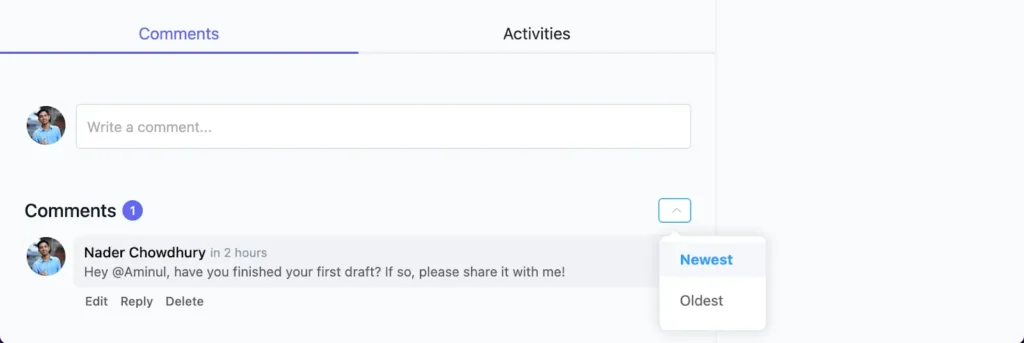
Use task comments to pre-load context
This is where most managers leave real value on the table. Instead of a task card that simply says “Review the Q3 project brief,” attach a comment underneath. The new hire does not have to guess or hunt. The answer is already sitting right next to the task.
Let them mark tasks complete themselves:
Small move, real impact. The act of marking something done gives a new hire a sense of forward motion — proof that they are doing something right. That psychological momentum matters more in week one than most people give it credit for.
Note: In FluentBoards, task comments support rich text, links, and @mentions. The new hire gets notified when tagged, and you can see task completion across the entire board in real time.
Week One — Structured Progress, Not Passive Shadowing
There is a real difference between a new hire who is busy and one who is actually moving forward. Week one is where that distinction starts to matter.
Shadowing has its place, watching how a senior team member works through a decision is genuinely useful. But if the entire first week is passive observation, the new hire ends up with a pile of impressions and nothing they actually did.
By Friday, they cannot point to a single contribution. That is a confidence problem that quietly becomes a performance problem.
Build Week 1 tasks that are active and owned:
- Attend one live project meeting and take structured notes (shared via task comment)
- Review the last three project status updates and summarize current standing in their own words
- Identify one handoff or process that confused them and bring it to the onboarding buddy for a discussion
These are not high-stakes deliverables. But they are real. They require the new hire to think, engage, and produce something and they give you something concrete to discuss in a check-in rather than asking “so, how are you settling in?”
Replace daily status meetings with async task updates
Instead of a 15-minute morning call recapping yesterday and previewing today, ask the new hire to post a brief update as a comment on their active task card.
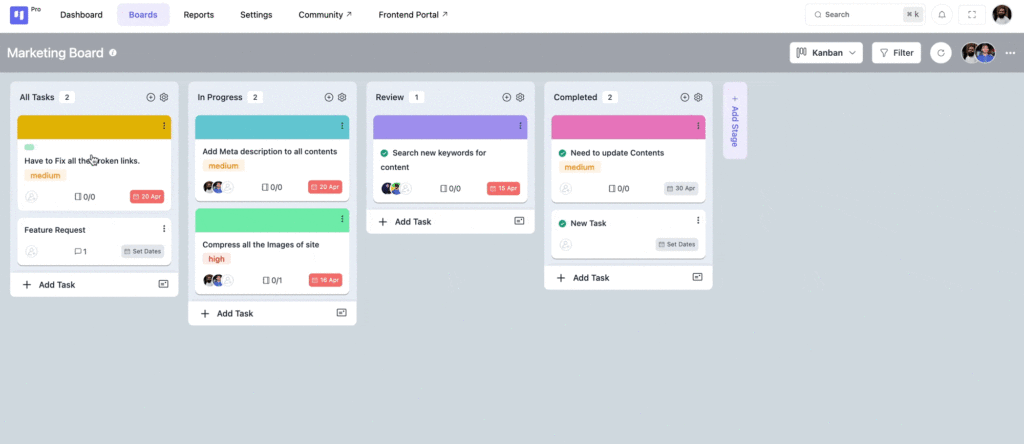
Three minutes for them, two minutes for you to read, and better signal than most status meetings ever deliver.
How to Set 30-60-90 Day Milestones in Your Project Board
The 30-60-90 day framework works because it gives new hires a ramp instead of a cliff. Most managers describe it once in a verbal onboarding call and quietly forget about it.
The fix is simple: put it in the board.
Day 30 milestone: Has the new hire completed all setup tasks? Do they understand the team’s workflow and communication norms? Have they contributed to at least one piece of real work?
Day 60 milestone: Are they taking ownership of tasks without being prompted? Are their questions showing deeper project understanding — not just “where do I find X” but “why are we approaching Y this way”?
Day 90 milestone: Can they operate independently? Are they contributing to decisions, not just executing them? Is the manager’s direct onboarding involvement close to zero?
Each milestone becomes a task in the board with a defined due date. When the date arrives, both manager and new hire can look at the board together and assess honestly — based on what got done, not on how things feel.
Note: In FluentBoards, milestone tasks carry due dates and can have recurring reminders attached, so neither the manager nor the new hire forgets the review is coming.
How to Track Onboarding Progress Without Micromanaging
Here is the tension every manager feels during onboarding: you need to know if the new hire is on track, but you do not want to be the person hovering over their shoulder every day. Nobody does their best work under surveillance.
A project board resolves this tension directly. The difference between visibility and micromanaging is whether you are checking the board or messaging the person.
When the board is built properly, you can see everything you need without sending a single “just checking in” message.
What the board tells you at a glance:
- Which tasks are complete and when they were finished
- Which tasks are overdue and by how long
- Where progress has stalled with no comment activity to explain why
That is your signal. Not to send a vague check-in, but to step in with something specific and useful — “I see the project brief review has been sitting for two days, is there something you’re waiting on from me?” — rather than a nudge that puts the new hire on the defensive.
Step in when: A task has been in progress for more than two days with no update. A milestone is approaching and nothing has moved. A task involving another team member shows no activity — check the comments first, there may be a blocker you haven’t seen yet.
Leave it alone when: Tasks are moving at a reasonable pace, the new hire is posting updates and asking thoughtful questions in comments, and milestones are being hit on schedule.
Good team collaboration is built on trust — but trust needs something to stand on. A well-structured onboarding board lets you extend that trust with confidence, because the work is visible and the progress is real.
How to Onboard Remote or Async Team Members
Remote onboarding carries all the usual challenges, plus a few that only show up when there is no shared office to absorb the friction of week one.
No hallway moments. No reading the room. No casually absorbing how the team actually operates by being in the same space.
The new hire is working from their desk, piecing together team dynamics through documentation, scheduled calls, and whatever they can infer from how people write in messages.
This is where the gap between “we gave them board access” and “we actually onboarded them” gets widest.
Document everything on the task card itself
Do not assume a remote new hire will track down context for a task on their own. If it references a process, link the documentation directly on the card. If it involves a specific person, tag them with an @mention.
If it requires a tool they haven’t used before, link to the actual walkthrough — not the tool’s homepage.
Embed async video walkthroughs in task comments
A 5-minute recorded walkthrough of how your team handles project handoffs is worth more than a 45-minute onboarding call. It’s replayable, skippable, and requires zero calendar coordination across time zones.
Give the onboarding buddy defined task ownership
For remote hires, the buddy is not just a friendly contact — they are the person accountable for making sure the new hire is never blocked for more than a day.
Make that official: assign them to specific tasks in the board, not just introduce them in a channel and hope the relationship figures itself out.
A remote-specific onboarding task checklist:
- Set up all communication channels and clarify when to use which
- Review async communication norms (what belongs in a task comment versus what warrants a direct message)
- Complete a project board walkthrough on a live video call in week one
- Schedule 1:1s with the three most important collaborators before the end of week one
- Complete one task with a feedback loop before the end of week two
Level up your project management game inside WordPress – where limitless possibilities come at an unbeatable price!
Making Onboarding Repeatable With a Project Template
The first time you build a proper onboarding board, it takes real effort. The second time, it should take ten minutes.
That is the entire point of a project template.
Once you have run one hire through a structured onboarding board, everything you built — the task cards, the column structure, the comments with pre-loaded context, the milestone dates — can be saved and reused.
Every future hire gets the same quality starting point. You update the name, adjust the role-specific tasks, shift the dates, and the board is ready.
What changes per hire:
- Name and role-specific tasks
- First project assignment
- Key team member introductions
What stays the same every time:
- Core setup tasks (access, tools, documentation review)
- Milestone check-ins at Day 30, 60, and 90
- Communication norms and process references
- Onboarding buddy assignment structure
This is not just a time-saver — though it does save real hours per hire. It is how teams stop losing their onboarding knowledge every time a manager moves on. The process becomes institutional.
The next person who onboards a new hire inherits a working system, not a blank page and a vague memory of how it used to be done.
Note: FluentBoards lets you save any board as a reusable project template and duplicate it for each new hire in seconds. Task templates within the board handle recurring task types.
Onboarding Is the First Collaboration Act. Make It Count.
Onboarding is not a checklist you hand someone and walk away from.
It is the moment where a new hire either becomes part of the team’s rhythm or starts floating at the edges of it.
A project management tool gives you the system to make that first act count. Not by automating the human parts, but by removing all the noise that gets in the way of them.
When the board is ready before they arrive, when their tasks are clear, when their work is visibly connected to something that matters, the rest follows naturally. They ask better questions. They collaborate faster. They stop wondering if they belong and start showing up like they do.
You might want to tailor these steps to fit your organization’s specific needs. The structure here is a starting point, not a ceiling.
Good luck.
Let’s redefine project management with FluentBoards!

Follow:


Get Tips, Tricks, & Updates
We won’t send you spam.




Add your first comment to this post