
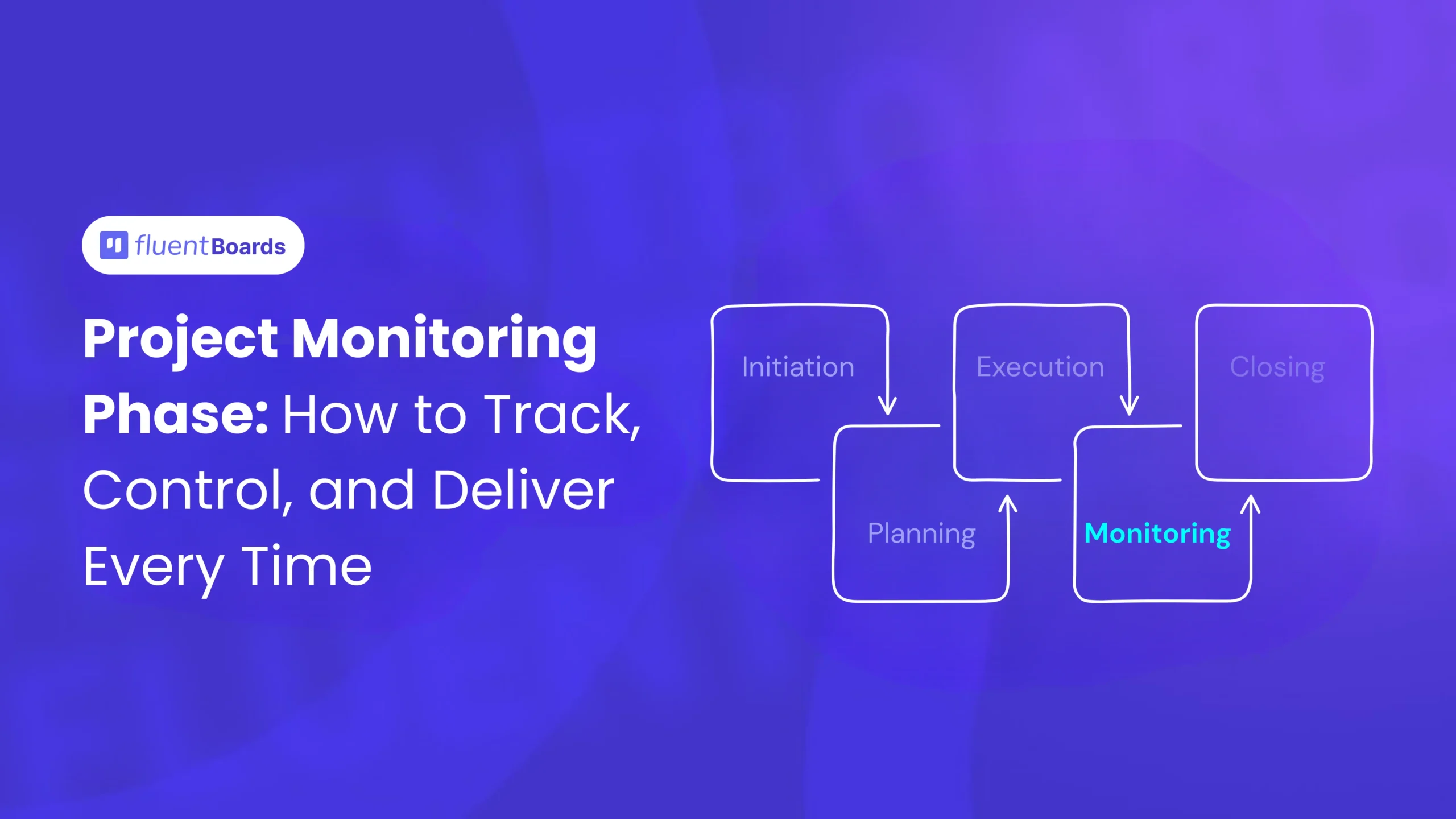
Project Monitoring Phase: How to Track, Control, and Deliver Every Time


Picture this: the project plan is approved, the team is heads-down in execution, and everything seems fine. Then, two days before the delivery deadline, someone mentions that a key deliverable is still incomplete. The budget is almost gone. Three tasks nobody tracked have quietly fallen off the board.
Well, this isn’t a failure of execution. It’s a failure of monitoring.
The project monitoring phase is what stands between a well-planned project and a project that quietly goes sideways. It’s the ongoing practice of watching what’s actually happening, comparing it to what was planned, and acting on the difference early enough to matter.
In this guide, we’ll cover what the monitoring phase involves, how it differs from project control, which techniques actually work for real teams, what to measure, and how to build a monitoring process that runs reliably throughout a project.
Let’s go!
What Is the Project Monitoring Phase?
The project monitoring phase is the fourth stage of the project management life cycle, where the project manager tracks project progress against the plan, measures performance across schedule, budget, and scope, and takes corrective action when variances appear.
At its core, the project monitoring phase is the systematic process of tracking, measuring, and evaluating a project’s progress against its original plan. It involves collecting data on timelines, costs, quality, risks, and resources, then comparing that data to the baseline established during the planning phase to identify any deviations before they become disasters.
More formally, project monitoring involves tracking a project’s metrics, progress, and associated tasks to ensure everything is completed on time, on budget, and according to project requirements and established standards.
One critical nuance is that, unlike the other phases, monitoring does not simply begin and end in a fixed window. In the project lifecycle, the monitoring and control phase runs in tandem with the execution phase. It is a parallel, continuous process that begins the moment work starts and continues right up until project closure.
Quick Info: “Project monitoring phase,” “monitoring and controlling phase,” and “monitoring and control phase” all refer to the same thing. The PMBOK term is “Monitoring and Controlling Process Group,” but most practitioners use the shorter versions interchangeably.
Monitoring vs. Controlling: Two Sides of the Same Phase
Monitoring means collecting information about what’s happening: task completion rates, budget spend, milestone dates, and risk status. Controlling means deciding what to do when monitoring reveals a gap, and then doing it.
In practice, monitoring and controlling are two sides of the same coin. You cannot take meaningful corrective action without first monitoring, and monitoring is pointless if it never triggers a response.
That’s why these two words appear together so often, and most people treat them as synonyms. Even the PMBOK (the Project Management Body of Knowledge) groups them as a single phase because they are inseparable in execution!
However, they aren’t the same!
- Monitoring answers: where are we right now relative to where we planned to be?
- Controlling answers: given where we are, what needs to change?
| Monitoring | Controlling |
|---|
| Track task completion and milestone dates | Decide what corrective action is needed |
| Measure actual spend vs. planned spend | Approve or reject change requests |
| Review the risk register for new or changed risks | Reallocate resources to resolve bottlenecks |
| Compare deliverables to acceptance criteria | Update the project plan when changes are approved |
| Identify variances from the baseline | Communicate decisions and next steps to stakeholders |
Why Is the Project Monitoring Phase Crucial for Success?
Projects with strong monitoring practices are 2.5× more likely to finish on time and within budget, and up to 65% more likely to succeed overall. (Source: PMI Research)
If you have ever managed a project that ran over budget, missed its deadline, or quietly changed in scope until it was unrecognisable from the original brief, you already understand the cost of inadequate monitoring.
Here is why this phase is not optional: it is the backbone of successful project delivery.
It dramatically improves on-time, on-budget delivery
The numbers speak for themselves: projects with robust monitoring and controlling processes are 2.5 times more likely to finish on time and within budget than those without. When you track performance against a baseline continuously, schedule slippages and budget overruns are caught early, when they are still recoverable.
It enables early problem detection
Problems do not announce themselves. They accumulate silently, a delayed delivery here, an underperforming resource there, until they reach a tipping point. The monitoring phase creates a structured early-warning system.
For example, in a construction project where a key material delivery is delayed, active monitoring allows corrective action such as sourcing alternative suppliers before the downstream impact cascades into a missed milestone.
It prevents and manages scope creep
Scope creep is one of the most common and expensive project problems. It occurs when new features, requirements, or deliverables are added to a project without a corresponding adjustment to schedule, budget, or resources. Projects are prone to changes along the way, making it hard to monitor against the original plan when the scope is not carefully controlled.
A formal monitoring process, paired with a change control workflow, ensures every proposed change is evaluated for its impact before it is accepted. This prevents the gradual bloating that derails even the most carefully planned projects.
It builds stakeholder trust through transparency
Stakeholders, whether clients, executives, or board members, do not want surprises. They want visibility. Regular, data-driven status reports generated through the monitoring phase give stakeholders real-time confidence in project health. It is a critical tool for avoiding common project pitfalls like making unfounded assumptions about progress.
Also Read: How to Build Trust Through Transparency
It elevates overall project success rates
When organisations institutionalise strong monitoring practices, the cumulative effect is dramatic. Studies indicate that project success rates increase by as much as 65% when effective monitoring and controlling practices are implemented consistently. This is not just about individual projects; it is about building a project management culture where success is the norm rather than the exception.
Key Objectives of the Project Monitoring Phase
While the overarching goal of monitoring is to keep a project on track, it encompasses several distinct operational objectives. Think of these as the six pillars of an effective monitoring framework:
- Schedule Tracking: Monitoring task completion against the project timeline to identify delays at the earliest possible stage.
- Cost Control: Comparing actual expenditure against the approved budget to flag variances and prevent overruns.
- Quality Assurance: Verifying that deliverables meet the agreed specifications and acceptance criteria before being signed off.
- Risk Management: Continuously reviewing the risk log to identify emerging threats and ensure mitigation actions are being executed.
- Scope Management: Enforcing scope boundaries through a formal change control process to prevent unauthorised additions.
- Stakeholder Communication: Producing regular, accurate status reports that keep all stakeholders aligned and informed.
These objectives are interconnected. A scope change, for instance, almost always has implications for cost, schedule, and risk. This is why monitoring must be holistic, tracking all six pillars simultaneously rather than in isolation.
Project Monitoring Techniques: What Actually Works
Techniques are the practical methods project managers use to gather monitoring data and interpret it. These are the six most widely used ones, and most projects benefit from using at least three simultaneously.
Milestone Tracking
Milestone tracking is the most accessible monitoring technique for any project type or team size. It means watching whether the project is hitting its agreed checkpoint dates: a phase completion, a major deliverable, a client review, or a sign-off.
How to use it effectively:
- Set milestones during the planning phase before execution starts
- Make them visible to the whole team on a shared board or dashboard
- Review milestone status at every weekly check-in
- When a milestone is missed, trace back to which task caused it, not just that it was missed
Learn more about project milestones
Earned Value Management (EVM)
EVM is a quantitative technique that compares three values to measure both schedule and cost performance simultaneously:
- Planned Value (PV): What work should have been done by now, according to the plan?
- Earned Value (EV): What is the actual value of work completed so far?
- Actual Cost (AC): What has actually been spent so far?
From these three, you get two performance ratios:
- Schedule Performance Index (SPI) = EV / PV. Above 1.0 means ahead of schedule. Below 1.0 means behind.
- Cost Performance Index (CPI) = EV / AC. Above 1.0 means under budget. Below 1.0 means over.
EVM is most useful for projects where schedule and budget accuracy are tightly regulated. For smaller teams, just tracking SPI and CPI gives you the core benefits without building a full EVM system.
Pro Tip: If both SPI and CPI are below 0.9 for two consecutive weeks, that’s a meaningful signal that the project needs attention, not just a discussion. Act on it.
Variance Analysis
Variance analysis means comparing what was planned against what actually happened, then investigating the cause of any significant difference.
The three most common types are:
- Schedule variance: Tasks completing later than planned
- Cost variance: Spending more (or less) than the budget allowed for a given period
- Scope variance: Work being done that wasn’t in the original plan
Pro Tip: The key to variance analysis is the investigation step. Noting that the cost variance is negative doesn’t help anyone. Understanding why it’s negative and whether the underlying cause is a one-time event or a pattern is what drives good controlling decisions.
Trend Analysis
This is one of the most valuable early-warning tools in project monitoring, because it surfaces deterioration before it crosses a threshold that forces a reactive response. Most project managers who catch problems “just in time” are actually using trend analysis, even if they don’t call it that.
Where variance analysis looks at a single point in time, trend analysis looks at how a metric has moved over multiple periods. A task completion rate that falls from 90% to 82% to 73% across three weeks is a trend that demands attention, even if no single week’s number looks catastrophic in isolation.
Status Reviews and Standups
Regular check-ins are the simplest and most universally applicable monitoring technique. A daily standup focused on blockers surfaces problems fast. A weekly status review focused on milestone progress and variance catches pattern drift. Both work together to give the project manager a consistent stream of ground-truth information directly from the people doing the work.
Pro Tip: The format matters less than the consistency. A team that talks every day and surfaces problems in real time is a team that monitors well, regardless of the sophistication of their tools.
Risk Reviews
The risk register built during planning isn’t a planning artifact. It’s a live document. During monitoring, the project manager reviews it regularly to check whether existing risks have materialised, whether their probability or impact has changed, and whether new risks have emerged during execution.
When a risk materialises, it becomes an issue and moves to the issue log. Both lists need owners and deadlines, or they just sit there and grow.
What to Measure: Project Monitoring KPIs
A KPI without a threshold is just a number. The table below includes each metric and the signal that should prompt action, not just what the metric measures.
| KPI | What It Measures | When to Act |
|---|
| Schedule Performance Index (SPI) | Are tasks being completed on time relative to the plan? | Below 0.9 for two consecutive weeks: investigate and course-correct |
| Cost Performance Index (CPI) | Below 80%: review the critical path and resource allocation | Below 0.9: flag to project sponsor |
| Task Completion Rate | Percentage of planned tasks completed by a given date | Below the planned burn-down rate for two weeks running: escalate |
| Milestone Hit Rate | Whether key project dates are being met | How often is the scope being formally (or informally) modified |
| Change Request Volume | How quickly are open issues being closed | Rising week over week: likely indicates scope creep |
| Issue Resolution Time | How quickly open issues are being closed | Trending upward: team’s response capacity may be a bottleneck |
| Budget Burn Rate | How fast money is being spent relative to the plan | Running more than 10-15% above plan: investigate the cause |
Quick Info: You don’t need to track all seven from day one. For most small-to-mid-sized projects, starting with task completion rate, milestone hit rate, and budget burn covers the most common failure modes without creating reporting overhead. And to learn more about project KPIs, read this article.
Leading vs. Lagging Indicators
This is a distinction most monitoring guides skip, but it’s one of the most practical concepts in this entire field.
- Lagging indicators tell you what already went wrong: a missed deadline, a budget overrun, a quality failure. By the time a lagging indicator appears, the damage is done. You’re already in recovery mode.
- Leading indicators tell you what’s about to go wrong: a declining task completion rate, a rising change request volume, a risk that’s been open without an owner for two weeks. Leading indicators give you time to prevent the problem rather than respond to it.
Pro Tip: Build your monitoring process around leading indicators wherever possible. Lagging indicators are still worth tracking for accountability and reporting, but they shouldn’t be the primary signal your team is watching.
How to Build a Project Monitoring Plan: A Step-by-Step Breakdown
A monitoring plan defines what will be tracked, how often, by whom, and how variances will be escalated and communicated. It should be created during the planning phase, before execution begins, and referenced throughout the project.
Here’s how to build one that actually works.
Step 1: Set your baselines
Before the first task starts, lock in three baselines:
- Scope baseline: What’s included in this project and what isn’t
- Schedule baseline: The planned timeline, with milestones and task deadlines
- Cost baseline: The approved budget and planned spend rate per week or month
Everything in the monitoring process gets compared against these three references. Without a baseline, monitoring is a comparison with nothing.
Step 2: Choose three to five KPIs
Pick the metrics that matter most for this specific project. A content production project needs different signals than a software release. Add thresholds to each KPI so the team knows when a variance is a note versus when it’s a flag.
Step 3: Define Your Monitoring Cadence
Decide how often each activity will happen and put it on the calendar. A reasonable starting point for most projects:
- Daily standup (15 minutes): What did I work on? What am I working on next? What’s blocking me?
- Weekly status review (30 to 45 minutes): Progress against milestones, KPI review, variance investigation
- Bi-weekly stakeholder report: Status summary, upcoming milestones, any approved changes
- Monthly dashboard review (for longer projects): Budget burn, trend analysis, risk register update
Adjust the frequency based on the project’s pace and risk level. A fast-moving sprint needs more frequent check-ins than a slow-burning research project.
Step 4: Assign Monitoring Responsibilities
Monitoring doesn’t all have to sit with the project manager, especially on larger teams. Assign someone to own task status updates. Assign someone to own the budget tracking. The project manager’s job is to synthesise the data and act on it, not necessarily to collect all of it personally.
Step 5: Define Your Escalation Path
Before execution starts, answer two questions: what level of variance gets flagged to the project manager? And what gets escalated to the project sponsor?
A simple rule: any issue that can’t be resolved within one review cycle without impacting a milestone or budget threshold gets escalated. Document this and share it with the team before execution begins.
Step 6: Collect and Review Consistently
Set up your task board, budget tracker, and risk register so that updating them takes minimal effort for team members. The more friction in the data collection process, the less reliable the data will be. Review the data at every scheduled monitoring touchpoint without skipping.
Step 7: Respond to What You Find
Monitoring without controlling is data collection without purpose. At every review, the project manager should leave with a clear list of: what’s been flagged, who owns each flag, and what the deadline is for resolution. If every status review ends with no actions, either the project is running perfectly or nobody’s looking closely enough.
Common Mistakes in Project Monitoring
These are the errors that show up most consistently, across project types and team sizes.
- Monitoring too infrequently: Treating monitoring as a monthly activity rather than a continuous one. By the time a monthly report reveals a problem, weeks of damage may already be done. Increase the frequency of monitoring touchpoints to match the speed of project work.
- Treating the Risk Register as a Planning Artifact: The risk register gets built during planning and then filed away. Nobody looks at it during execution. New risks that emerge during the project never get logged. By the time a risk materialises into a real issue, the team is surprised, even though the conditions were visible weeks earlier.
- Monitoring Only on Paper: The team fills out a Friday status report. The numbers go into a spreadsheet. Nobody reads it until the following Friday, and even then, nobody connects it to a decision. This is a monitoring activity without a monitoring function. It creates the appearance of oversight without the substance of it.
- Only Watching Lagging Indicators: A project manager who only tracks missed deadlines and budget overruns is always in reactive mode. By the time those signals appear, the variance has already compounded. Dedicate attention to leading indicators: declining completion rates, rising change request volume, and risks without owners. These are the signals that allow course correction before the crisis.
- Not Re-Baselining After Approved Changes: When a change request is approved that adds two weeks to the timeline, the baseline needs to be updated to reflect the new approved plan. Monitoring against the original baseline after a legitimate scope change generates false variances. The team looks like it’s underperforming against a plan that no longer represents reality.
- Tracking Too Many Metrics: Monitoring every available data point creates reporting noise and analysis paralysis. Select four to six KPIs that genuinely reflect project health and focus ruthlessly on those.
- Weak Stakeholder Communication: Monitoring data that stays within the project team is wasted. Regular, clear communication to stakeholders builds trust and ensures swift decision-making when escalation is needed.
Tools for Project Monitoring
The right monitoring tool gives you three things without manual overhead: task-level visibility, progress tracking, and a way to share status with stakeholders on demand.
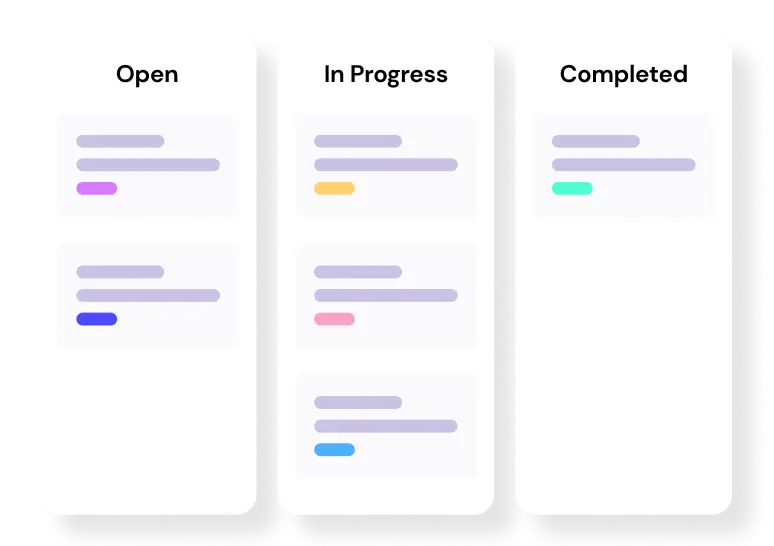
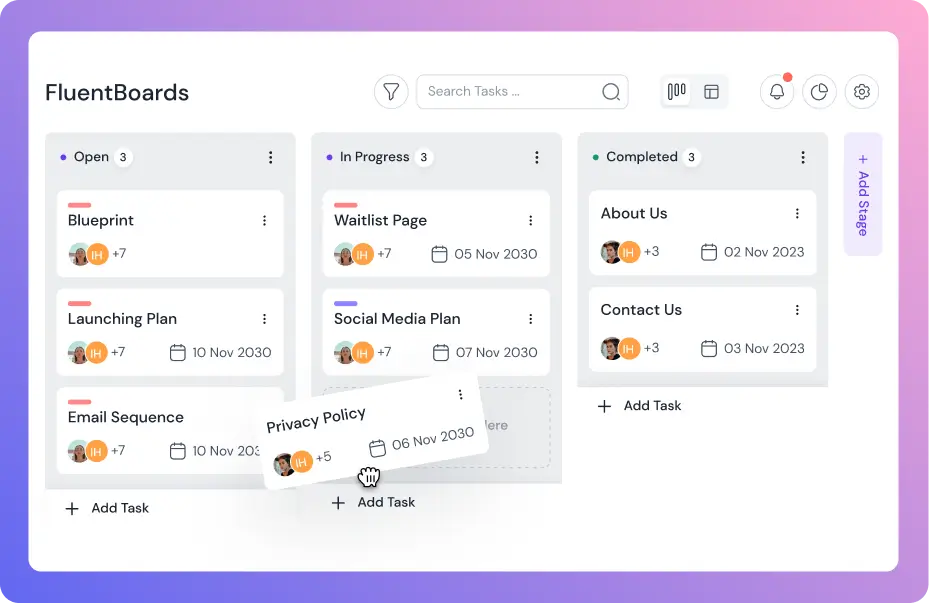
FluentBoards is a Kanban-based project management tool built for WordPress teams. It gives project managers real-time visibility into task status, deadlines, and team assignments from a single board view, making daily monitoring fast. If your team runs in the WordPress ecosystem, it handles the core monitoring workflow without adding separate software to manage.
For teams with more complex needs, tools like Asana, Jira, and Monday each offer dedicated reporting and dashboard features. The honest truth, though, is that the tool matters less than team behaviour. A basic board that the team updates every day produces better monitoring data than a sophisticated platform where status updates are sporadic.
The most common monitoring failure is not a tool problem. It’s a behaviour problem: data isn’t being captured consistently, so the monitoring process has nothing real to work with.
Level up your WordPress project management game with this Trello equivalent solution – where limitless possibilities come at an unbeatable price!
Monitoring Is Not a Phase, It Is a Discipline
The project monitoring phase doesn’t get enough credit. Planning gets talked about at kickoffs. Execution gets visible when things go wrong. Monitoring is the quiet, ongoing work that keeps problems from growing into crises in the first place.
The phase is not a checkbox in a methodology framework. It is the feedback loop that turns a project plan from a static document into a living, responsive system. Without it, even the most brilliantly conceived project plan is flying blind from the moment work begins.
When done well, monitoring creates three things that all successful projects share: visibility into what is actually happening, agility to respond before problems compound, and accountability across the team and with stakeholders.
So, start with the basics: set your three baselines, pick three to five KPIs with thresholds, set a cadence, and commit to acting on what the data shows. That’s 80% of what separates a project that delivers cleanly from one that lands with a last-minute scramble.
That’s all for today. Thank You!
Let’s redefine project management with FluentBoards!

Follow:


Get Tips, Tricks, & Updates
We won’t send you spam.





Leave a Reply