

How to Avoid Miscommunication Between Project Members


You walk into the office on Monday morning, ready to move your project forward.
Then, two team members head toward your desk.
Both worked on the same deliverable. Neither knew the other was assigned.
Now they’re standing in front of you, waiting for answers.
And just like that, the chaos begins.

You’re not managing a project anymore. You’re managing conflicts, validating information, and scrambling to get everyone back on track.
Well, let’s be honest: managing a project is already like herding cats in a thunderstorm. But when communication fails, collaboration disappears.
That’s the one thing your project can’t survive without.
In this blog, we’ll fix that chaos. You’ll learn practical solutions that actually work to keep your team in sync.
Let’s dive in!
Why Miscommunication Happens Between Project Members
When miscommunication takes over, the first thing you’ll notice is that your team can’t combine their efforts anymore. They’re working in silos instead of working as one unit.
There are specific reasons behind why this happens. Let’s look into them:
Nobody knows who owns what
Most of the time, it starts with a simple question: who’s actually responsible for this task?
Without clear project team roles and responsibilities, accountability disappears and team members start guessing who does what instead of actually collaborating.
Dependencies stay invisible until projects stall
Your team member finishes their task and moves on. Meanwhile, three other people have been waiting on that exact deliverable to start their work, but nobody told them it was done. The project stalls right there.
This is particularly painful with cross-functional team collaboration where different teams depend on each other’s work.
Bonus: Project Team Collaboration Tips
Priorities get buried in the noise
As your collaboration and dependency chains grow, priority becomes critical. Some tasks are red-flagged and must be finished on time because other work depends on them.
But when team members can’t see which tasks are urgent, everything feels equally important and critical tasks get delayed while less important work moves ahead.
Communication happens across too many platforms
Project team collaboration always needs real-time communication. When there’s no system in place to track updates, communication gets scattered across multiple platforms and information gets trapped in silos that nobody checks.
Progress stays hidden and goals get misaligned
The project’s first priority is moving toward the same goal. But when team members aren’t aligned on that goal and can’t see how tasks connect or what others are working on, trust starts to erode.
Without project visibility, effort feels uneven, assumptions grow, and the team slowly loses focus on the goal itself.
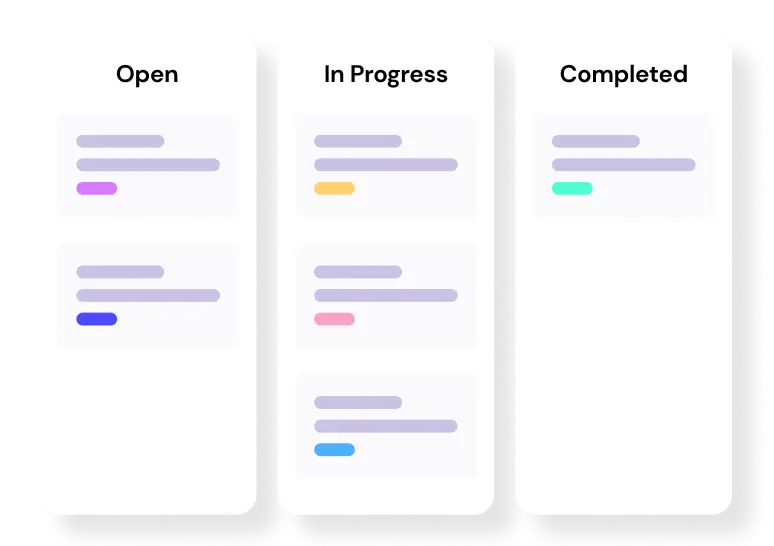
Level up your WordPress project management game with this Trello equivalent solution – where limitless possibilities come at an unbeatable price!
Context disappears when people move on
A team member leaves the project. The person taking over has no idea what decisions were made or why. They start from scratch. They repeat mistakes.
When project deliverables change hands without documented context, the new person can’t collaborate effectively because they’re missing the full picture.
Project changes have no clear process
Changes happen mid-project. But if there’s no clear process for requesting, reviewing, and approving changes, chaos follows. Team members don’t know how to handle scope adjustments.
The project management workflow breaks down because nobody knows who decides what.
Everyone interprets the same information differently
So, let’s see what Jeff Patton shows in “User Story Mapping” with a simple but powerful example.
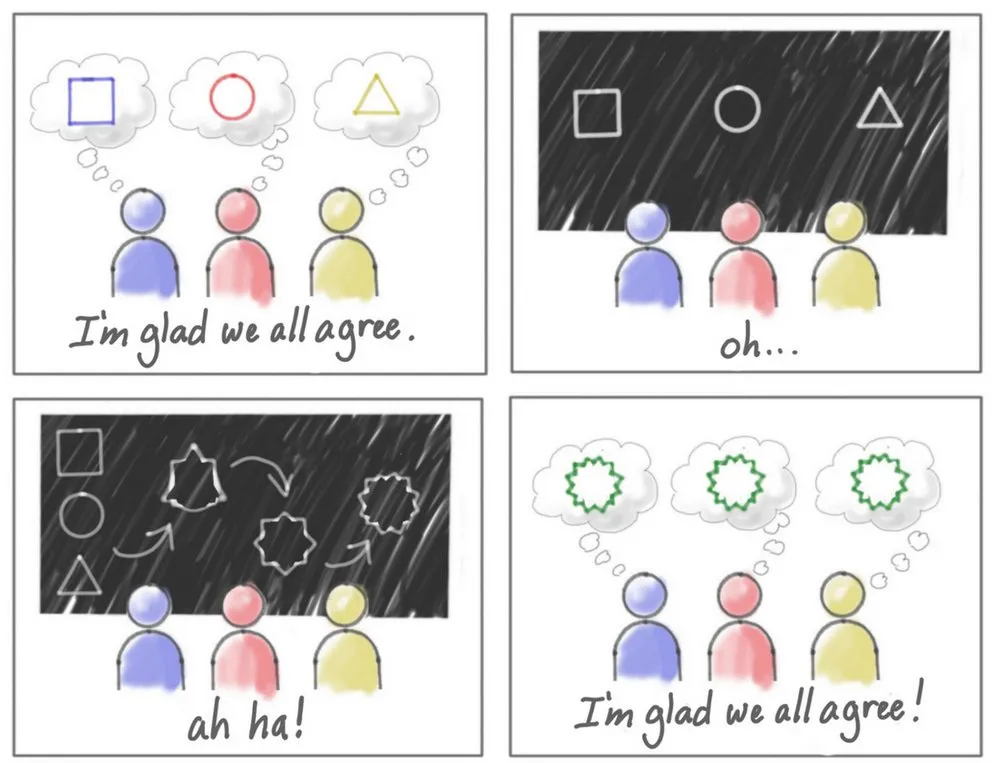
When you communicate information to your team, everyone nods and says they understand. They think they’re all on the same page. But each person walks away with a completely different picture in their head.
This is why miscommunication happens between project team members not because they aren’t paying attention, but because everyone interprets the same information differently without realizing it.
What Challenges Does Miscommunication Create?
When these causes pile up, they create serious problems for your project team.
Research shows that 90% of management problems are caused by miscommunication.
That’s nearly every challenge you’re dealing with as a project manager.
Plus, collaborative teams are 50% more effective at completing tasks than teams that don’t collaborate well.
So when miscommunication kills collaboration, you’re cutting your team’s effectiveness in half.
But what does that actually look like in your day-to-day work?
- Tasks keep getting duplicated because nobody knows who’s already working on them, wasting hours of effort
- Project deliverables that depend on other tasks take twice as long to finish because nobody communicated what’s ready
- Team members wait days for answers that someone else already has but doesn’t know anyone is waiting for
- Team members work toward different priorities because they each understood the goals differently and never checked with each other
- Half the team misses critical updates shared in hallway conversations or break room discussions
- Team members waste entire meetings just trying to figure out who’s responsible for what
- Trust breaks down when workload feels uneven because nobody can see who’s actually doing what
- Team collaboration stops as people start working around each other instead of together
Also Read: Common Project Management Challenges
How to Avoid Miscommunication Between Project Members
Now that you understand why miscommunication happens and how it disrupts collaboration, the next step is straightforward: remove the gaps where information usually breaks.
Here’s how teams can do that in real project work.
Make task ownership crystal clear
The Problem It Solves: Unclear roles, “I thought you had it” moments
The Fix: Assign specific team members to specific tasks with clear roles. Everyone should know exactly who owns what, who makes decisions, and who’s responsible for delivery.
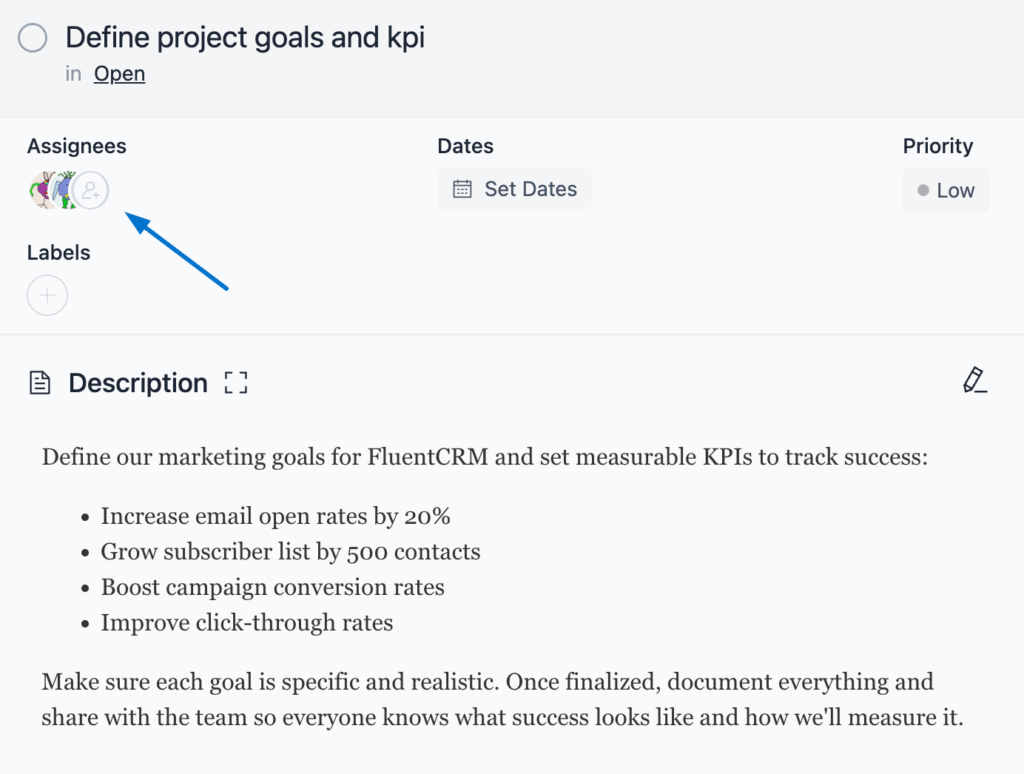
Use the member roles & permissions system to assign tasks. Set board admins for decision-making authority. Give team members the right visibility level based on their involvement.
Why This Works: Zero ambiguity. When someone opens a task, they instantly see who’s responsible. No more “whose job is this?” conversations.
Keep conversations where the work happens
The Problem It Solves: Updates scattered across email, Slack, and random platforms
The Fix: Attach task-specific conversations directly to the task. Don’t let discussions drift into email threads that get buried.
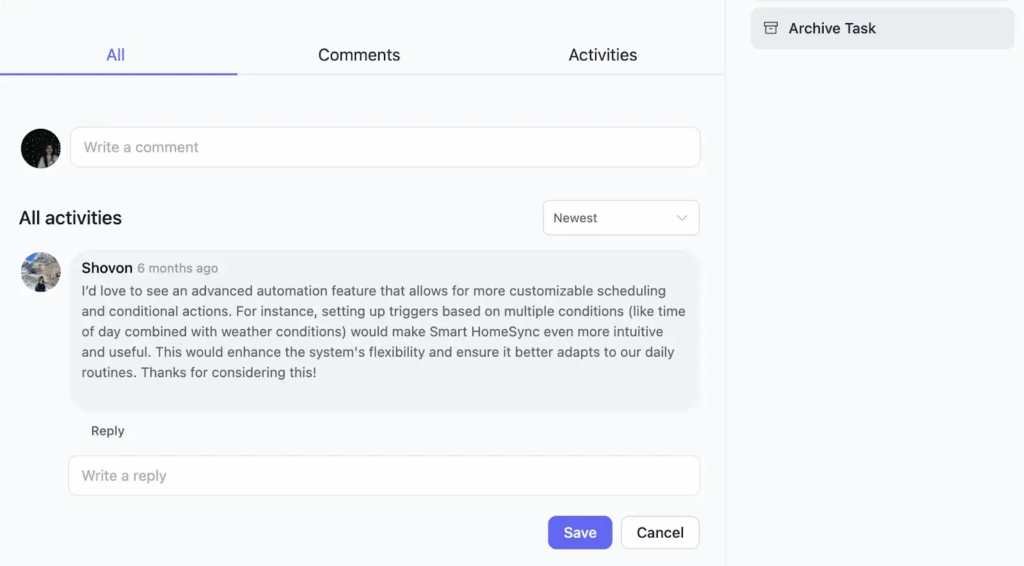
Comment system with @mentions. Tag team members directly on tasks. Get notifications when mentioned. Entire conversation history stays with the task, no need to switching platforms.
Why This Works: Context stays intact. New team members can scroll through the task and see every discussion that happened. No “let me dig through my email” moments.
Align everyone on what’s urgent
The Problem It Solves: Different teams working on different priorities
The Fix: Tag tasks with priority levels everyone can see and filter. Make urgency visual, not assumption-based.
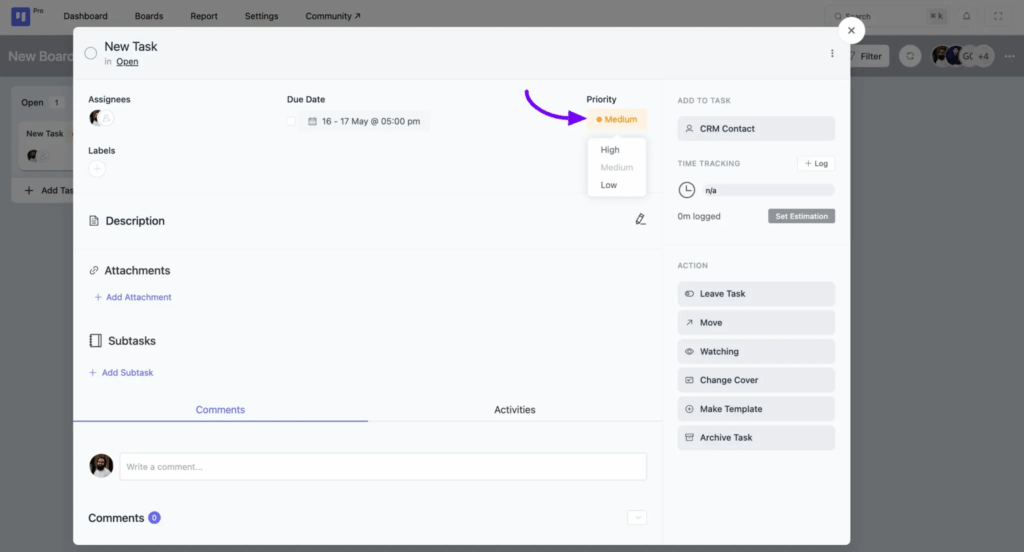
Set High/Medium/Low priority on tasks. Use advanced filtering to show only high-priority items across all stages. Entire team sees what needs attention first.
Why This Works: No more debates about “what should I work on first.” Filter by priority, see what’s urgent, get to work.
Give everyone real-time visibility
The Problem It Solves: Working in silos, no idea what teammates are doing
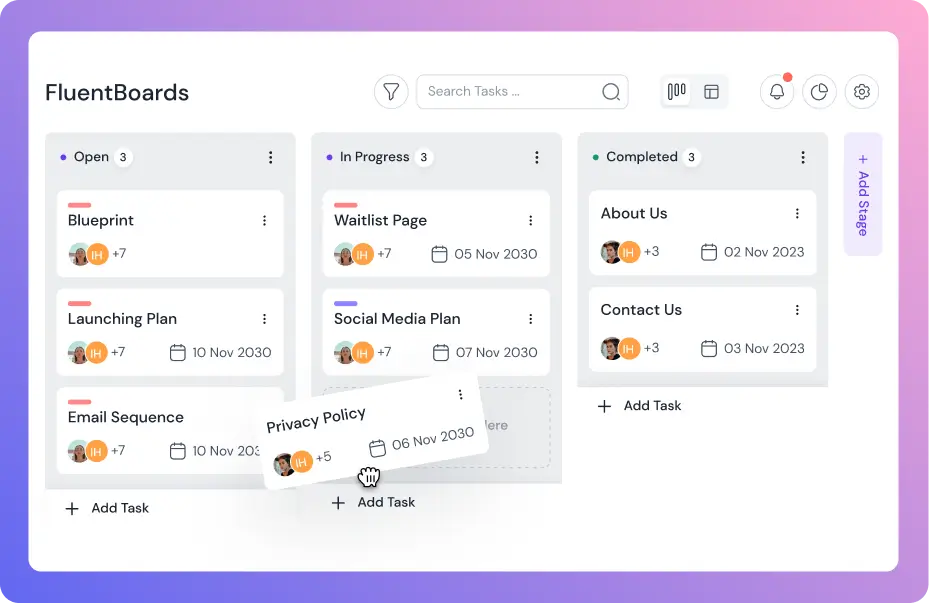
The Fix: Use a visual board where every team member sees task status in real time. Make progress transparent.
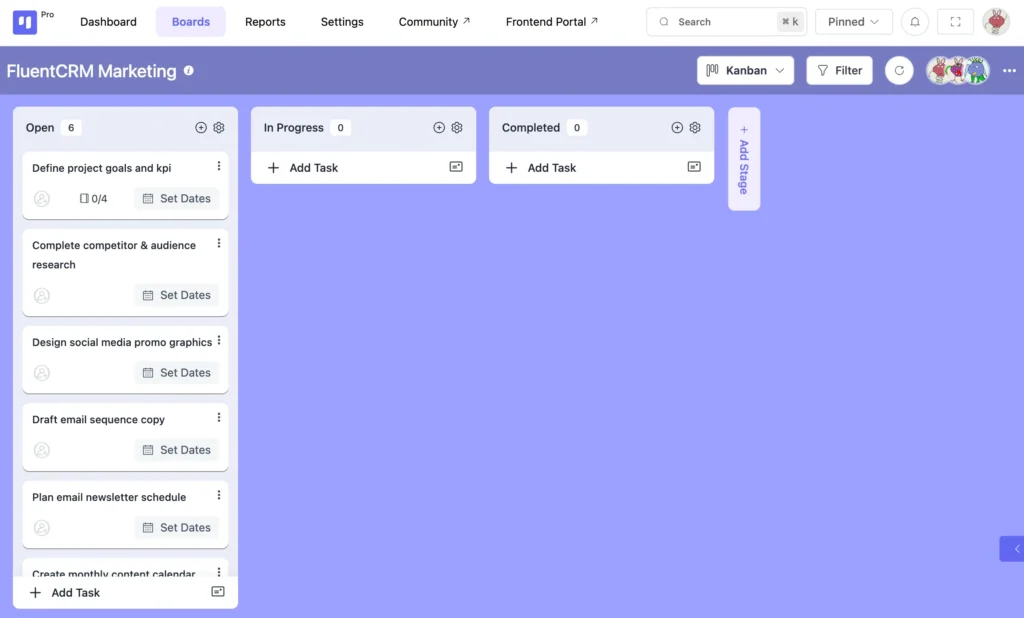
Kanban board view shows tasks moving through stages. Table view for detailed breakdowns. Calendar view for deadline tracking. Pick the view that fits your workflow.
Why This Works: Full transparency. No surprises. Everyone knows where things stand without asking “what’s the status on X?
Never miss a status change
The Problem It Solves: Silent status changes, missed updates
The Fix: Configure notifications so team members get alerted when things change. Automate the “heads up” messages.
![FluentBoards notification settings]](https://fluentboards.com/wp-content/uploads/2024/05/Notification-Settings-1024x644.webp)
Customizable email notifications for: stage changes, due date updates, new assignments, comments, task archiving. Pick exactly what you want to be notified about.
Why This Works: Nobody misses critical updates. When a task moves to “Ready for Review,” the next person in line gets notified automatically. Team stays synchronized without manual check-ins.
Note: Customize your notification preferences to avoid notification fatigue. You don’t need to be alerted about everything just the stuff that matters to your role.
Bringing It All Together
Miscommunication between project members doesn’t appear overnight. It builds slowly through unclear ownership, hidden dependencies, missed context, and assumptions that never get checked.
But once teams recognize these gaps, they can design their work to prevent confusion instead of constantly reacting to it.
As George Bernard Shaw once said,
“The single biggest problem in communication is the illusion that it has taken place.”
That line sums it up perfectly. When communication is intentional and aligned with how work actually moves, collaboration becomes easier and projects stay on track.
Thank you for reading.
Wishing you clarity, stronger teamwork, and smoother projects ahead.
Let’s redefine project management with FluentBoards!

Follow:


Get Tips, Tricks, & Updates
We won’t send you spam.



Leave a Reply