AI-Powered Project Management for WordPress

Use AI your way! Let your agent manage projects through MCP, or use Built-in AI inside FluentBoards to write, summarize, organize, and break down your work

29 MCP Tools

Built-in AI

MCP for AI Agents

Bring Your Favorite AI Agent into Your Boards

Give your AI agent secure access to FluentBoards and put 29 project management tools at its disposal. Let it understand your workspace, find the information it needs, and take action across boards and tasks without jumping between tools.

MCP Support for AI Agents - FluentBoards

Use FluentBoards With the Tools You Already Know

claude ai icon.svg

Claude

Use ready-made configuration for Claude Desktop and Claude Code

chatgpt whtieicon

OpenAI Codex

Add the provided configuration and start working with FluentBoards from Codex

icons8 cursor ai 144

Cursor

Paste the ready-to-use configuration into Cursor’s MCP settings

ai provider icon (1)

Other

Use the endpoint and authentication details with any compatible MCP client

From Zero to AI-Powered in Under 5 Minutes
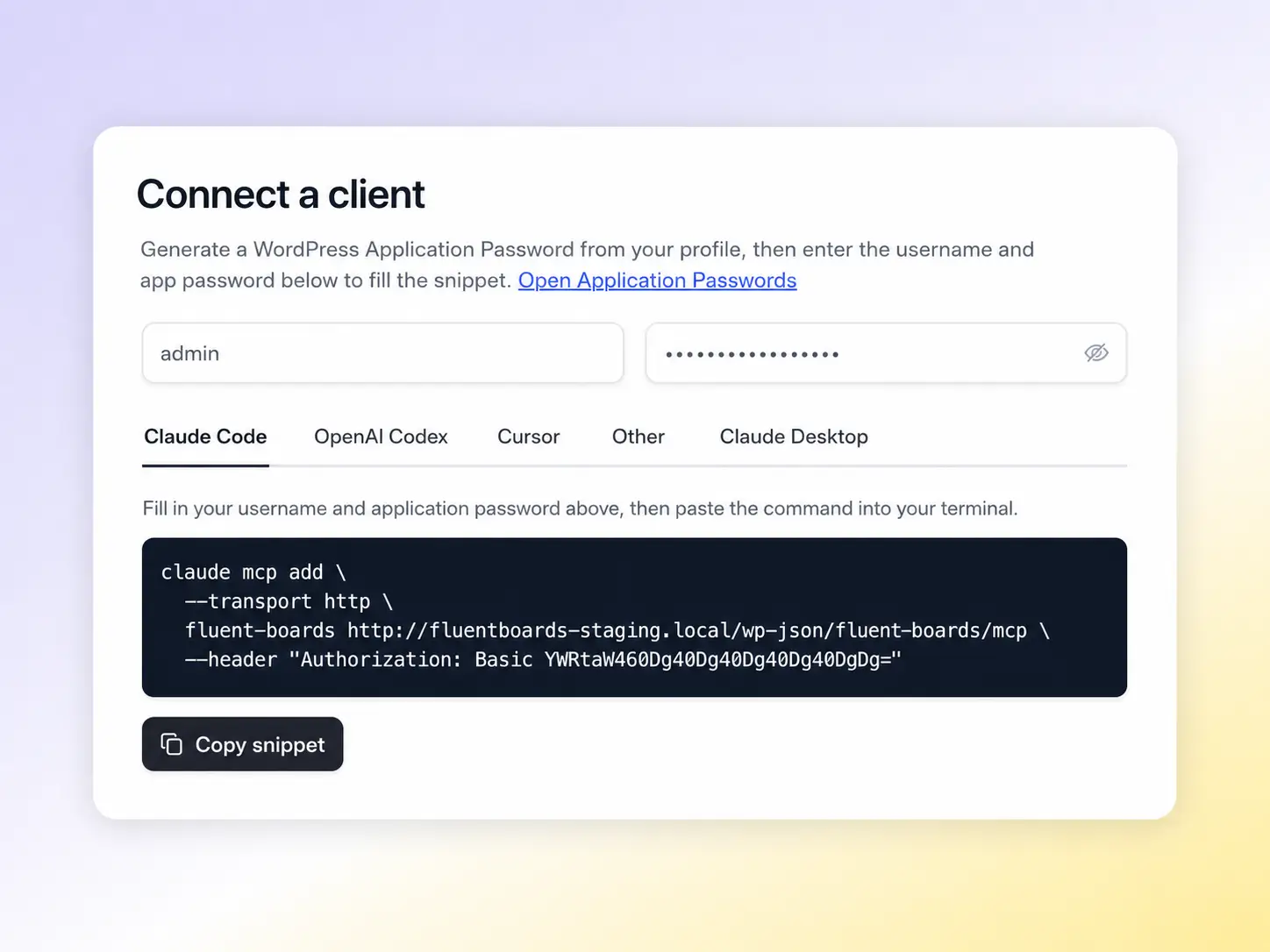
Go to FluentBoards settings and 
Generate Your Connection

1. Generate Your Connection

Choose your AI client from the FluentBoards MCP settings and generate the configuration
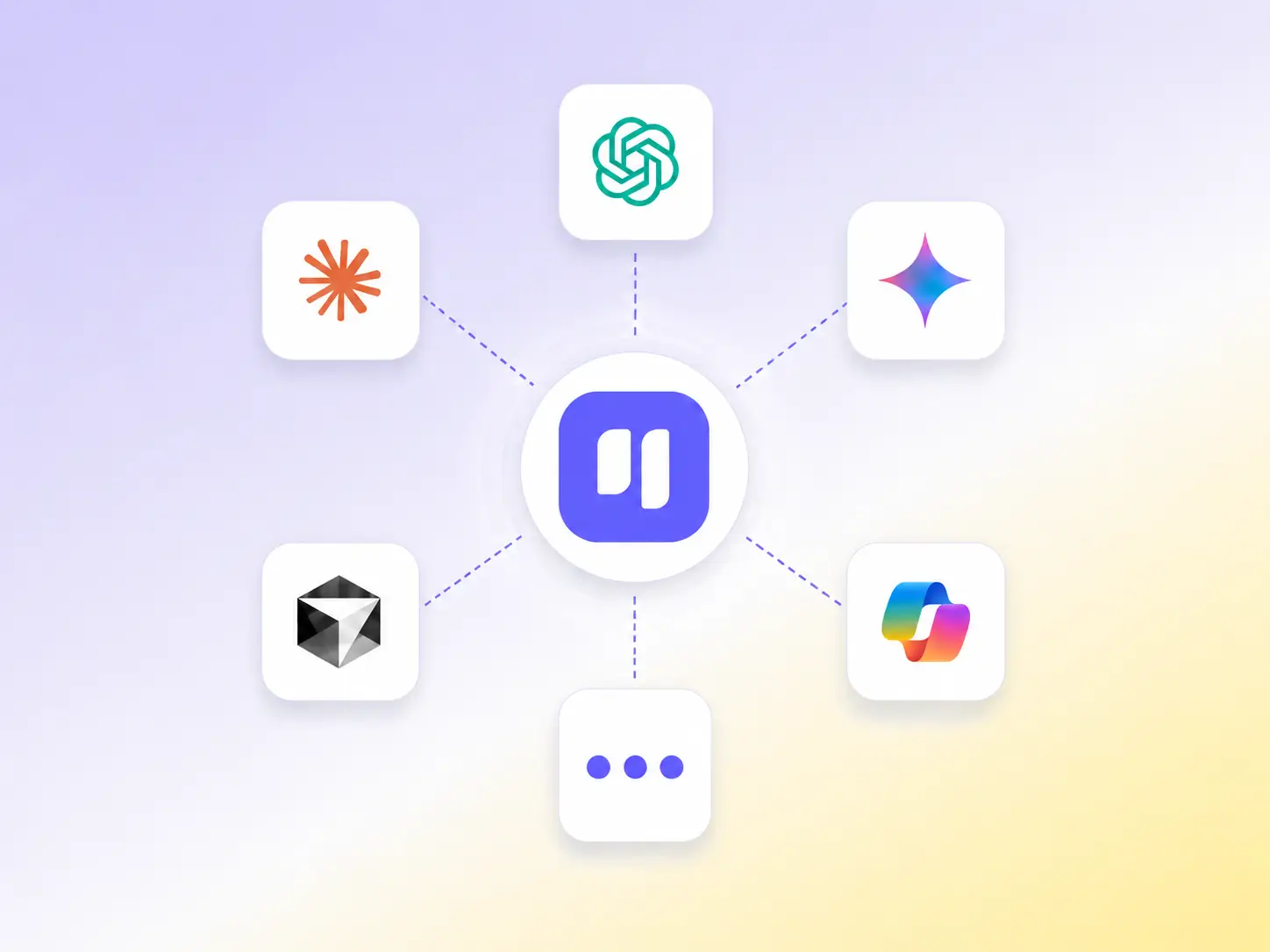
Connect any AI Client you use to FluentBoards

2. Add it to Your AI Client

Paste the configuration into Claude, Cursor, Codex, or another MCP-compatible client

Ask your agent to find boards, create tasks, update project details, and work with your FluentBoards data

3. Start Managing with AI

Ask your agent to find boards, create tasks, update projects, assign work, and more

29 Tools, A Lot Less Manual Project Work

  • Get FluentBoards Context
  • Add Comment
  • Create Subtask
  • List Boards
  • List Labels
  • Get Subtasks
  • Get Board
  • Save Label
  • Update Subtask
  • Create Board
  • Delete Label
  • Delete Subtask
  • List Tasks
  • Add Task Label
  • Assign Subtask
  • Get Task
  • Remove Task Label
  • Remove Task Assignee
  • Create Task
  • Save Stage
  • List My Tasks
  • Update Task
  • Archive Stage
  • Search Tasks
  • Move Task
  • Assign Task
  • Add Task Assignee
  • Archive or Restore Task
  • Create Subtask Group

Ready to Put Your AI Agent to Work?

Built-in AI

Help Arrives, Right Where the Work Happens

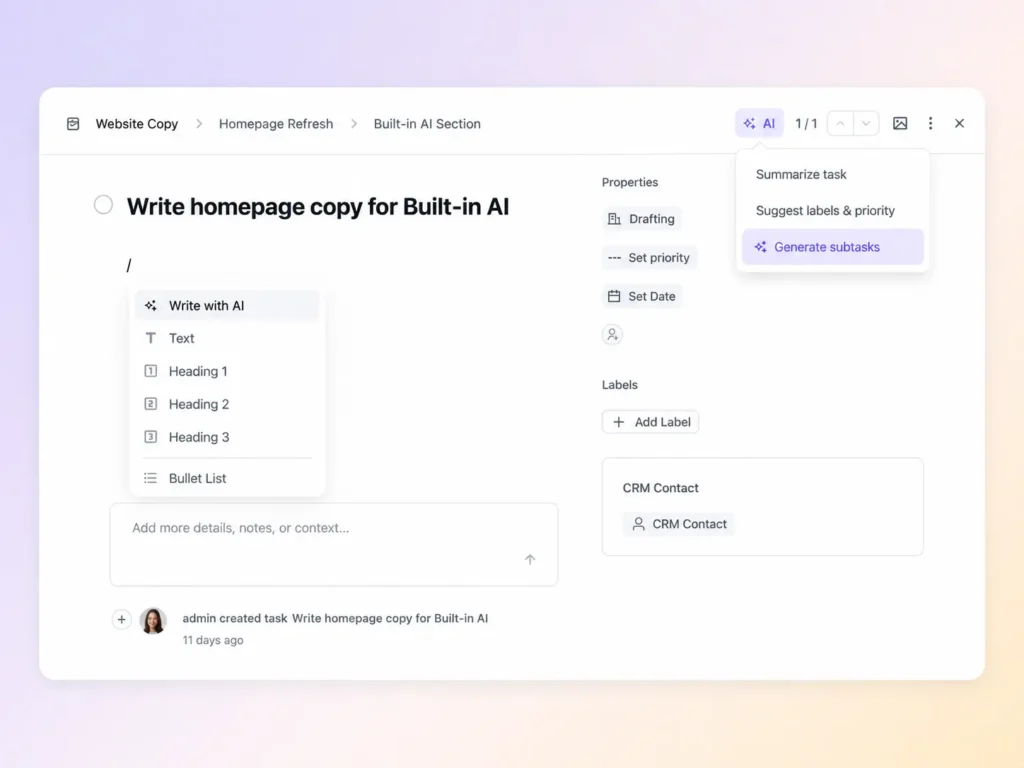
No external AI client. No MCP setup. Built-in AI works directly inside FluentBoards, helping you write better task descriptions, summarize work, suggest labels and priorities, and turn tasks into subtasks.
chatgpt image aug 17, 2026, 11 44 25 am

Write Better Task Descriptions

Start with a short prompt or improve an existing description without leaving the task

Summarize Tasks in Seconds

Turn lengthy task details into a quick summary so you can understand the context faster

Get Labels & Priorities Suggested for You

Let AI read the task and recommend relevant labels and a suitable priority

Turn Tasks Into Subtasks

Generate a set of subtasks straight from a task’s description

AI is Only One Part of Your Workflow

Connect FluentBoards with the tools already running your WordPress business, from CRM and forms to support, email, webhooks, and your own applications

fluent crm icon

FluentCRM

fluentforms primary logo

Fluent Forms

fluent support icon

Fluent Support

fluentbooking monotone light icon

FluentBooking

webhook icon1212

Webhooks

api settings icon 121

REST API

Affordable Pricing, Maximum Impact!

We understand your needs, that’s why FluentBoards comes with affordable pricing without compromising any features.

Single License

$149 $119/Year

Save 20%

Single Site License

Super Saver

Agency License

$349/Year $279/Year

Save 20%

5 Sites License

Unlimited License

$699/Year $559/Year

Save 20%

Unlimited Domains

  • 1 Year Plugin Update
  • 1 Year Priority Support
  • All Features Included

*Grab a special discount on your first year with us!

Single License

$399 $319

Single Site License

Super Saver

Agency License

$799 $639

5 Sites License

Unlimited License

$1599 $1279

Unlimited Domains

  • Lifetime Update
  • Lifetime Support
  • All Features Included

Frequently Asked Questions

Have a question? We’ve got answers!

Direction. MCP brings an external AI agent (Claude, Cursor) into your FluentBoards so it can read and act on your projects from inside the AI tool. Built-in AI keeps you inside FluentBoards and adds writing help, summaries, and subtask suggestions without switching apps. Use MCP if your team works inside an AI tool daily. Use Built-in AI if you want AI help without leaving FluentBoards.

Split. Free gets 22 tools covering boards, tasks, stages, labels, and comments. Pro adds 7 more: all subtask tools plus Add/Remove Task Assignee. So free users can read and manage tasks via MCP; they just can’t touch subtasks through it.

No. Just WordPress hosting. FluentBoards Pro installs the required adapter (FluentHub) automatically during setup.

No. Your AI client talks directly to your WordPress site. FluentBoards servers are not in that path.

Yes. Each connection runs under a WordPress user account and respects that user’s existing board permissions.

Claude Desktop, Claude Code, ChatGPT, and Cursor officially. Any HTTP-based MCP client also works using the endpoint URL.

Access is cut immediately. The endpoint authenticates against your WordPress credentials on every request.

It can make changes. Read-only tools are marked as such (context, list, get). Write tools (create, update, move, assign, archive, delete) follow your board permissions.

Depends on the client. Claude Desktop requires Claude Pro or Team. Cursor requires Cursor Pro. This is separate from your FluentBoards subscription.

No limit from FluentBoards. Individual prompts are capped in size to prevent runaway API calls, but call volume is unlimited. Your costs and limits come from your API provider.

You choose and bring your own API key. Supported providers: OpenAI, Anthropic (Claude), Google Gemini, and the WordPress native AI client. If you have already configured AI in FluentCRM, FluentBoards picks up those credentials automatically.

FluentBoards never touches your data server-side. Your WordPress server calls the AI provider directly. Whether your data is used for training depends on your agreement with that provider, not FluentBoards.