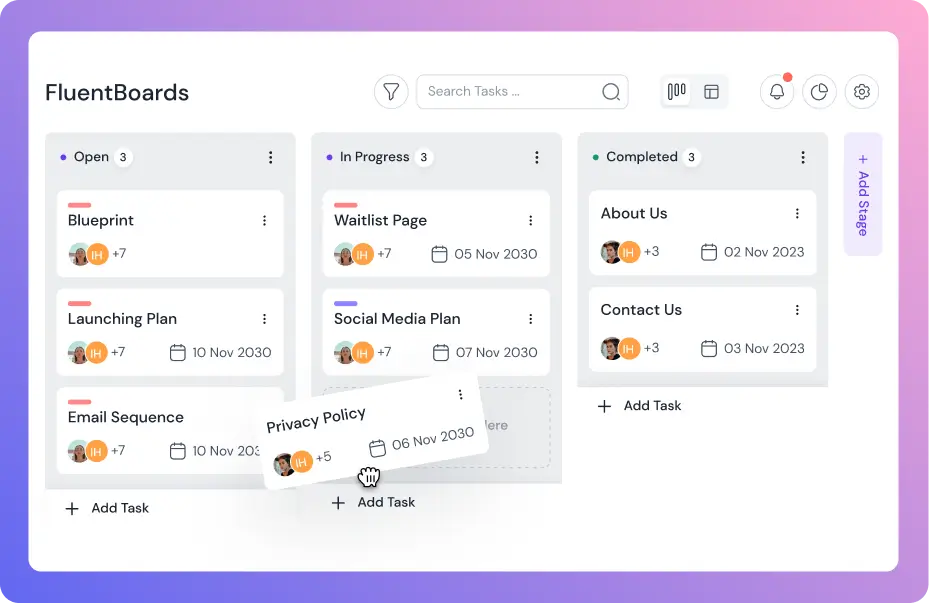
Free is Strong, Pro is Unstoppable
FluentBoards Free lets you manage projects, tasks, and teams with ease, while FluentBoards Pro lets you automate, customize, and optimize at scale.
Features

Free

Pro




Get Trello’s Power for Way Less Money!
Put FluentBoards side by side with Trello’s premium plan and see the savings.

$0.00

$0.00
Choose Wisely and Excel Smoothly!
Free version covers the fundamentals. Pro version delivers the flexibility and advanced control.

(@jenesistem) on wordpress.org
“If you are using task management with a large number of people for a long period of time, I think you will save more money by using FluentBoards Pro than using Trello. However, if you increase the number of “admins” from “Add Users” in WordPress, you can also use the free version of FluentBoards by multiple people.”
Discover Which FluentBoards Plan Fits You Best
Functionality
Availability
Project Organization
Both FluentBoards Free and Pro let you create unlimited projects. However, to organize projects into folders, you’ll need Pro. Pin Board feature is available in both and free and pro.
Assignee Count
You can onboard unlimited assignees in both Free and Pro. However, in the Free version, only Website Administrators can access the project boards. So, if you don’t want to make every team member an Administrator and need proper role control, you’ll need Pro.
Task Management
The Free version offers all the basics—due dates, priority labels, comments, etc. For advanced features like subtasks, subtask groups, custom fields, templates, and file attachments, you’ll need Pro.
Project Views
FluentBoards Free includes List View and Kanban View. If you need additional views like Calendar View, you’ll have to upgrade to Pro.
Task Filtering
All task filtering options are available in both Free and Pro
Automation
Automation features such as default assignees, recurring tasks, and more are only available in the Pro version.
Color Customization
Both Free and Pro let you customize project backgrounds, task labels, task covers, and stage colors. In Free, customization is limited to a few predefined colors, while pro unlocks limitless customization, including custom colors and image backgrounds.
External Storage
To host your data outside your server, you’ll need the Pro version
Project Reporting
Dynamic reporting features are available in both Free and Pro versions
Frontend Portal
Only Pro allows you to share your project board on the frontend to keep everyone aligned
FluentRoadmap
FluentBoards’ public roadmap-sharing add-on, FluentRoadmap, is available only in the Pro version.
Integrations
Integrations with Fluent products are available in both Free and Pro.

Smooth installation. Everything worked as expected. Very nice UI and fast working as usual!
Farhang Babkayee, Course Creator
Already excited from the first view, of how intuitive it works, and love the FluentCRM integration. This has so many opportunities!
Natascha Vantuykom, Marketer
Loving Fluent Boards! Shahjahan Jewel, you and the team have outdone yourselves!! This is yet another kick-ass plugin!
Stephan Stavrakis, Business ConsultantActive Installations
Product Downloads
Product Updates
#1 Project Management Plugin on WordPress.org

Frankly, The Fluent team never ceases to amaze us! The UI is excellent!
Ricardo Da Silva, Web Developer
Initial thoughts. I love the familiarity of this – it’s not overly hard to grasp how to use it.
Sel Leigh, Strategic Business CoachAffordable Pricing, Maximum Impact!
We understand your needs, that’s why FluentBoards comes with affordable pricing without compromising any features.
Single License
Save 20%
Single Site License
Super Saver
Agency License
Save 20%
5 Sites License
Unlimited License
Save 20%
Unlimited Domains
*Grab a special discount on your first year with us!
Single License
Single Site License
Super Saver
Agency License
5 Sites License
Frequently Asked Questions
Our affordable plans adapt to your business models, ensuring you don’t miss out on any key features.